Modem vs Gateway: A Practical Comparison for Home Networks
Compare standalone modems and gateway devices to determine the best fit for your home network, ISP plan, security, and budget. This analytical guide from Modem Answers covers definitions, setup, and practical decision points.


When evaluating modem vs gateway, remember that a modem only connects you to your ISP, while a gateway bundles a modem with a router and often Wi‑Fi. For most households, a standalone modem combined with a separate router offers flexibility and upgrade paths, whereas a gateway simplifies setup and ISP support. The best choice depends on your service plan, home size, and how much you value expandability versus convenience.
What modem vs gateway really means for your home network
In the world of home networking, the distinction between a modem and a gateway matters more than ever. A modem is the bridge between your home and your Internet Service Provider (ISP). A gateway, on the other hand, is the all-in-one device that combines a modem with a router and often a built-in Wi‑Fi access point. Understanding this difference helps homeowners plan for future upgrades, security, and overall network performance. According to Modem Answers, the most common confusion stems from assuming all gateways are simply better than modems; the reality is nuanced and depends on how you use the device and what your ISP supports.
Core definitions: modem vs gateway in plain terms
- Modem (standalone): A device that talks to your ISP’s network and provides an internet connection to your home. It does not advertise Wi‑Fi or manage local devices by itself.
- Gateway (modem-router combo): A single box that performs the modem role and also routes traffic between devices, typically with built‑in Wi‑Fi and multiple Ethernet ports. Often supplied by the ISP or available as a purchase option.
Analysts at Modem Answers emphasize that the choice hinges on two big questions: Do you want to own and upgrade your router separately, and do you need integrated Wi‑Fi coverage across your home without a separate mesh system? The answer influences whether a gateway or a standalone modem is preferable.
How networks evolve: flow from modem to gateway
Your home network evolves through a few stages. Early setups used a separate modem and router, then many households moved to gateways for simplicity. Some users later adopt mesh networks to extend coverage beyond a single router’s reach. The key is to plan for growth: consider current square footage, number of devices, and future ISP speed upgrades. Modem Answers notes that a gateway can be a practical stepping stone for renters or tech-light households, while enthusiasts may layer a high-end router behind a modem to optimize performance.
Wi‑Fi coverage: built-in vs external solutions
With a gateway, Wi‑Fi is built in. This can be convenient for smaller homes and apartments where a single device covers the space well. In larger homes, you may still want a separate router or a mesh system to ensure reliable coverage in every room. The advantage of a standalone modem plus a dedicated router is the ability to swap in a high‑end router with advanced features (QoS, parental controls, guest networks) without replacing the modem. Modem Answers highlights that Wi‑Fi quality often hinges on the router and antenna design more than the modem alone.
Setup and ease of use: one box vs two devices
Gateways shine in simplicity: connect the power, plug in the coax (or fiber/DSL line as applicable), and you’re online with minimal configuration. Standalone modem setups require two devices and may involve some coordination between the modem and a separate router. For renters or users who want a plug‑and‑play experience, gateways provide a faster path to network readiness. Modem Answers notes that this can reduce technical barriers for households without a resident network expert.
Security, updates, and control: who watches the watchman
Security is largely a function of firmware and configuration rather than the device’s label. Gateways often include ISP‑provided firmware updates that lock in a vetted configuration, while standalone routers offer frequent third‑party firmware options and customization. If you prioritize granular security features (intrusion detection, advanced firewall, VPN support), a high‑end standalone router behind a modem is typically preferable. Modem Answers stresses keeping firmware current as the most important security practice, regardless of device type.
ISP compatibility and rental costs: owned gear vs rental gear
ISP compatibility matters more with gateways, where some ISPs require using their supplied gateway for services like voice or Wi‑Fi calling. Rental costs can accumulate over time with gateways, whereas owning a modem and router may incur upfront costs but lower ongoing fees. Modem Answers recommends checking your contract for device restrictions, rental terms, and upgrade cycles before choosing. In many regions, buying a compatible modem and a separate router is financially sensible over the long term.
Cost of ownership: upfront costs vs ongoing expenses
A gateway typically reduces the number of devices you manage and may come with a lower upfront hassle factor. However, if you own the gateway, you may face depreciation and eventual replacement costs. By contrast, a standalone modem + router setup can be tailored to your budget and allows you to upgrade one component at a time. Modem Answers emphasizes weighing total cost of ownership across 2–5 years to determine the better option for your household.
Real‑world setup scenarios: practical guidance
- Small apartment: A gateway with built‑in Wi‑Fi can cover most spaces effectively, providing a clean, minimalist setup.
- Medium‑size home: Consider a gateway for convenience or a solid higher‑end router with a separate modem for maximum coverage and control.
- Large home with thick walls: A mesh system behind a modem or behind a gateway can eliminate dead zones. Plan for wired backhaul where possible to improve stability.
In all cases, consider how you use devices: gaming consoles, smart home hubs, and work‑from‑home setups benefit from robust and stable networks. Modem Answers underscores testing coverage and performance before committing to a single solution.
Myths, pitfalls, and how to avoid them
Common myths include the belief that gateways always provide the best Wi‑Fi or that standalone modems cannot support modern speeds. The reality is device quality, placement, and configuration determine outcomes more than the label. Pitfalls to avoid: mismatched equipment with your ISP, neglected firmware updates, and underestimating the importance of good modem/router placement. The guidance from Modem Answers centers on matching hardware to service plans and home layout, not chasing the newest buzzword.
Comparison
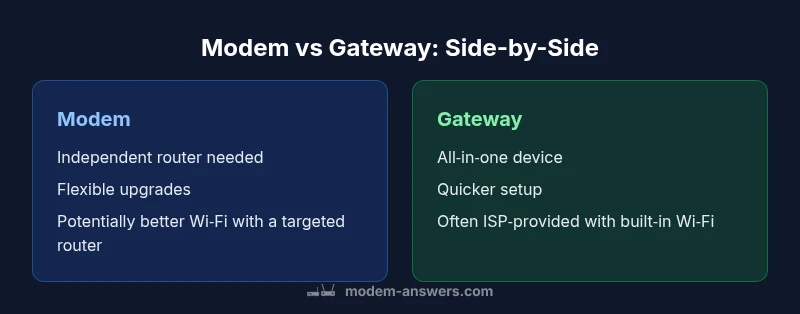
| Feature | Modem | Gateway |
|---|---|---|
| Primary function | Bridge to ISP; no built-in routing | Modem + router in one device; includes Wi‑Fi |
| Networking capabilities | Modem only; requires separate router for LAN | Integrated router and often Wi‑Fi; multiple LAN ports |
| Wi‑Fi performance | Depends on external router; can be superior with high-end router | Built-in Wi‑Fi; convenient for small to mid homes but may lag larger spaces |
| Security features | Router features depend on external device; security relies on second device | All-in-one security features; firmware updates often provider-controlled |
| Setup and management | Two devices; sequential setup | One device; quicker setup, simpler management |
| Cost of ownership | Upfront device cost; possible ongoing router upgrades | Often rental cost if provided by ISP; potential savings long-term if owned |
| Firmware updates | Router updates drive features; independent of gateway | ISP‑provided updates; may be slower to roll out but consistent |
| Best for | Tech‑savvy users who want control and flexibility | Users seeking simplicity and single‑box solution |
Positives
- Greater flexibility to customize your network with separate router
- Potentially better Wi‑Fi performance with a high‑end router
- Easier future upgrades without replacing the modem
- Ownership often reduces long‑term rental costs
What's Bad
- More devices to manage and configure
- Higher initial cost if buying both modem and router
- Two‑step setup can be intimidating for beginners
- ISP compatibility and support may vary for standalone gear
Standalone modem + router is the balanced choice for most families; gateways suit simple, one‑box setups.
If you value upgrade flexibility, device performance, and long‑term cost control, go with a separate modem and router. If you want a quick, low‑hassle setup and ISP‑managed support, a gateway can be the better fit.
FAQ
What is the difference between a modem and a gateway?
A modem connects your home network to your ISP, while a gateway combines a modem and router in one device, often with built‑in Wi‑Fi. The choice affects setup, coverage, and upgrade options.
A modem links you to the internet, and a gateway does that plus routing and Wi‑Fi in one box.
When should I choose a standalone modem instead of a gateway?
Choose a standalone modem if you want maximum control, better Wi‑Fi options from a separate router, or plan to upgrade routers over time. It’s also ideal if you already own a high‑quality router.
If you value control and future upgrades, go with a standalone modem plus your own router.
Do gateways simplify setup for most homes?
Yes. Gateways reduce device clutter and can be easier to install, especially for renters or households without a network expert. They can also simplify ISP support calls.
Yes—one box is easier to set up for many households.
Are gateways more secure or slower?
Security depends on firmware and configuration. Gateways often include built‑in security features, but performance depends on the router hardware inside the gateway and your plan speed.
Security comes from updates and settings; speed depends on the router inside the gateway.
What about costs: rental vs ownership?
Rental fees for gateways can add up over time. Owning a modem and router may cost more upfront but typically yields savings in the long run.
Rentals add ongoing costs; owning generally saves money over time.
Can I use my own router with a gateway?
Some ISPs allow bridge mode to use your own router with a gateway, but support varies by provider. Check your service plan and device settings before assuming compatibility.
Sometimes you can bridge to use your own router, but it depends on your ISP.
Key Takeaways
- Define your network goals before buying: flexibility vs simplicity
- Standalone modem + router usually offers better long‑term value
- Check ISP compatibility and support options before purchasing
- Consider home size and future speed upgrades when choosing
- Prioritize firmware updates and placement to maximize performance