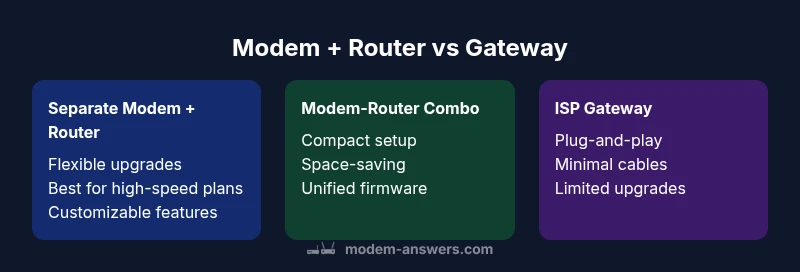
Modem v Router: Side-by-Side Comparison for Home Networks
A balanced, data-driven comparison of modem v router roles for home networks. Learn when to use separate devices, when a gateway makes sense, and how to optimize your setup for speed, security, and future-proofing.


In deciding modem v router choices for a typical home network, most households benefit from either a gateway (modem-router combo) or a well-planned separation of the two devices. The Modem Answers team finds that understanding each device’s core role helps avoid overpaying for features you don’t need. For many, a dedicated router paired with a compatible modem offers the best balance of performance and upgrade paths.
What a modem does vs what a router does
A modem is the bridge between your home network and the Internet Service Provider (ISP). It converts signals from the ISP’s network into digital data your devices can understand, and vice versa. A router, by contrast, creates the local network inside your home, assigns IP addresses, and directs traffic between devices. In practice, most households use both, with the modem handling the external connection and the router handling internal traffic, Wi-Fi distribution, and security controls. According to Modem Answers, recognizing these roles is the foundation of a practical network plan when weighing modem v router configurations. For renters or small spaces, a gateway device (modem-router in one box) can simplify setup while delivering solid performance; for homeowners aiming at future-proofing, separating the two often yields greater flexibility and easier upgrades. The guidance here emphasizes practical decision-making over marketing hype, helping you tailor your setup to your plan, devices, and home layout.
Moderately sized homes with multiple occupants frequently benefit from a high-quality router paired with a compatible modem, allowing customized features such as QoS (Quality of Service), guest networks, and robust parental controls. Modem Answers analyses suggest that households with growing smart ecosystems—thermostats, cameras, streaming devices—gain resilience and easier troubleshooting when they manage two devices instead of one gateway. The core takeaway is simple: match the hardware to your speed tier, device density, and upgrade expectations, then tune placement and configuration for reliable coverage.
Brand choices and support services also influence outcomes. If you opt for separate devices, you can upgrade the router’s capabilities without replacing the modem, preserving compatibility with future ISP speed upgrades. If you choose an all-in-one gateway, ensure the model supports your plan and provides firmware updates, port-forwarding options, and security features that align with your home’s needs.
Feature Comparison
| Feature | Separate Modem + Router | Modem-Router Combo (Gateway) | Bridge/Monolithic Gateway (ISP-provided) |
|---|---|---|---|
| Connectivity options | Flexible topology and upgrades across devices | All-in-one convenience with fewer devices | Typically limited to the gateway’s built-in topology |
| Setup complexity | Moderate: more cables and placements | Simple: plug-and-play with guided setup | Very simple: ISP-provided activation and default setup |
| Wi‑Fi performance potential | Depends on router quality; supports high-end features | Integrated Wi‑Fi; performance tied to the gateway’s hardware | Depends on gateway hardware; often adequate but less upgradeable |
| Future-proofing | Easier to upgrade components independently | Upgrade path limited to the gateway model | Upgrades tied to ISP firmware updates or new gateway release |
| Space and power | Two devices; more desk space and power use | One box; compact footprint | One device; minimal desk space |
| Cost range | Moderate to high initial investment; ongoing upgrades | Moderate initial investment; often cost-effective upfront | Lower upfront cost but may incur ongoing fees or limited features |
| ISP compatibility | Broad compatibility; choose devices based on specs | Built-in compatibility with select ISPs/models | Depends on ISP; often needs activation and bridge mode |
| Support and updates | Independent updates for modem and router; flexible support | Vendor handles updates for single device; simpler support | ISP-driven updates; may be slower to push features |
Positives
- Greater customization and upgrade flexibility
- Better long-term value for high-speed plans
- Improved Wi-Fi performance with a high-quality router
- Easier isolation of problems when one device fails
- Better room for future technology and security features
What's Bad
- More setup complexity and cable management
- Two devices can take more space and be more expensive upfront
- Requires manual coordination between modem and router manufacturers
- Firmware updates can be fragmented across devices
- Potential compatibility quirks with some ISPs when separating devices
Separate modem and router generally offer the best balance of performance, upgradeability, and future-proofing.
If you want maximum control over features and long-term versatility, choose separate devices. A gateway is a strong, space-saving option for simpler setups or tighter budgets, but may limit upgrades and customization over time. Modem Answers recommends evaluating your current speed tier, device count, and willingness to manage two devices before deciding.
FAQ
What is the difference between a modem and a router, and do you need both?
A modem connects you to your ISP and carries the external signal, while a router creates your home network, assigns IPs, and routes traffic between devices. Most homes benefit from both, or from a gateway that combines the two. This distinction informs the best path for the modem v router decision.
A modem gets you online; a router makes your devices talk to each other. Most homes use both, or a single gateway if space or simplicity is the priority.
Can I use a modem without a router?
Yes, you can connect a single computer directly to a modem, but you’ll lose Wi-Fi and easy device sharing. A router is usually needed for multiple devices and wireless coverage.
Yes, but you’ll miss Wi-Fi and sharing features.
When should I buy separate modem and router?
Choose separate devices if you have many devices, demand strong performance, or want advanced features like QoS, guest networks, and robust security. It also makes upgrades easier without replacing an all-in-one unit.
If you want flexibility and future-proofing, go separate.
Is a gateway better for small apartments?
A gateway reduces clutter and is simple to manage in tight spaces. You may sacrifice some performance or upgrade options, but for many studios, it’s a practical choice.
If ease and space matter, a gateway can be a good fit.
Do I need a DOCSIS 3.1 modem for high-speed plans?
For gigabit or faster plans, a DOCSIS 3.1 modem is generally recommended. If your plan is slower, a DOCSIS 3.0 modem may suffice.
Get a DOCSIS 3.1 modem if you plan to run fast speeds.
How do I set up a new modem-router combo?
Connect the modem to the wall outlet, then the router, and run the setup wizard. Enable Wi‑Fi features, security settings, and any ISP activation prompts.
Plug in, run the setup, and follow the ISP prompts to activate.
Will upgrading my internet plan require new hardware?
Not always, but higher speeds may require a faster modem or router. Always verify compatibility with your plan and ISP.
Sometimes your gear is enough, but check your speed and device capabilities.
Key Takeaways
- Assess your speed tier and device count before choosing
- Prefer separate devices for flexibility and upgrades
- Gateway devices suit space-conscious and budget-focused users
- Check ISP compatibility and DOCSIS standards before buying
- Placement and Wi‑Fi optimization are critical for performance