Modem and Router Storage: Smart Home Organization for 2026
Explore practical guidance for organizing your modem and router storage with airflow, accessibility, security, and future upgrades in mind. Learn layouts, costs, and maintenance for optimal home networking.


For most homes, the best approach is a ventilated, compact storage solution such as a small cabinet or wall-mount rack with cable management. Prioritize airflow, easy access for resets and maintenance, and surge protection. Place the setup away from heat sources and direct sunlight, and ensure room for future upgrades. This balance keeps your modem and router cool, accessible, and protected.
Why modem and router storage matters for home networks
According to Modem Answers, where you store your networking gear matters as much as the devices themselves. Proper modem and router storage influences heat dissipation, ventilation, dust exposure, and accessibility for routine restarts, firmware updates, and cable changes. A thoughtful storage approach reduces performance throttling due to overheating and minimizes service interruptions caused by cluttered cable paths. In many homes, the most critical factors are airflow, safe placement away from moisture, and accessible outlets for surge protection. The concept of modem and router storage extends beyond appearance; it directly affects reliability, stability, and the ability to upgrade over time. A well-organized setup also simplifies troubleshooting and helps maintain consistent Wi-Fi coverage across rooms, which is essential for modern households with multiple devices and smart home gadgets.
Key criteria to evaluate storage options
To choose the right solution for modem and router storage, first define the core criteria. These include ventilation and heat management, cable management, physical security, ease of access for maintenance, power protection, and future upgradability. Look for storage that allows vertical or horizontal space with adequate clearance above heat-generating devices. Adjustable shelves, perforated panels for airflow, and dustproof enclosures can help maintain device longevity. Consider the surrounding space: a compact cabinet may fit perfectly in a living room alcove, while a wall-mounted solution can save floor space in small apartments. The Munition of placement should be based on your floor plan, not just aesthetics. The ultimate goal is a solution that stays cool, organized, and scalable as your home network grows.
Common storage configurations and their pros and cons
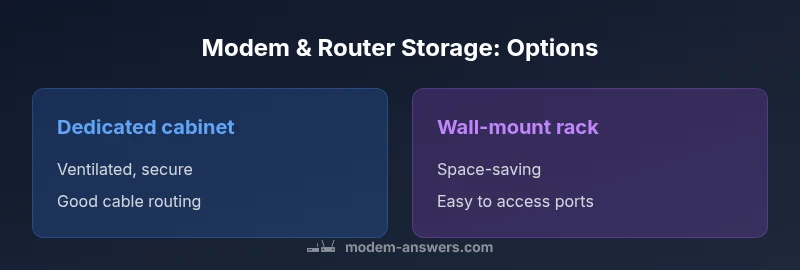
There are several practical configurations for modem and router storage, each with tradeoffs. Open shelving offers low cost and easy access but exposes devices to dust and accidental bumps. Enclosed cabinets provide dust protection and better aesthetics but may limit airflow if not ventilated. Wall-mounted racks save floor space and keep equipment at a convenient height, but installation requires sturdy support and careful cable routing. Under-desk drawers or rolling carts can position gear near power outlets and modems along neat cable lines, yet some models may restrict airflow and heat dissipation. The best choice balances accessibility, ventilation, and space constraints while keeping cables clearly labeled and easy to adjust.
Placement considerations: heat sources, vents, and noise
Placement decisions should minimize exposure to heat sources such as radiators or direct sun. Devices generate heat, and poor airflow can cause performance throttling, especially for high-throughput routers and newer gateways. Favor locations with natural ventilation or controllable airflow, and avoid sealed enclosures or tightly packed stacks. If you must stack devices, ensure there is at least several inches of clearance between units and provide rear ventilation openings. Consider the proximity to noise-sensitive areas; some routers and modems can produce audible fan noise, especially under load. A design approach that prioritizes ventilation often yields more consistent network performance and fewer resets.
Cable management and labeling strategies
Effective cable management saves time during troubleshooting and upgrades. Use clearly labeled ports and endpoints, route cables behind panels or along channels, and leave extra slack to accommodate reconfigurations. Color-coded cables help you distinguish power, Ethernet, and coax runs. Use cable ties or Velcro straps sparingly to avoid obstructing airflow. For power, invest in a surge-protected power strip or UPS to protect critical equipment during outages. A tidy cable system reduces the risk of disconnected lines during firmware updates and makes it easier to relocate components if you upgrade or expand your network.
Security, dust, and surge protection considerations
Security should include physical access controls where appropriate, plus electrical protection. A lockable cabinet or a barn-style enclosure can deter casual tampering in shared spaces. Dust control is essential in living environments; closed storage with perforated panels can balance airflow with dust reduction. Reliable surge protection and a high-quality power strip or UPS guard your devices during outages or voltage spikes. Regularly cleaning air vents and checking for accumulated dust reduces overheating risk. For renters and homeowners alike, a practical approach to security involves both physical safeguards and robust power protection.
Apartment vs. house: space planning and constraints
Homes and apartments pose different storage challenges. In smaller spaces, wall-mounted racks offer a space-saving alternative, while apartments benefit from modular cabinets that can be moved if you relocate. In larger homes, you may combine a dedicated storage closet with a small media cabinet to centralize network gear. Regardless of size, keep the equipment away from potential moisture and heat sources. Plan for future expansion by leaving extra clearance and ensuring there is easy access to outlets and network ports. Thoughtful planning translates into a more reliable network and simpler maintenance.
Materials, finishes, and aesthetics that matter
The material and finish of modem and router storage matter for durability and integration with your decor. Metal and ventilated plastics with powder coatings resist wear and dust accumulation. Wood cabinets can fit living spaces but require ventilation considerations to avoid overheating. Perforated panels and mesh doors improve airflow while maintaining privacy for devices. Choose finishes and colors that complement your room while ensuring the interior remains easy to clean. A well-chosen cabinet or rack blends with your home environment and reduces visual clutter around the equipment.
Maintenance, upgrades, and lifecycle planning
A sustainable approach to modem and router storage considers maintenance and future upgrades. Schedule periodic dusting of vents and cooling fans, and check cable connections for looseness. When upgrading, choose storage that accommodates larger devices or additional hardware without reconfiguring the entire layout. A modular approach with adjustable shelves and ample clearance supports longer device lifespans and minimizes downtime during upgrades. Planning ahead—such as selecting a storage solution with extra depth and ventilation—helps ensure your home network remains robust for years to come.
Cost and value: weighing investment against benefits
Costs vary with material, size, and features, but good storage is an investment in reliability and usability. Compare upfront costs to long-term benefits such as reduced heat, less downtime, and easier maintenance. A mid-range ventilated cabinet or wall-mounted rack can offer a balance between price and performance, while premium, purpose-built networking enclosures deliver enhanced airflow and security. When evaluating value, consider not just price but the potential for fewer interruptions, easier upgrades, and cleaner aesthetics that contribute to overall home efficiency and comfort.
Quick start checklist: setup in under an hour
- Measure the available space and choose a ventilated option with enough depth for cables. - Gather cable labels, Velcro straps, and a surge-protected power strip. - Route power and data cables along a clean path, avoiding pinch points. - Install the storage unit away from heat sources and moisture. - Place the modem and router with clear access to ports and ventilation. - Label all cables and test the network coverage after setup. Following this checklist helps you establish a solid modem and router storage plan in under an hour, with room to grow.
Authority sources
For further reading on best practices in home network safety, airflow, and device protection, consult authoritative sources. The Federal Communications Commission (FCC) provides guidance on consumer networking equipment and interference concerns: https://www.fcc.gov. The Federal Trade Commission (FTC) offers consumer protection resources relevant to home networks and security: https://www.ftc.gov. For broader hardware and networking research, academic institutions such as Stanford University (https://www.stanford.edu) and the University of California, Berkeley (https://www.berkeley.edu) provide foundational material on hardware setup and safe appliance integration.
Feature Comparison
| Feature | Dedicated cabinet | Open shelving | Wall-mounted rack | Under-desk drawer |
|---|---|---|---|---|
| Ventilation | Excellent with perforated panels | Moderate with open shelves | Best with perforated panels and clearance | Limited; closest to airflow restricted |
| Cable management | Integrated channels & doors | Visible cables; higher risk of tangle | Minimal cable routing options | Compact routing; higher maintenance |
| Security | Lockable option available | Low security; visible gear | Moderate; depends on mounting | Low; easy access |
| Accessibility | Easy access for maintenance | Accessible but clutter-prone | Height-adjustable; comfortable reach | Compact; sometimes hard to access ports |
| Cost range | $50-$120 | $20-$80 for shelves | $60-$150 for wall-mount options | $70-$150 |
| Best for | Small to medium spaces with airflow control | Budget setups and easy access | Space-saving wall placement, neat look | Renter-friendly, budget-conscious |
Positives
- Improved airflow reduces heat buildup and maintains performance
- Enhanced cable management minimizes maintenance time
- Easier access for resets and firmware updates
- Cleaner aesthetics and space optimization
- Scalability for future networking gear
What's Bad
- Requires additional furniture or wall space
- Initial setup cost and potential relocation work
- Ventilation gaps can let dust in if not sealed
- Some options may limit heat dissipation if poorly ventilated
Ventilated storage with modular options provides the best balance of airflow, access, and future-proofing
Choose ventilated cabinets or wall-mounted racks for airflow and accessibility. If you have limited space, wall-mounts offer efficiency but ensure proper mounting and heat dissipation. For renters, consider freestanding ventilated shelves with lockable doors and labeled cable paths.
FAQ
What is the best storage solution for a small apartment?
In small spaces, wall-mounted racks or compact ventilated cabinets maximize floor area while keeping devices accessible. Ensure there is adequate ventilation and cable management, and use lockable drawers if security is a concern. A modular approach helps you adapt as needs change.
For small apartments, go with wall-mounted or compact ventilated storage that keeps cables tidy and devices accessible.
Does storing a modem and router in a cabinet affect ventilation?
Yes, poorly ventilated cabinets can trap heat and throttle performance. Use perforated panels, slotted doors, or open backs to promote airflow. Regularly clean vents and avoid stacking devices tightly together.
Ventilation is key—use perforated panels and avoid tight stacking.
Are wall-mounted solutions safer for pets and kids?
Wall-mounted or enclosed systems can reduce the risk of tampering and accidental unplugging. Choose options with secure mounting and cable management to limit accessibility of power cords. Always keep outlets protected and cords out of reach.
Wall-mounted setups can be safer with secure mounting and tidy cables.
What about surge protection and power reliability?
Using a surge-protected power strip or an uninterruptible power supply helps protect networking gear from outages and spikes. Position the power supply to allow adequate ventilation for both devices and cords.
Protect your gear with surge protection and a reliable power source.
How often should I inspect and maintain storage for reliability?
Schedule a quarterly check: clean vents, inspect cables, and verify firmware and connections. A routine audit reduces downtime and keeps the setup organized as you upgrade devices.
Do a quick quarterly check of vents and cables.
Can I store multiple devices in the same enclosure without overheating?
Yes, if the enclosure is designed for electronics with adequate ventilation and spacing. Avoid tightly packed layouts; ensure airflow pathways between devices. If in doubt, spread devices across two zones or use a modular rack.
Ensure there’s space and airflow between devices.
Key Takeaways
- Prioritize ventilation and clearance around devices
- Plan for future upgrades with modular storage
- Label cables and use surge protection
- Balance aesthetics with practical airflow and access
- Tailor storage to space constraints of your home