How to Hide Modem and Router: Practical Guide
Learn how to hide your modem and router for a tidy home network. Practical placement, cable management, and concealment ideas that keep performance intact.


Hide a modem and router safely by choosing a discreet but accessible location, using cable raceways or furniture concealers, and mounting where airflow remains unobstructed. Plan for ventilation, heat dissipation, and easy reboot access, then route power and data cables neatly. This step-by-step helps you keep performance intact.
Why concealment matters
Concealing a modem and router is about more than aesthetics. A tidy setup reduces visual clutter and protects equipment from accidental bumps, dust, and curious pets. Proper concealment also minimizes the chance of cable tripping and helps integrate technology into living spaces. According to Modem Answers, thoughtful concealment balances appearance with practical needs such as ventilation, accessibility, and heat management. When you hide hardware behind furniture or decorative panels, you should still allow space for airflow and hot components to vent. Improper concealment can trap heat, degrade Wi‑Fi performance, and shorten device life. The goal is to hide the hardware while keeping service reliable and easy to manage. Start with a plan that identifies a location that is both visually acceptable and physically accessible for routine management, like rebooting the modem when the internet is slow or updating firmware. This planning stage reduces the need for rework later and ensures that you can inspect cables and power connections without disassembling furniture. In many homes, the best outcomes come from a combination of discreet placement and smart cable management rather than trying to hide everything in a single cabinet.
Safe hiding locations
Choose locations that blend with your décor while preserving access and airflow. Favor open backs or ventilation gaps over sealed spaces and avoid metal cabinets that can block Wi‑Fi or cause heat buildup. Good hiding spots include: inside a living room cabinet with a dedicated shelf and breathing room around vents; behind a low-profile decorative screen that allows steam or heat to escape; within a living room or bedroom storage ottoman with a ventilated base; or on a floating shelf high enough to be out of reach of pets but still accessible for reboots. If you must place equipment in a closet, ensure the space has at least one vent and is not directly behind heavy insulation or dense fabrics. Always leave clear access to power outlets and Ethernet ports, and label cables so you can disconnect quickly for maintenance. The goal is to preserve network performance while achieving a cohesive look that fits your space.
Cable management strategies
Effective cable management is central to a hidden setup. Use cable raceways or wire channels along walls to route power and data cables neatly and out of sight. Combine surface-mounted raceways with self-adhesive clips to keep cords from sagging and reduce tripping hazards. Consider using fabric sleeves or braided cable wraps to bundle multiple cables, which simplifies cleaning and creates a clean appearance. When routing cables behind furniture, run cords along the back edge to minimize visibility and avoid pinching. If you’re running cables through walls or behind drywall, consult local electrical codes and consider hiring a licensed professional for in-wall installations. Always separate power lines from data cables to minimize interference, and collapse excess cable length into tidy loops behind panels. Finally, test the network after each major concealment adjustment to ensure signal strength remains acceptable in all zones of your home.
Concealment methods by room type
Living rooms often blend concealment with design: place the modem‑router combo behind a cabinetry panel with a vented back, or inside a media console with a cutout for cables. In bedrooms, use a shallow shelf behind a closed door or a TV stand with a hidden cable channel. Home offices can hide gear in a dedicated equipment cabinet with a ventilated system and a labeled cable backbone. For small apartments, consider wall-mounted solutions or a decorative lattice panel that hides hardware yet allows air to circulate. Always avoid enclosing devices in airtight containers or metal enclosures without ventilation, as heat buildup can reduce performance and shorten device life. If you have pets or kids, choose safe mounting options that keep devices elevated and out of reach, yet accessible for routine maintenance. The most successful installations balance concealment with practical access.
Ventilation and heat considerations
Routing gear out of sight is valuable, but airflow remains critical. Avoid placing equipment behind solid cabinet doors that seal airflow. Ensure at least one open vent or gap around the back of any enclosure. If you notice warm spots on the outer surface of a cabinet after hours of operation, reposition the devices or add a small fan or passive vent to increase air movement. Do not stack devices directly on top of each other without vertical space for heat to rise. Check the device temperatures during peak usage times and reconfigure placement if temperatures exceed comfortable levels. Adequate ventilation helps sustain network performance and extends hardware life.
Accessibility and maintenance
Maintenance needs are frequent in busy households. Design concealment with maintenance in mind: ensure you can reboot, update firmware, or disconnect a device without removing furniture. Use modular panels or removable backings on enclosures to access ports quickly. Keep a simple labeling system for power and data lines so you can identify and unplug the right cable when you troubleshoot. Regularly vacuum or dust shelves and vents to prevent buildup that can impede airflow. Establish a routine check every few months to inspect cable condition and confirm nothing has loosened with daily use.
Aesthetics and furniture integration
The right concealment should enhance room aesthetics rather than feel like a compromise. Coordinate the color and material of panels with your furniture to minimize visual disruption. Consider decorative screens, fabric panels, or low-profile cabinets with open backs that preserve airflow. If you prefer a minimalist approach, use color-matched cable raceways that blend with the wall and shelves. Lighting can also help: a small LED strip behind a shelf can highlight the equipment area while keeping it unobtrusive. Finally, document a simple setup map for future changes so you can recreate the same look if you move rooms or redecorate.
Getting started with a sample layout
Begin with a rough floor plan: identify several candidate spots with enough space for a modem and router, firewall clearance, and accessible power. Sketch a quick route for cables that avoids door paths or high-traffic zones. Test a temporary placement with lightweight gear, then measure Wi‑Fi signal strength across rooms using a mobile device. If signals are weak in key areas, adjust distance and height or add a discreet access point in a better location. This iterative approach helps you optimize concealment without sacrificing performance.
Common mistakes and troubleshooting
Common mistakes include blocking vents, sealing cabinets, using metal enclosures, and hiding devices behind fabric that restricts airflow. Always keep ventilation a priority; never place routers in sealed spaces. If you experience a drop in speed after concealing, re-check cable routing for interference and ensure power cords are not tangled with data lines. In some cases, repositioning a device higher or away from mirrors and metal furniture can improve signal. If issues persist, consider a professional assessment or a targeted mesh solution to maintain coverage while keeping devices hidden.
Tools & Materials
- Cable raceways / cord channels(1-2 inch width, enough length to conceal run from router to outlets)
- Cable clips or zip ties(Self-adhesive or screw-in options)
- Decorative concealers or panels(Choose breathable, vented options)
- Ventilated storage enclosure or cabinet(Opt for back ventilation and adjustable shelves)
- Labeling tags(For power and data cables)
- Power strip with surge protection(Place where it is accessible and not sealed from air)
- Measuring tape(Plan clearances and cable lengths)
- Level and marker(Keep installations straight)
- Stud finder(If mounting inside a wall)
- Drill/driver(For mounting hardware if needed)
Steps
Estimated time: 2-3 hours
- 1
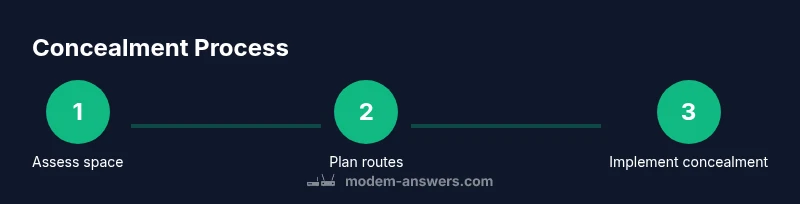
Measure and map the space
Take measurements of the room and potential hiding spots. Mark out a clear cable path from the modem to outlets and to data ports. Record ventilation openings and ensure there is at least some air flow around the devices.
Tip: Use a simple floor plan sketch to visualize cable routes. - 2
Choose concealment approach
Decide between a cabinet, shelf, or cord channel method based on room usage and accessibility. Ensure the option leaves room for heat to escape and allows easy reboot.
Tip: Prefer surfaces with adjustable shelves for flexibility. - 3
Prepare components
Gather raceways, clips, labels, a power strip, and any mounting hardware. Pre-plan the order you will install for efficiency.
Tip: Label cables before routing to avoid confusion later. - 4
Relocate equipment to chosen site
Move the modem and router to the selected location, keeping them away from heat sources and moisture. Ensure access to power outlets and Ethernet ports.
Tip: Do a quick reboot test after relocation. - 5
Route and conceal cables
Route power and data cables through raceways or along the back of furniture. Avoid bending cables too sharply and keep cables organized.
Tip: Use separate channels for power and data to reduce interference. - 6
Mount and secure devices
Mount the router if needed, or place devices on a shelf with ventilation. Ensure cables have slack to allow movement without stress.
Tip: Do not mount directly on metal surfaces that can shield signals. - 7
Check ventilation and heat
Feel for warmth after 15–30 minutes of operation. If surfaces are hot, adjust placement or add ventilation.
Tip: Consider a small fan or passive vent if temperatures rise. - 8
Test network performance
Run a speed test and check coverage in typical living areas. Compare results to your baseline before concealment.
Tip: If performance declines, adjust router height or relocate closer to problem zones. - 9
Label and document setup
Create a simple diagram of cable routes and locations. Keep a small note with dates for firmware updates and reorganization.
Tip: A quick photo log helps future changes. - 10
Review and refine
Reassess after a week of normal use and adjust as needed to maintain both aesthetics and performance.
Tip: Aim for a balance between look and signal quality.
FAQ
Is it safe to hide a modem/router in a cabinet?
Yes, as long as the space is ventilated, accessible for maintenance, and does not block vents. Avoid sealed metal cabinets that trap heat.
Yes—just make sure the space is ventilated and easy to access for maintenance.
Will hiding my router affect Wi-Fi signal?
Concealment can affect signal if placed incorrectly or blocked by dense materials. Choose placement high and away from metal that can shield signals, and test signal in key rooms.
Signal can drop if placement blocks flow; test and adjust height and placement as needed.
How do I access the modem if I need a reboot?
Keep a simple access point in the concealment design, with a clear path to power and reset button. Label the access points for quick future use.
Keep an easy access path to reboot when needed.
Can I hide power cables behind furniture?
Yes, use cable raceways or concealed channels and keep power and data cables separated to avoid interference. Ensure outlets remain reachable.
Yes, but separate power and data cables and keep outlets accessible.
What are the best hiding options for small spaces?
In small spaces, wall-mounted shelves with vented backs or a slim cabinet with open back panels can work. Prioritize airflow and minimal depth to reduce crowding.
Slim, ventilated options work best in small spaces.
Are there risks to in-wall installations?
In-wall runs may require professional electrical work and compliance with local codes. Consider surface-mounted raceways as a safer alternative.
In-wall work can require a pro and permits; surface routes are safer.
Watch Video
Key Takeaways
- Plan concealment around airflow and accessibility
- Choose open-back or vented concealment options
- Route cables with clear labeling and separation from power lines
- Test performance after each major adjustment
- Maintain aesthetics without compromising safety