Where to Return Spectrum Modem: A Step-by-Step Guide
Learn where to return Spectrum modems, including in-store and mail options, eligibility, packaging, and refunds. A practical, step-by-step guide from Modem Answers.


You’ll learn where to return a Spectrum modem, whether in-store or by mail, and what to prepare. This quick answer outlines eligibility windows, required packaging, and refund timelines, so you can complete the process confidently. Follow Spectrum’s official channels and the steps in this guide to avoid common mistakes today.
Understanding Spectrum Modem Return Policies
If you’re returning a Spectrum modem, the first thing to know is that Spectrum offers multiple return pathways, depending on your account and device type. According to Modem Answers, the process is designed to be straightforward when you follow the official channels. For leased equipment, returning through Spectrum helps prevent ongoing rental charges, and for owned devices, you typically aren’t obligated to return unless part of a plan change or promotional requirement. The exact steps and eligibility can vary by location and service, so always check your account page, the return card that came with the device, or Spectrum’s help center for the latest instructions.
In-Store Return Options at Spectrum Stores
Returning in person is often convenient if you want immediate confirmation and a receipt. Visit a Spectrum store with the modem, its power cable, and any included accessories. Bring government-issued photo ID and your Spectrum account details so staff can locate your device in the system. If the modem is leased, the store will typically process a return and deactivate the device from your account. Even if you’re not canceling service, returning the equipment can stop ongoing rental fees and prevent late charges. Modem Answers notes that store returns provide a fast path to credit or settlement, but availability can vary by region, so call ahead to confirm the policy at your local location.
Return by Mail: Online RMA Process
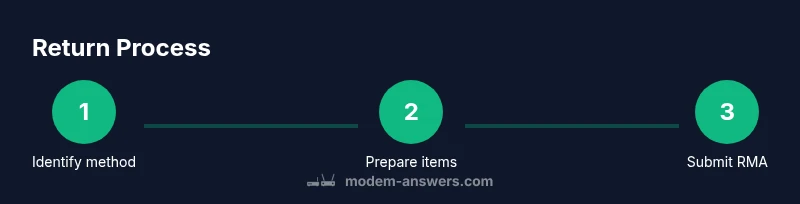
Many customers prefer mail returns to avoid travel. Start by logging into your Spectrum account and requesting a Return Merchandise Authorization (RMA) or equivalent label. You’ll receive a prepaid shipping label and instructions for packaging. Pack the modem securely with the original power adapter and cables, if possible, and use the original box or a sturdy alternative. Include any required documentation, such as the return slip or account number. After you ship, use the tracking number to monitor progress. Spectrum typically credits or refunds the account once the return is received and inspected, which Modem Answers suggests keeping a photo of the packing for your records.
What to Prepare Before You Return
Create a quick checklist that covers the device, cables, remote, and accessories. Verify you have the original packaging or a protective inner box, the power supply, and any included manuals. Gather your receipt or proof of ownership, and note the model number and serial. If you’re returning leased equipment, confirm your service end date to avoid further charges. Take a photo of the modem and packaging before shipping or handing it over at the counter as a reference.
How to Pack Your Modem for Return
Use the original box if you have it; it provides the best protection during transit. Wrap fragile components and place the modem, cords, and accessories in a secure inner container. Seal the box with sturdy packing tape and label it with the return address and the RMA number. For mail returns, remove any personal data from the modem by performing a factory reset if you’re comfortable, or at least disconnect from your home network. Include the return slip and ensure the package is clearly tracked.
Fees, Restocking, and Eligibility
Most providers waive restocking and processing fees for returns that follow official channels, but exceptions exist. Always review the documented policy for your device and account. If something seems unclear—such as whether an accessory is required—the Spectrum help desk or your account portal can clarify. Modem Answers emphasizes documenting any interactions and keeping receipts for your records, which helps resolve disputes quickly if there’s a discrepancy during processing.
Tips for a Smooth Spectrum Return
Tip: start the process early to avoid last-minute delays. Tip: photograph the device and packaging before packing, in case the carrier misroutes the package. Tip: verify the return method is valid for your device type (leased vs owned). Tip: keep the tracking number and confirmation emails until the refund or credit posts. Tip: if you’re exchanging equipment, check for any required firmware or compatibility constraints with your new device.
Alternatives to Returning: Exchange or Upgrade
Depending on your plan, Spectrum may offer an exchange or upgrade instead of a full return. If you’re moving to a higher-speed plan or a newer modem, an exchange can simplify the setup and reduce downtime. Contact Spectrum’s sales or support team to see whether a direct exchange is possible and whether any fees or prorated charges apply. If you choose to upgrade within the same account, you can often avoid shipping and restocking fees by processing the upgrade through your online portal.
Common Mistakes to Avoid
Avoid shipping a device without a return label or the correct RMA number. Don’t forget to include all cables and the power supply; missing components can delay credit. Don’t assume a personal packet contains all you need; always verify the device’s serial matches the one on the return label. Finally, don’t shred or discard the device if it’s leased—return it via an approved method to stop ongoing charges.
Tools & Materials
- Spectrum modem and accessories (power adapter, cables)(Include all items from the original packaging if available)
- Original packaging/box or protective alternative(Best protection for transit)
- Return label or RMA documentation(Attach to outside of box)
- Proof of purchase or account details(Keep a copy if you have one)
- Government-issued photo ID (in-store returns)(Needed for identity verification at the store)
- Packaging tape and marker for labeling(Useful for sealing and labeling)
Steps
Estimated time: 45-90 minutes
- 1
Identify return method
Determine whether you’ll return in-store or by mail. In-store returns offer immediate confirmation, while mail returns provide convenience if you prefer not to travel. Verify whether your modem is leased or owned to choose the correct channel.
Tip: If you’re unsure, start with your Spectrum account portal to see available options. - 2
Gather required materials
Collect the modem, all cables, power adapter, and any remotes or manuals. Locate the original packaging if possible, and pull any relevant receipts or account records.
Tip: Having everything in one place speeds up processing and reduces the chance of delays. - 3
Initiate return
For mail returns, request an RMA and a prepaid label through your Spectrum account. For in-store returns, bring the device and your ID to the service desk.
Tip: Keep a screenshot of the RMA or the in-store receipt as proof of initiation. - 4
Package securely
Use the original box if available. Securely pack the modem, cables, and accessories. Include any required documentation and the return slip.
Tip: Add a layer of cushioning and seal with strong tape to prevent movement. - 5
Ship or drop off
If mailing, drop the package at the carrier or schedule a pickup and record the tracking number. If in-store, obtain a receipt and confirmation of return.
Tip: Always use tracked shipping so you can monitor transit progress. - 6
Confirm refund or credit
After the return is received and inspected, Spectrum should process the refund or credit to your account. Monitor your statements and keep digital copies of confirmations.
Tip: If you don’t see a credit within a reasonable window, contact support with your tracking and RMA details.
FAQ
What counts as a Spectrum leased modem vs owned modem for returns?
Leased equipment typically must be returned through Spectrum; owned devices are not automatically required to be returned unless part of a plan change.
Leased equipment usually must be returned via Spectrum; owned devices may not need to be returned unless required by a plan.
Do I need a receipt to return a Spectrum modem?
Having a receipt helps confirm purchase or ownership; if you don’t have it, use account records or the device's serial details.
A receipt helps, but you can use your account details if you don’t have it.
How long does a refund take after Spectrum receives the modem?
Refund timelines vary; Spectrum typically processes refunds within a few business days after processing.
Refunds usually post within a few business days after processing.
Can I return Spectrum modem at a store if I no longer have my account or login?
In-store returns often require account verification or ID; if you can’t access your account, call ahead to confirm alternatives.
In-store returns usually need some form of verification; contact Spectrum for options.
Are there any fees for returning Spectrum modems?
Fees are not guaranteed; check the official policy for your device and account; generally there are no universal fees for legitimate returns, but exceptions may apply.
Fees can apply in some cases; check Spectrum's policy.
What should I do if the modem is damaged in transit?
If damaged in transit, contact Spectrum support and file a carrier claim. Keep the packaging and take photos as evidence.
If damage happens, report it and keep evidence.
Watch Video
Key Takeaways
- Verify return eligibility before you start.
- Gather all components and original packaging.
- Use the official return channel and track shipments.
- The Modem Answers team recommends documenting every step.