How to Remove Fiber Optic Cable from a Modem
A practical, safety-focused guide to safely removing a fiber optic cable from a modem, with step-by-step actions, required tools, safety tips, aftercare, and authoritative resources.


This guide shows how to safely remove a fiber optic cable from a modem. You’ll power down equipment, unplug power, and disconnect the fiber connector using proper grip and tools. We cover safety, how to identify connectors, and what to do after removal to avoid damage to ports or fiber ends.
how to remove fiber optic cable from modem
Removing a fiber optic cable from a modem is a delicate task. You need to protect the glass fiber from scratches, avoid bending it beyond its minimum bend radius, and prevent any laser exposure from the active link. According to Modem Answers, a calm, methodical approach reduces the risk of port damage and service interruptions. In this section we lay the groundwork: why the cable might need to come out, what you’ll be touching, and how to plan the move so you stay safe and protect your equipment. By understanding the basics, you’ll approach the task with confidence and minimize downtime while you prepare for a reconfiguration or service change.
Understanding fiber optic connectors and ports
Fiber optic connections use small glass strands that carry light signals. On consumer gear you’ll commonly see LC, SC, or FC connectors. The connector housing is what you grip, not the fiber itself, and most designs include a locking tab or dust cap. The port in your modem is designed to accept a precise connector type and a defined insertion force. Damage often results from forcing a wrong connector, touching the bare glass, or exposing the ends to dust. Knowing the type you’re dealing with helps you choose the correct removal technique and reduces the chance of causing micro-scratches or contamination. For reference, authoritative safety guidelines from federal sources discuss safe handling of fiber optics.
Safety considerations when handling fiber cables
Fiber optics carry light and, if mishandled, can cause eye injuries or skin irritation from glass splinters. Always wear eye protection when you’re near the end of a live fiber and never look directly into an exposed end. Work in a clean, dust-free area and avoid touching connector ends with bare hands. Store disconnected ends with protective caps to prevent contamination. Dispose of any damaged components according to your provider’s instructions. For more detailed safety guidance, refer to OSHA and FCC safety materials on fiber handling.
Tools and materials you may need
Before you start, gather the essentials. The following items are commonly required for safe removal and storage of a fiber optic cable:
- Safety glasses (essential)
- Dust caps for connectors (essential)
- Fiber optic cleaning kit or lint-free wipes (optional but recommended if you plan to reuse connectors)
- Antistatic bag or small container for the connector end (recommended)
- ESD wrist strap (optional)
- Small flashlight or headlamp (optional but helpful for visibility)
If you plan to work near other fiber runs, keep a dedicated space and protective coverings to limit dust exposure. For more stringent handling, consult vendor guidelines and the referenced safety resources from OSHA and NIST.
Step-by-step overview before you start
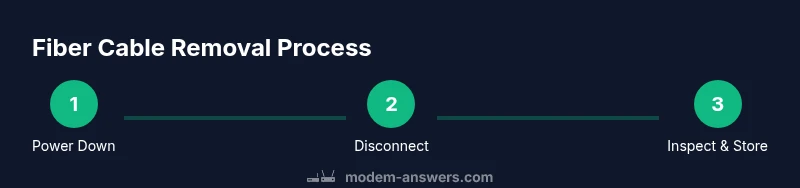
A quick overview helps you stay organized: (1) power down all devices, (2) identify the connector type and inspect for dust caps, (3) depress any release mechanism and carefully pull the connector straight out, (4) cap and store the fiber end, and (5) inspect the port and plan your next steps. The overview serves as a mental checklist so you don’t miss a safety step or end up forcing a connection. If you need additional guidance, you can refer to the step-by-step instructions later in this article and the linked authoritative sources.
Step 1: Power down and unplug equipment
To begin, power down the modem, any connected router, and the power supply. Unplug from the wall outlet and wait 15-30 seconds to allow any residual energy to dissipate. This reduces the risk of electrical shock and ensures the equipment won’t respond to stray signals during removal. Do not unplug via the surge protector if possible; unplug the device directly from the outlet to ensure a clean power-down. If you’re unsure about which outlet powers the modem, follow the device’s user guide or contact your service provider. Keeping hands dry and free of jewelry helps prevent accidental snagging of the connector.
Step 2: Locate the fiber connector on the modem end
Carefully inspect the modem’s fiber end to identify the connector type (for example LC, SC, or FC) and to see whether a dust cap is in place. The locking mechanism, if present, may be a small latch or push-tab that must be released before removal. Do not twist or bend the fiber, and avoid touching the bare glass. If a dust cap is present, remove it gently and set it aside in a safe location for reuse after reconnecting. If you’re unsure about the connector type, take a quick photo for reference and consult the provider’s installation guide.
Step 3: Disconnect the fiber optic cable safely
Grasp the connector housing firmly at the base, not the fiber strand. If there is a locking tab, press or release it as required and pull the connector straight away from the modem port. Do not twist, bend sharply, or yank the cable. If resistance is met, stop and reassess; forcing the connector can damage the port or the fiber. After removal, place the cable on a clean surface away from debris and protect the exposed end with a dust cap or cap from the kit. Return any removed dust cap to its original location after reattachment.
Step 4: Cap and store the fiber end
Immediately cap the fiber end or place it in an antistatic bag or small protective container. This helps prevent dust contamination and keeps the connector end ready for future use or safe disposal. Label the bag or container if multiple connectors are involved so you can identify the correct end later. If you’re planning to reconnect later, store all components in a dedicated box or organizer to avoid misplacement. For long-term storage, keep the bag sealed and away from moisture and direct sunlight to minimize degradation.
Step 5: Inspect the port and plan next steps
With the fiber disconnected, inspect the modem port for any visible damage or contamination. If there are scratches, chips, or displaced ferrules, contact your service provider for guidance. Plan your next steps based on whether you’ll reconnect to the current gateway, replace the modem, or reconfigure the setup with a different device. If you anticipate reusing the connection, rinse and inspect the connector and port before reassembly and follow the manufacturer’s cleaning guidelines. Reference links to safety standards provide additional context for handling fiber optics.
Tools & Materials
- Safety glasses(Protect eyes from accidental fiber splinters and dust.)
- Dust caps for connectors(Keep fiber ends clean when disconnected.)
- Fiber optic cleaning kit(If you plan to reuse connectors, use proper cleaning tools.)
- Antistatic bag or small container(Protects exposed ends during storage.)
- ESD wrist strap(Minimize static electricity during handling.)
- Lint-free wipes(Use to wipe connectors if needed.)
Steps
Estimated time: 15-25 minutes
- 1
Power down and unplug
Turn off the modem, router, and any linked devices. Unplug from the wall outlet and wait 15-30 seconds to discharge residual energy.
Tip: Never yank cables; grip the connector housing to avoid fiber damage. - 2
Identify the connector type
Locate the fiber end and determine whether it’s LC, SC, or FC. Check for a dust cap and any locking tab before attempting removal.
Tip: Photograph the connector before removing to document the configuration. - 3
Release and remove the connector
Gently depress the locking tab (if present) and pull straight out the connector. Do not twist or bend the fiber; keep your hand on the connector housing.
Tip: Support the connector housing during removal to avoid micro-bending. - 4
Cap and store the fiber end
Place a dust cap on the fiber end or store it in an antistatic bag to prevent contamination.
Tip: Label storage if multiple connectors are involved. - 5
Inspect the port and plan next steps
Check the modem port for damage and decide whether to reconnect, replace the device, or reconfigure the setup.
Tip: If you see damage, stop and contact your provider for support.
FAQ
Is it safe to unplug a fiber optic cable while the system is on?
No. Always power down and unplug devices before disconnecting fiber cables to prevent shocks and exposure to light.
Always power down before unplugging to prevent shocks and exposure to light.
What if the fiber connector is stuck?
Do not force it. Check for a locking tab or latch. If it won’t release, contact your provider for assistance.
If it won’t release, stop and contact your provider.
Can I reuse any cap I find on the fiber end?
If the cap is clean and undamaged, you can reuse it. Keep it on the connector end when disconnected.
Yes, as long as the cap is clean and undamaged.
What connectors might I encounter?
Common types include LC, SC, and FC. Each type has a different release mechanism, so identify before removal.
LC, SC, and FC are common; identify type before removal.
Do fiber removal steps differ for various service providers?
The basic safety steps are the same, but some installations may require technician involvement. Always follow your provider's guidance.
Basic steps stay the same, but your provider may require a technician.
Watch Video
Key Takeaways
- Power down all devices before touching fiber
- Identify connector type and locking mechanisms
- Handle connectors, not fibers; avoid bending
- Cap and store ends properly for reuse
- Inspect ports for damage before reconnecting