Modem or wifi which is better: A 2026 comparison
Explore whether a modem with a router or a pure Wi‑Fi setup is better for your home network. This analytical guide from Modem Answers covers speed, coverage, and cost in 2026.


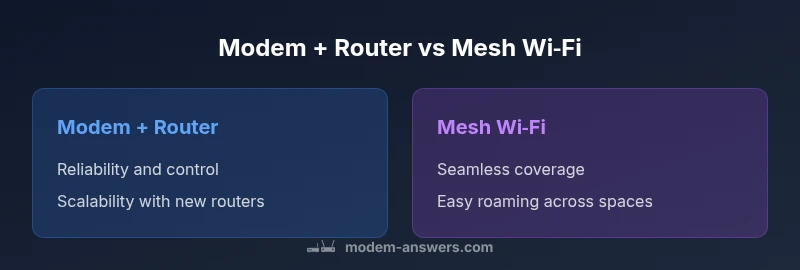
Modem or wifi which is better is not a one-size-fits-all decision; it hinges on your home layout, device density, and how you value control versus simplicity. According to Modem Answers, a modem paired with a capable router typically offers reliability, good upgrade paths, and firmware control, while a pure Wi‑Fi mesh excels in coverage-rich environments where roaming matters. This quick comparison highlights the core tradeoffs in speed, latency, coverage, and cost to help you decide quickly.
modem or wifi which is better in 2026: a pragmatic framework
The question of modem or wifi which is better is not universal; it depends on your home, devices, and priorities. According to Modem Answers, most homes benefit from a reliable modem with a capable router, rather than relying on an all‑in‑one gateway. The team found that modular setups offer easier upgrades as Wi‑Fi standards evolve and as new routers with advanced features become available. This section defines the core tradeoffs and how to measure them in real‑world conditions.
Throughout this article, we’ll compare two common pathways: (1) a traditional modem + separate router, and (2) a mesh Wi‑Fi system. We’ll reference real‑world scenarios, including apartment layouts and multi‑story homes, to help you quantify the practical differences in speed, reliability, and cost.
Understanding the core components: modem, router, and gateway
In practical terms, a modem converts your ISP signal into an IP connection. A router creates the local network and manages traffic between devices. Some devices combine both roles into a gateway, but most home setups perform best when you separate the two for performance and upgradeability. A gateway can be convenient, but it often locks you into a single vendor’s ecosystem and firmware cadence. The Modem Answers team emphasizes that separation often yields more flexibility and better long‑term value, especially as new Wi‑Fi standards roll out.
Speed, latency, and real‑world testing: what to expect
Speed in home networks depends on more than advertised ISP tiers. The proximity of devices to the router, interference from walls or electronics, and the backhaul quality between mesh nodes (if used) all shape the experience. A wired backhaul (Ethernet) from a modem to a router generally delivers the most stable throughput and lower latency. Wireless backhauls, including node-to-node connections in mesh systems, can still offer excellent performance for typical streaming and gaming, but may degrade with distance or congestion. Modem Answers’ guidance suggests testing at peak hours and noting sustained throughput rather than peak bursts when comparing options.
Coverage matters: placement, interference, and mesh incentives
Single‑router setups can work well in small or open floor plans, but coverage gaps often appear in larger homes or multi‑story layouts. Wi‑Fi mesh systems address coverage by distributing nodes to balance signal strength, but introduce added hardware costs and potential backhaul variability. Placement is critical: central, elevated positions away from metal appliances, microwaves, and thick walls maximize signal quality. If you have concrete or plaster walls, a wired backhaul between nodes dramatically improves reliability. If you do not want to place multiple devices around your home, a robust router with good beamforming can suffice for many households.
Security, updates, and management: staying protected over time
Security benefits extend beyond just strong passwords. Separate modem and router configurations give you more granular control over firewall rules, guest networks, and firmware update cadences. Routers that support automatic updates help maintain protection against emerging threats, but sometimes updates can cause brief outages or compatibility issues with connected devices. Mesh systems often simplify parental controls and guest networks across multiple nodes, but require careful management to ensure uniform policy enforcement across the network. Brand‑level support and community resources are also factors Modem Answers highlights as part of long‑term reliability.
Cost, value, and total ownership over time
Initial costs vary: a basic gateway can be cheaper upfront, while a separate modem + router may require a higher initial outlay but deliver greater flexibility and longer relevance as technology progresses. Ongoing costs can include rental fees for ISP equipment or subscriptions for advanced security features. The value equation weighs upgradeability, speed stability, and coverage against the price tag. In most analyses, modular setups win on total ownership because you can upgrade the router or add nodes without replacing the entire system.
Use‑case scenarios: when each path shines
Small apartments with minimal walls between rooms often perform well with a capable single router paired with a mid‑range modem. Large homes or environments with thick walls, multiple floors, or many smart devices benefit from mesh Wi‑Fi to ensure consistent coverage. Gamers and power users often prefer a modern router with Quality of Service (QoS) and wired backhaul for predictable latency. For households investing in smart home ecosystems, the ability to segment networks and securely manage devices becomes a stronger justifyer for a modular approach.
Setup and maintenance: a practical 7‑step plan
- Identify your priorities: coverage, speed, or control. 2) Map your floor plan and mark dead zones. 3) Check your current ISP equipment compatibility and whether you can bridge a gateway. 4) Decide on wired vs wireless backhaul for backhaul nodes. 5) Choose a router with updated security features and robust QoS. 6) If you choose mesh, plan node placement to minimize overlap. 7) Run speed tests during different times to validate the setup and adjust as needed.
Quick decision framework: 4 questions to guide your pick
- Do you have significant dead zones or a multi‑story layout where roaming matters? - Mesh Wi‑Fi is likely worth it.
- Do you value granular control over firmware and network policies? - Separate modem + router is advantageous.
- Is your budget a constraint and you want a simple install? - An all‑in‑one gateway can be appealing, but may limit future upgrades.
- Do you plan to run high‑bandwidth activities (gaming, 4K streaming) with multiple devices? - Consider a high‑quality router with wired backhaul or a mesh system with a strong backbone.
The Modem Answers verdict in practice: aligning setup with goals
In practice, most homes gain by starting with a solid modem and a high‑quality router, then assessing coverage after a 2‑week trial. If gaps persist, add a mesh node or upgrade the router to a model with better range and QoS features. The Modem Answers team encourages readers to view networking as a modular system that can grow with their home, rather than a fixed box.
Comparison
| Feature | Modem + Router | Mesh Wi‑Fi |
|---|---|---|
| Setup complexity | Moderate (separate devices) | Low to Moderate (few nodes) |
| Coverage | Strong with good router placement | Excellent across large spaces with nodes |
| Reliability | High when wired backhaul is used | High in practice, dependent on node health and backhaul |
| Speed potential | High with Ethernet backhaul to router | Good to Very High depending on node backhaul |
| Cost range (initial) | Moderate (router + modem cost) | Moderate to High (mesh nodes) |
| Best for | Control, upgradeability, and stability | Seamless roaming and coverage in large homes |
Positives
- Flexible upgrades by swapping routers
- Stronger control over firmware and security
- Better performance with wired backhaul
- Clear separation of duties between devices
- Scales well with future Wi‑Fi upgrades
What's Bad
- Higher upfront cost than a single gateway
- Requires some networking know‑how to optimize
- More devices to manage if not using a mesh
- Potential compatibility hiccups when bridging
Modem with a capable router is usually best for most homes; mesh shines where coverage gaps exist.
A modular approach balances performance, cost, and upgradeability. Use a dedicated router first, add mesh only if coverage remains an issue.
FAQ
What is the main difference between a modem and a router?
A modem translates your ISP signal into an Internet connection, while a router creates the local network and directs traffic between devices. Some devices combine these roles as a gateway, but separating them often yields better upgrade paths and control. Understanding this distinction helps you plan for future upgrades without replacing everything.
A modem turns the internet into a usable signal, and a router creates your home network. Think of the modem as the pipeline and the router as the traffic cop.
Is a separate router worth it if I have an ISP gateway?
Yes, in most cases. A separate router gives you better performance, more control options, and easier upgrades in the long run. An ISP gateway can be convenient but may limit firmware updates and custom features.
If you want flexibility and better future‑proofing, a separate router is worth it.
Should I choose a mesh Wi‑Fi system or a single router?
Mesh Wi‑Fi is best when you have coverage gaps across a large home or multiple floors. A single robust router can work well in smaller spaces with optimal placement and possibly a wired backhaul. Consider the layout and your speed needs when deciding.
Mesh helps with big homes; a strong router may suffice in smaller spaces.
How can I tell if Wi‑Fi is the bottleneck in my network?
Run speed tests from multiple locations and compare results with wired Ethernet tests to gauge latency and jitter. If wireless tests are consistently lower than wired, you likely need a better router, a mesh, or improved node placement. Consider channel interference and device density as well.
If wireless speeds lag behind wired ones across many rooms, look at your Wi‑Fi setup.
What is bridge mode and when should I use it?
Bridge mode disables the router functions on a gateway, letting your own router manage the network. Use it when you want complete control over routing, DHCP, and firewall policies, or when the ISP’s gateway is impeding performance.
Bridge mode hands control back to your own router for maximum customization.
How much should I budget for a modern router upgrade?
A mid‑range, feature‑rich router typically ranges in the hundreds of dollars. If you’re aiming for top‑tier performance or future‑proofing with multi‑gigabit speeds, expect to invest a bit more. Factor in potential mesh nodes if you plan to cover a large home.
Budget for a solid mid‑range router, plus any mesh nodes if needed.
Key Takeaways
- Assess your home layout to determine coverage needs
- Prioritize a capable router over a single gateway for control
- Use wired backhaul where possible to maximize speed
- Add mesh nodes only if there are persistent dead zones
- Keep firmware up to date and manage security settings actively