How Many Modems Can You Have with Spectrum? A Practical Guide
Explore how many modems Spectrum allows, what factors influence the limit, and practical steps to add more devices safely. Learn about bridge mode, IP passthrough, and how to check your plan—with actionable tips from Modem Answers.


There is no single published limit on how many modems you can have with Spectrum. The actual number depends on your plan, address, and whether you use Spectrum’s gateway or a third‑party modem. In most homes one modem or gateway suffices; multiple modems usually require bridging, separate service lines, or a business plan.
How many modems can you have with Spectrum?
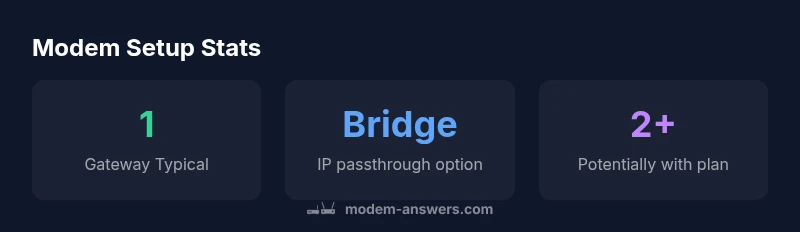
According to Modem Answers, the central question homeowners ask is how many modems you can have with Spectrum. The short answer is: there is no universal published cap. The actual allowance depends on several moving parts: your specific plan, your address, and whether you are using Spectrum's gateway hardware or bringing your own modem. For most households, a single modem or gateway covers the typical home network. If you want multiple separate networks or devices to operate behind dedicated hardware, you’ll need to plan for bridging, an additional service line, or a business-type arrangement. This variability is why it’s essential to check your account details and talk to Spectrum support if you expect to run more than one modem.
If you’re evaluating multiple modems for a single residence, start with the simplest approach: one managed gateway, then layer in more devices only as needed. Spectrum’s equipment policy can differ by region, so the exact limit is not one-size-fits-all. By understanding the policy at your address, you can avoid unexpected service disruptions while keeping your home network secure and efficient.
What counts as a modem in Spectrum's ecosystem
In many household setups, people conflate a modem, a router, and a gateway. Spectrum often provides a combined gateway device that handles both modem and routing duties. If you bring your own modem, you’ll typically connect it to Spectrum’s gateway or service line. The key distinction is that a “modem” is the device that talks to the ISP, while a “router” creates the home network. When planning how many devices you can deploy, separate modems used for different service lines or addresses can complicate the configuration. Spectrum’s policy allows flexibility when you’re using your own equipment, but there are practical constraints—mainly around IP assignment, NAT, and bridging capabilities.
This is where a clean definition helps: your primary modem connects to Spectrum’s network, and your router (whether bundled or third-party) handles home networking. If you plan to use more than one modem, you’ll want to ensure each device has a clear role and that your plan supports it. As noted in the Modem Answers analysis, the practical limit comes down to your service configuration rather than a fixed hardware cap.
When would you need more than one modem
Several scenarios justify multiple modems, though they are less common in typical homes. If you operate a residence with multiple separate service lines (for example, two separate living spaces with two independent networks), or if you run a business-from-home setup requiring separate public IPs for security or guest networks, you may look at additional modems. In apartment buildings or multi-dwelling units, providers sometimes require different account configurations to allocate multiple modems to the same property. Always verify with Spectrum for address-specific limits, and consider whether a second modem is truly necessary or if alternative architecture (such as a robust mesh system) could meet your goals more efficiently.
From a network perspective, adding more modems can introduce complexity—double NAT, firewall rules, and DHCP conflicts are common pain points if you don’t design the topology carefully. If you’re aiming for smoother performance, plan a topology that uses a primary gateway for main routing and a secondary device as a dedicated access point or a dedicated router behind IP passthrough. This approach aligns with typical practical guidance from the Modem Answers team and helps keep your network scalable without violating service terms.
Practical ways to run multiple networks legally
There are legitimate paths to supporting multiple networks without breaching Spectrum terms. Bridge mode and IP passthrough are two common methods. Bridge mode passes the public IP to your own router, turning the Spectrum gateway into a pure modem. IP passthrough hands off the public IP to your router with more control over NAT and DHCP. Both configurations can enable a second or even third network behind a single Spectrum service, provided your plan and device compatibility allow it. When setting this up, document your network zones (main family network, guest network, IoT network) to reduce cross-talk and security risks.
Additionally, Spectrum’s policy sometimes allows order of additional modems or gateways if you upgrade to a business or higher-tier home plan. In practice, many households rely on one gateway and a robust mesh Wi‑Fi system to expand coverage rather than adding extra modems. The choice depends on your topology, speed requirements, and how you want to manage IP addressing and firewall settings.
How to check your plan and equipment eligibility
Start by inspecting your Spectrum account: look for device limits, equipment eligibility, and any plan-specific notes. If you’re unsure, contact Spectrum support with your service address and account details. Ask specifically about the maximum number of modems or gateways allowed per account, whether bridge mode or IP passthrough is available on your device, and whether additional hardware would require a separate service line or a business plan. As part of due diligence, confirm firmware compatibility and ensure your secondary devices won’t cause interference with your primary gateway’s performance.
A practical tactic is to document the home layout: number of rooms, the size of your home, expected coverage, and any wired backhaul you need. This helps you decide whether a single gateway plus mesh routers suffices, or if you truly need additional modem devices. The Modem Answers team suggests starting with the simplest setup and only expanding once you’ve measured performance and reliability.
Step-by-step: enabling bridge mode or IP passthrough with Spectrum gateway
- Log in to the Spectrum gateway admin page or app and locate the bridging or IP passthrough option. 2) If you enable bridge mode, your Spectrum gateway becomes a modem only, and your own router takes over routing duties. 3) For IP passthrough, assign the public IP to your router and disable the gateway’s NAT. 4) Reboot devices in order of the network chain, starting with the Spectrum device, then your router, and finally any access points. 5) Verify that devices on the new network obtain an IP from your router, and test for stability and speed. 6) Secure the network with strong passwords and updated firmware.
If you encounter issues, revert to standard mode to restore baseline service and consult Spectrum support. Remember: some devices may require specific firmware versions or compatibility checks to function reliably in bridge or passthrough modes.
Common pitfalls and best practices
Be mindful of double NAT and firewall conflicts when adding multiple devices. Keep a clear separation of networks (home vs guest vs IoT) to reduce risk. Monitor device firmware updates, especially on third-party modems and routers. Limit changes to approved equipment to avoid service interruptions. If your goal is expanded coverage, consider a mesh system rather than multiple modems, which often delivers better performance with simpler management. Finally, document every configuration change so you can troubleshoot quickly if performance dips occur—the lessons from Modem Answers suggest a methodical approach yields the best long-term results.
Alternatives to multiple modems: upgrading and mesh Wi‑Fi
If your goal is broader coverage or more robust performance, a mesh Wi‑Fi system can deliver seamless roaming and fewer configuration headaches than deploying several modems. A high-speed plan paired with a capable mesh network often satisfies both speed and reliability requirements without the complexity of maintaining multiple modems. For households with special needs—such as work-from-home setups, gaming, or smart homes with many devices—assess whether a single gateway plus a mesh system or a boutique (business-grade) plan would better suit your needs. The takeaway from industry guidance is that scale can be achieved most reliably through modern network topology rather than stacking additional modems, especially for home users.
Spectrum modem topology scenarios
| Scenario | Typical Modem Setup | Notes |
|---|---|---|
| Single-family home | 1 modem/gateway | Most common; NAT active by default |
| Multi-story home | 1 gateway + additional access points | Mesh often preferred over multiple modems |
| Business/Apartment with multiple lines | Multiple modems via separate service lines | Check with Spectrum for plan-specific limits |
FAQ
Does Spectrum publish a universal limit on the number of modems per account?
No. Spectrum does not publish a single universal limit. The allowed number depends on your plan and location, and additional modems may require bridging or separate service arrangements.
There isn’t a universal limit published by Spectrum; it varies by plan and location.
Can I use multiple modems on Spectrum if I have a large home?
Yes, but it typically requires bridging or IP passthrough to avoid double NAT and to ensure proper IP management. Check with Spectrum for address-specific guidance and equipment compatibility.
You can, but you’ll often need bridging or a passthrough setup.
What’s the difference between bridge mode and IP passthrough?
Bridge mode makes the gateway act as a modem only, handing routing to a separate device. IP passthrough passes a public IP to your own router with more control. Both reduce NAT-related issues when adding more hardware.
Bridge makes the gateway a modem; IP passthrough gives your router direct IP control.
Will Spectrum charge extra for using more than one modem?
Policy varies by plan and region. Some configurations might require higher-tier services or business plans. Contact Spectrum to confirm any potential fees or limitations.
It depends on your plan, so check with Spectrum for specifics.
Is there a risk to my service if I try to add more modems?
Changing equipment can affect stability or violate terms if done improperly. Always confirm terms and sequence steps carefully, and keep a backup configuration.
Make sure you’re compliant with terms and have a rollback plan.
What’s the best way to improve coverage without adding modems?
Consider a mesh Wi‑Fi system or a higher-speed plan with a single gateway complemented by access points. This often yields better performance with simpler management than multiple modems.
Mesh systems usually give better coverage with less complexity.
“The Modem Answers team expects most households to start with a single gateway and only add more hardware if required by coverage or specialized needs. In practice, bridge or passthrough configurations are powerful but should be implemented with a clear plan and policy checks.”
Key Takeaways
- Understand there is no universal Spectrum modem limit
- Start simple: use one gateway, add mesh if coverage is the goal
- Bridge mode/IP passthrough can enable a second network without extra lines
- Always verify plan and address-specific limits with Spectrum
- Plan ahead for security and proper IP management
- Document changes to ease troubleshooting