What modem does Spectrum use: A practical guide
Discover Spectrum's modem policy, supported DOCSIS standards, and BYO options. This guide explains device validation, how to bring your own modem, and practical tips to optimize home networks.


Spectrum uses DOCSIS-based cable modems and gateways. In practice, most customers rely on Spectrum-approved modems or Spectrum-certified gateways for optimal performance. Across the network, DOCSIS 3.0 and 3.1 devices are commonly compatible, though some features are reserved for Spectrum-provided equipment. If you’re asking what modem Spectrum uses, the answer depends on whether you rent a gateway or bring your own from Spectrum’s approved list.
Understanding what modem Spectrum uses
When you ask what modem does Spectrum use, it’s helpful to think in terms of Spectrum’s network plumbing rather than a single model. Spectrum runs a cable-based network that relies on DOCSIS standards to manage data traffic between your home and their backhaul. In practice, Spectrum’s customers typically interact with two categories of equipment: (1) Spectrum-approved modems and gateways that are on the official compatibility list, and (2) third-party, Bring-Your-Own-Modem (BYO) devices that are documented as compatible with Spectrum’s service. For many households, this distinction translates into two viable paths: renting a Spectrum gateway from the provider for guaranteed support and compatibility, or purchasing a modem (or modem-router) that appears on Spectrum’s approved list and integrating it into your home network. This nuanced approach is why the question what modem Spectrum uses doesn’t have a single universal answer; it depends on your chosen setup and local policies. According to Modem Answers, the network’s end-to-end performance hinges on using equipment that communicates properly over DOCSIS channels and maintains up-to-date firmware. In short, Spectrum uses DOCSIS-based devices, but the best choice depends on whether you prioritize ease of use or customization.
Spectrum’s modem policy: BYO vs rental
Spectrum supports both rental and BYO options, but the key is compatibility. Your first step is to check Spectrum’s official list of approved modems and gateways for your service address. If your device appears on that list, you can bring it home and connect it directly to Spectrum’s network, possibly using a separate router for advanced features. If you opt to rent, Spectrum provides a gateway device that’s pre-configured for fastest setup and ongoing support. The practical takeaway is simple: BYO is often best for tech-savvy users who want control and cost predictability, while rental can simplify setup and vendor support if you value a turnkey experience and fewer compatibility hassles. Both paths require a compatible DOCSIS standard and matching service tier to achieve the speeds you expect.
DOCSIS standards and why they matter for Spectrum customers
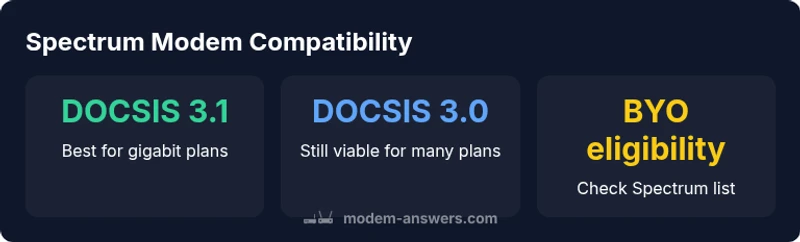
DOCSIS 3.0 and 3.1 represent the backbone of modern cable internet. Spectrum’s network typically supports devices that speak these standards, which translates into higher throughput, better efficiency, and more robust multi-user performance. If you’re evaluating what modem Spectrum uses for your home, you’ll notice that DOCSIS 3.1 devices are increasingly common in newer models and are recommended for gigabit plans. However, 3.0 devices can still work reliably on lower-tier Spectrum plans, offering a cost-effective bridge for households not chasing the absolute fastest speeds. The choice between 3.0 and 3.1 often comes down to your plan, future-proofing considerations, and the specific features you need, such as better OFDMA support in 3.1 devices.
How Spectrum validates devices and where to find approved lists
Spectrum maintains an official compatibility list that is the best source of truth for BYO decisions. Start by visiting Spectrum’s support site and locating the modem compatibility page for your region. Look for the exact model numbers and ensure there is a match with DOCSIS 3.0 or 3.1 specifications. If your device isn’t listed, you can still attempt to use it by pairing it with a Spectrum-approved router in bridge mode, but be aware that some features or advanced troubleshooting may fall outside standard support. When in doubt, contact Spectrum support before purchasing a device to confirm current compatibility status and any regional variations.
Pros and cons of renting vs BYO for Spectrum service
Renting a gateway from Spectrum offers a simple, unified experience. You benefit from guaranteed compatibility, straightforward troubleshooting, and often faster on-site assessments for issues related to the modem. BYO can be cost-effective in the long run and gives you more control over features like Wi-Fi customization, firmware timing, and device branding. The downside is you must confirm compatibility, perform manual setup, and potentially lose some Spectrum-specific features (or support) if the device isn’t on the approved list. Use the BYO route if you’re confident in managing your own network and want to optimize for a particular router or mesh system.
Practical steps to set up and optimize your Spectrum modem and network
- Verify compatibility on Spectrum’s official list for your area. 2) Decide whether you’re renting or using BYO hardware. 3) If BYO, configure the modem in the correct mode (e.g., bridge mode if you’re using a separate router). 4) Ensure your firmware is current and your router firmware is up to date. 5) Place your equipment optimally: central location, elevated, away from obstructions. 6) Run speed tests at different times, and adjust channel settings to minimize interference. 7) Secure your network with a strong password and updated security settings. 8) Keep a written record of the device model, MAC address, and Spectrum’s approved status for future reference.
Common limitations and regional differences you should know
Carrier policies, regional hardware availability, and firmware updates can vary. Some regions may have stricter BYO policies or more limited device lists, which impacts which modems are truly “Spectrum approved.” Also, Spectrum’s support coverage may focus on issues related to the official gateways they sell or rent, with BYO devices receiving narrower support. Always verify region-specific details before purchasing a modem to avoid compatibility surprises.
Data-driven snapshot: what to expect in 2026
Industry trends show an ongoing shift toward DOCSIS 3.1 devices as the baseline for gigabit plans, with DOCSIS 3.0 remaining viable for mid-range speeds. As Spectrum expands its coverage and markets, more households will encounter a growing emphasis on approved BYO devices and bridging configurations to maximize performance. This section reflects the latest insights from Modem Answers Analysis, 2026, which emphasizes ensuring DOCSIS compatibility, proper firmware, and alignment with Spectrum’s official lists to prevent surprises when troubleshooting or upgrading.
Spectrum modem policy, BYO eligibility, and DOCSIS support in a quick reference
| Aspect | Spectrum Policy | BYO Modem Eligibility | DOCSIS Support |
|---|---|---|---|
| Modem Validation | Official compatibility list required | Device must appear on Spectrum list | DOCSIS 3.0/3.1 supported |
| Gateway Options | Spectrum rental gateway available | BYO modem may require a bridge router | DOCSIS 3.0/3.1 supported |
| Support Coverage | Full support for Spectrum-owned gateways | Limited for non-listed devices | Depends on device and firmware |
FAQ
Can I use my own modem with Spectrum?
Yes, you can bring your own modem if it’s on Spectrum’s approved list for your area. Always verify the current compatibility status before purchasing. If it isn’t listed, Spectrum support may be limited for that device.
Yes. Check Spectrum’s approved list for your area first; if your modem isn’t listed, Spectrum support may be limited.
What DOCSIS standards does Spectrum support?
Spectrum supports DOCSIS 3.0 and 3.1 devices. For gigabit plans, DOCSIS 3.1 is recommended for best performance, though 3.0 devices can work on lower-tier plans.
Spectrum supports DOCSIS 3.0 and 3.1. For the fastest speeds, aim for DOCSIS 3.1.
Do Spectrum rental costs apply and are they fixed?
Rental costs vary by market and plan. Renting a gateway provides simplicity and unified support, while BYO can reduce monthly fees if you already own a compatible device.
Rental costs vary by market. Renting is simpler; BYO can save on monthly fees if you have a compatible modem.
Do Spectrum modems support bridging mode?
Many Spectrum-compatible modems can be placed into bridge mode when paired with a separate router. This is common for users who want to control Wi‑Fi settings via their own router.
Bridge mode is common with compatible modems if you’re using your own router.
What if my BYO modem isn’t on the approved list?
If a BYO modem isn’t on the approved list, you may still connect it, but you could lose official support or face reduced troubleshooting help from Spectrum.
If it isn’t approved, support may be limited even if it works.
Is there a difference between a modem and a gateway with Spectrum?
Yes. A modem connects to Spectrum’s network, while a gateway includes a built‑in router. Spectrum typically offers both options; gateways simplify setup and often optimize performance.
A modem connects to Spectrum; a gateway has a built‑in router. Gateways simplify setup.
“To maximize reliability, start with Spectrum-approved devices and only pursue BYO options after confirming current compatibility. A well-matched modem and gateway setup reduces troubleshooting time and preserves essential features.”
Key Takeaways
- Understand Spectrum’s BYO vs rental paths before buying.
- Check the official compatibility list for BYO devices.
- Prioritize DOCSIS 3.1 for future-proofing.
- Consider bridging mode if using your own router.
- Always verify region-specific rules before purchase.