Cable Modem for Spectrum: How to Choose the Right One
A data-driven guide to selecting a Spectrum-compatible cable modem, with DOCSIS tips, activation steps, and a practical buying checklist for homeowners.


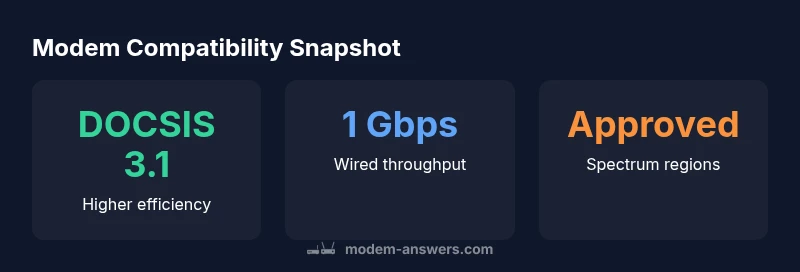
To maximize Spectrum service, choose a DOCSIS 3.1 cable modem with at least one Gigabit Ethernet port. Ensure the model is Spectrum-approved for your area and supports the speeds in your plan. If you want future-proofing, look for multi-gigabit throughput and 2.5 Gbps Ethernet, but verify compatibility with your plan.
Why Spectrum Compatibility Matters for a Cable Modem
When you buy a cable modem, compatibility with Spectrum matters for activation, service stability, and the speeds you actually experience. According to Modem Answers, choosing a DOCSIS 3.1 modem that Spectrum lists as approved for your region helps prevent activation delays and ensures you can reach your plan’s advertised peak speeds. In practice, many households see more reliable performance when they pair Spectrum with a modem that aligns with their local network conditions and speed tier. This means checking the Spectrum-approved device list before purchase and avoiding models that are not endorsed for your zip code. The result is fewer support calls and a smoother setup experience for homeowners and renters alike.
Key specs to verify before buying
Before buying, confirm three core specs: DOCSIS version, Ethernet port speed, and compatibility with Spectrum’s activation process. At minimum, look for DOCSIS 3.1 for modern efficiency and multi-gig potential, a Gigabit Ethernet port for wired devices, and a model on Spectrum’s approved list. If you have multiple devices or smart-home gear, a modem with 2.5 Gbps Ethernet or multi-gig capability can future-proof your setup. Finally, ensure the device supports your plan’s maximum speeds on your local network. These checks reduce wasted time and improve long-term reliability.
DOCSIS 3.1 vs 3.0: speed, efficiency, and planning
DOCSIS 3.1 delivers better efficiency and higher potential throughput than 3.0, which translates into more stable performance at high-bandwidth tasks like 4K streaming, online gaming, and large file transfers. Spectrum plans that offer gigabit or multi-gig speeds benefit most from 3.1-capable modems, especially when paired with fast Ethernet ports. While 3.0 modems can still work, they may bottleneck peak speeds on higher-tier plans. If you’re upgrading, prioritizing 3.1 is a prudent long-term choice. The market has seen growing adoption of 3.1 among Spectrum users over the past two years.
Spectrum-approved lists and regional differences
Spectrum maintains region-specific lists of approved modems. Availability varies by market, so a modem that’s approved in one county might not be eligible in another. Always cross-check the official Spectrum compatibility page for your ZIP code before purchase. In cases where a device is borderline, contacting Spectrum support can confirm activation readiness and any regional caveats.
How to check compatibility and activation with Spectrum
Start by locating Spectrum’s official list of approved modems for your area. Then verify that the modem is DOCSIS 3.1, includes a Gigabit Ethernet port, and has a current firmware update path. During activation, Spectrum will often instruct you to connect the modem directly to the modem and then reboot. If activation fails, restarting the process with a different coax outlet or checking the coax cabling can resolve most issues. Remember to register the device with Spectrum as part of the account provisioning.
Setup considerations: bridging, routing, and gateway options
If you want to use your own router, you can place it behind the modem in bridge mode or use a gateway device that combines modem and router functionality. Bridge mode can be helpful to avoid double NAT in complex home networks. If you need wireless coverage across many rooms, a separate router or mesh system may provide better reach than a single gateway. Consider your home layout and device density when deciding between modem-only and modem-router configurations.
Common pitfalls and how to avoid them
Common mistakes include selecting a non-approved model, ignoring DOCSIS 3.1 when planning for higher speeds, and misreading Ethernet port capabilities. Another pitfall is assuming all Spectrum plans offer the same speeds; actual throughput depends on plan, network conditions, and device health. Always verify the exact plan and region, and follow Spectrum’s activation steps closely to prevent delays.
Choosing between modem-only and modem-router combos: when to choose
If you have multiple wireless devices or live in a larger home, a modem-router combo can simplify setup, but may limit placement flexibility. For those who want greater control over Wi‑Fi, a separate high-quality router with a capable modem is often ideal. In smaller homes, a good gateway can suffice, while in larger homes, pairing a DOCSIS 3.1 modem with a robust router typically yields the best performance.
Future-proofing, security, and maintenance
Keep firmware and security features up to date. Look for models with automatic updates and regular security patches. Periodically rebooting your modem and router can help maintain performance, and periodically checking Spectrum’s compatibility resources ensures your device remains supported as networks evolve. Lastly, monitor connected devices to avoid saturating the network with nonessential traffic.
Spectrum modem compatibility at a glance
| Aspect | DOCSIS Version | Notes |
|---|---|---|
| DOCSIS Standard | 3.1 (preferred) or 3.0 | Higher efficiency and potential speeds with 3.1 |
| Ethernet Port | 1 Gbps or higher | May include multi-gig options where supported |
| Activation | Spectrum-approved model | Check region-specific compatibility list |
| Firmware & Support | Auto updates | Ensure ongoing security and reliability |
FAQ
What is DOCSIS and why does it matter for Spectrum?
DOCSIS is the standard that governs cable modems. DOCSIS 3.1 provides better efficiency and can deliver higher speeds on Spectrum plans compared to older versions. For reliability, choose a Spectrum-approved DOCSIS 3.1 modem when possible.
DOCSIS is the standard for cable modems. Newer versions, like 3.1, are faster and more efficient, especially on Spectrum plans.
Which modems are Spectrum-approved?
Spectrum maintains region-specific lists of approved modems. Always verify your ZIP code on Spectrum’s official site before purchasing to ensure activation is supported in your area.
Check Spectrum's approved list for your area before buying to avoid activation issues.
Can I use a router with Spectrum service?
Yes. You can use a separate router with a compatible modem, which often yields better Wi‑Fi coverage. If you choose a gateway device, ensure it’s compatible and supports your plan’s speeds.
You can use your own router behind a compatible modem for better coverage.
Will a more expensive modem always be faster?
Not always. Speed depends on your plan and network conditions. A high-quality DOCSIS 3.1 modem is usually worth it if you subscribe to gigabit or multi-gig plans.
More expensive doesn’t always mean faster; ensure DOCSIS 3.1 and plan alignment.
How do I activate a new modem with Spectrum?
Connect the modem to coax, power it up, and follow Spectrum’s activation prompts. If issues arise, re-check the coax connection and verify the device is on Spectrum’s approved list.
Plug in the modem, follow Spectrum’s prompts, and confirm it’s approved for your area.
What about bridge mode vs gateway devices?
Bridge mode disables the router function on a gateway to avoid double NAT when using an external router. If you prefer single-device simplicity, a gateway can work, but it may limit placement flexibility.
Bridge mode helps when using your own router; a gateway is simpler but less flexible.
“In every home network, the right modem makes a measurable difference in reliability and speed. Prioritize Spectrum-approved DOCSIS 3.1 devices to unlock stable gigabit performance.”
Key Takeaways
- Verify Spectrum-approved status before purchase
- Prioritize DOCSIS 3.1 for future-proof speeds
- Ensure at least 1 Gbps Ethernet port
- Check region-specific activation requirements
- Keep firmware updated for security and performance