List of Modems Compatible with Spectrum: A Practical Guide
Discover which DOCSIS modems Spectrum officially supports. Learn how to verify compatibility, choose the right speed tier, and follow a practical checklist for home networks.


Spectrum-compatible modems are DOCSIS cable modems officially listed by Spectrum. To verify, visit Spectrum's compatibility page for your address and service plan. Look for DOCSIS 3.0 or 3.1 devices that Spectrum explicitly supports. New models are added periodically, so recheck the list when upgrading speed or changing plans. Use the official list to avoid service interruptions.
What Spectrum means by compatibility
Spectrum compatibility refers to using a DOCSIS cable modem that Spectrum explicitly supports for your specific service address. According to Modem Answers, the core idea is that a modem must be both DOCSIS-certified and listed on Spectrum’s official device list for your location. This dual condition helps ensure activation goes smoothly and your subscribed speeds are attainable without interruptions. If a modem isn’t on the approved list for your address, Spectrum may not provision service, even if the device is technically capable. When evaluating the list, homeowners should consider not only the model family but also firmware release timing and regional approvals. The practicality is straightforward: start with Spectrum’s official list for your address, then confirm DOCSIS version compatibility and security updates.
- DOCSIS versions matter for future-proofing your network
- Address-specific approvals prevent activation delays
- Firmware support ensures ongoing reliability
Tip from Modem Answers: Revisit Spectrum’s list after any address change or plan upgrade to confirm continued compatibility.
How Spectrum verifies compatibility
Spectrum uses a two-step verification process to determine if a modem will work with their service. First, the device must be DOCSIS-certified and appear on Spectrum’s administrative list as approved for consumer customers. Second, Spectrum checks the device against your service address to confirm regional eligibility. This process helps prevent mismatches between a modem’s capabilities and local provisioning rules. Consumers can expect the activation to proceed smoothly if the modem is on the address-specific approved list and you follow Spectrum’s activation steps.
A practical reminder: even a historically compatible modem may require a firmware update to align with current network policies. Manufacturers periodically release updates that Spectrum tests for compatibility. If you recently updated your modem’s firmware, re-check Spectrum’s list for your address to ensure continued compatibility.
Checklist moments: Verify address; confirm DOCSIS version; confirm firmware status; complete activation with Spectrum support if prompted.
Choosing the right DOCSIS version for your plan
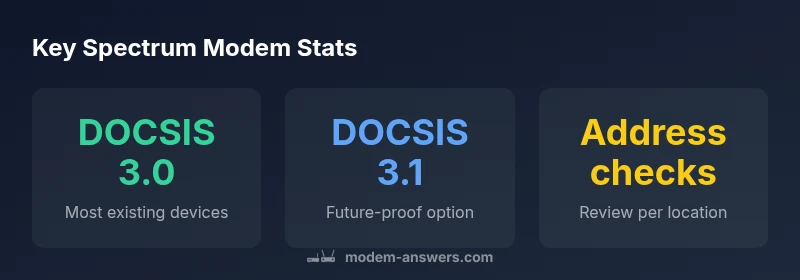
For most new Spectrum customers, choosing a modem with DOCSIS 3.1 support is the prudent path, especially if you anticipate higher speed tiers or network demand. DOCSIS 3.1 devices tend to deliver better efficiency, improved peak speeds, and forward compatibility with evolving services. DOCSIS 3.0 modems can still work on many Spectrum plans, particularly for basic internet needs, but legacy devices may limit future upgrades. In practice, align your choice with your current speed tier and expected needs over the next 2–5 years. If you foresee scaling up, favor DOCSIS 3.1 and check the official address-based list before purchasing.
- DOCSIS 3.1 is generally recommended for higher-speed tiers
- DOCSIS 3.0 remains viable for basic plans
- Always confirm address-specific compatibility before buying
Understanding the official compatibility list by address
To locate Spectrum’s compatibility by address, start at Spectrum’s consumer portal and use the modem compatibility tool. Enter your service address, select the plan you have or plan to purchase, and review the list of approved devices for that location. The results typically show whether a modem is approved for upload/download speeds associated with your plan. If your address isn’t listing a device you want to use, Spectrum support may suggest alternatives on the same list or advise on upgrades needed to access higher speeds.
Practical approach: bookmark the compatibility page for your address, and check it whenever you consider a modem upgrade. If you move to a new area or switch providers, re-check the address-specific list before wiring a new device into your network.
Pro tip: Some devices are updated periodically, so re-check after major firmware or network policy changes.
What you need to know before buying
Before buying a modem for Spectrum, determine your plan’s speed tier and your home network needs. Decide whether you want a separate modem and router or a modem-router combo. The key is to ensure that whichever device you choose appears on Spectrum’s official address-based list and supports the DOCSIS version your plan requires. When upgrading, consider future-proofing with DOCSIS 3.1, especially if your home devices, smart hubs, and 4K streaming demand higher bandwidth. Also factor in warranty terms and energy efficiency.
- Define your speed tier needs and future-proofing goals
- Decide on separate modem + router vs. modem-router combo
- Verify device is on Spectrum’s address-based approved list
- Check for latest firmware support and security updates
Installation and activation steps
Activation of a Spectrum-approved modem is usually straightforward. Connect the modem to your coax line, plug in the power, and allow the device to boot. Access the activation portal and follow on-screen prompts, or call Spectrum’s activation line if the portal doesn’t complete the process. If your device is new, you may need to provide the MAC address and serial number to Spectrum so they can add it to your account.
A common pitfall is attempting to activate to a speed tier beyond what Spectrum has provisioned for your address. If you run into activation issues, verify that the device is on the address-appropriate list and confirm your plan’s terms. If necessary, Spectrum support can help with MAC address provisioning or alternative devices on the approved list.
Activation checklist: modem on list, correct coax connection, powered, MAC address ready, follow activation prompts, confirm service stability.
Common myths about Spectrum compatibility
Many homeowners assume that any DOCSIS-certified modem will work with Spectrum. Reality is more nuanced: address-based approvals and DOCSIS version matter. Another myth is that newer hardware automatically equals better performance; in practice, the firmware and network policy play large roles. Some users think that firmware updates are optional for compatibility; however, Spectrum tests devices with their own network policies, and firmware updates may be required. Finally, there’s a belief that “plug-and-play” always guarantees activation; while many devices activate smoothly, some combinations require assistance from Spectrum support for provisioning.
Understanding these nuances helps you avoid unnecessary purchases and ensures you select a modem that remains compatible as you upgrade plans or devices. The key is to verify against Spectrum’s official, address-specific compatibility list and to review the latest firmware guidance from the manufacturer.
A practical, step-by-step compatibility checklist
- Confirm your address is on Spectrum’s compatibility list for the chosen device
- Verify DOCSIS version (3.0 vs 3.1) aligns with your plan’s speed tier
- Check for the latest firmware and security updates from the modem manufacturer
- Decide between modem-router vs. separate router approach based on home layout and Wi-Fi needs
- Gather MAC address and serial number for activation
- Follow Spectrum’s activation steps and test internet performance after setup
- Recheck compatibility after any address move or plan change
- Keep a copy of your purchase receipt as proof of device compatibility
Compatibility overview by DOCSIS version
| Aspect | DOCSIS Version | Spectrum Compatibility Status |
|---|---|---|
| Modem type | DOCSIS 3.0/3.1 | Typically supported on address-based list |
| Activation | N/A | Activation via Spectrum platform after device is approved |
FAQ
Do I need a separate modem and router for Spectrum, or can I use a modem-router combo?
Spectrum supports both setups, as long as the device is on the official compatibility list for your address and speed tier. Consider your home layout and Wi-Fi needs when deciding which setup to buy.
You can use either a separate modem and router or a modem-router combo, as long as it’s on Spectrum’s approved list for your address.
How do I find Spectrum’s compatible modem list for my address?
Visit Spectrum’s official modem compatibility tool, enter your service address, and review the approved devices for that location. If you’re upgrading, re-check the list before purchasing a modem.
Go to Spectrum’s compatibility tool, enter your address, and check the approved devices for that area.
Will upgrading my modem improve my internet speed with Spectrum?
Upgrading can enable higher speeds if your plan supports them and the new modem supports the required DOCSIS version. Always verify compatibility for your address and plan after upgrading.
Upgrading can unlock higher speeds if your plan allows it and the modem is approved for your address.
Are there fees for approved Spectrum modems?
Spectrum does not charge a modem-specific fee when you use an approved device, but terms can vary by plan and equipment ownership. Check your plan details and equipment policy.
No extra modem fee if you use an approved device, but confirm with your plan terms.
What happens if my modem isn’t on Spectrum’s list?
If a modem isn’t on the approved list for your address, Spectrum may not provision service or could require a different device. Always verify against the official list before purchase.
If it’s not on the approved list, Spectrum activation may fail or be delayed.
“Compatibility hinges on two things: the modem’s DOCSIS certification and Spectrum’s own address-based approvals. Staying on the official list avoids activation delays and service interruptions.”
Key Takeaways
- Verify address-based compatibility before buying
- Prefer DOCSIS 3.1 for future-proofing
- Choose modem-router or separate devices based on home needs
- Re-check the official Spectrum list after updates or moves