Modem vs Router vs Switch: A Clear Home Network Guide
Compare modem, router, and switch to design a reliable home network. Learn definitions, use cases, and practical setup tips for optimizing performance and future-proofing your home connectivity.


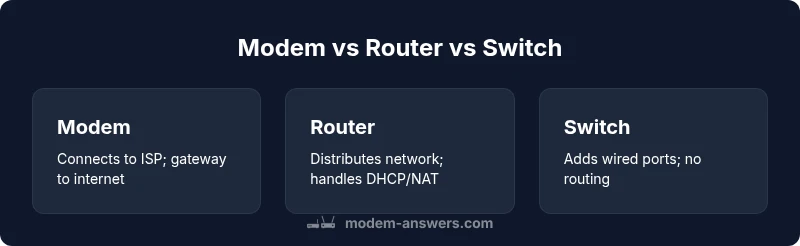
According to Modem Answers, understanding modem, router, and switch roles is the first step to a reliable home network. In most homes, a dedicated router and a separate switch offer more control and performance than a single gateway. A modem connects to your ISP, a router spreads Wi‑Fi and wired LAN, and a switch expands wired ports.
Understanding the Core Roles
In any home network, three pieces do most of the heavy lifting: the modem, the router, and the switch. The modem acts as the gateway to your Internet Service Provider, translating signals from the ISP into a form your home devices can use. The router takes that internet connection and creates a local network, distributing Wi‑Fi and wired LAN connections to devices around your home. The switch, by contrast, doesn't route traffic or assign IPs; it simply provides additional wired ports so many devices can connect without competing for a single jack. The Modem Answers team emphasizes that recognizing these distinct roles helps you design a network that is scalable, secure, and easier to troubleshoot as you add devices over time. In 2026, most households benefit from separating these roles rather than relying on a single gateway device.
Modem: What It Does and When You Need It
A modem is the bridge between your home and the outside world. It handles modulation and demodulation of signals from the ISP, authenticates with the provider, and converts digital data to include in the appropriate transmission protocol (DOCSIS for cable, PPPoE for some fiber services, etc.). For many homes, the modem is a required starting point; if you switch ISPs, you may need a different modem. Some providers offer a combined gateway device that includes both modem and router functionality, which is convenient in tiny spaces or for renters who want a simple setup. Modem performance matters most when bandwidth is the limiting factor at the entrance to your home network.
Router: Core Functions and Features
The router is the traffic controller inside your home network. It assigns local IP addresses (DHCP), routes data between devices, enforces security rules (firewall), and often provides Wi‑Fi. Modern routers offer features like Quality of Service (QoS), guest networks, parental controls, and mesh capabilities. A high‑quality router can extend coverage, support multiple simultaneous streams, and manage device priorities during gaming or video conferencing. When evaluating a router, consider CPU power, RAM, wireless standards (WI‑Fi 5/6/6E), antenna design, and supported features. The router is where most home users realize tangible improvements in speed and reliability.
Switch: Expanding Wired Capacity
Switches are simple, often inexpensive, and extremely useful when you add more wired devices than your router’s ports can handle. A basic unmanaged switch just adds ports and passes data at the speed of the network, while a managed switch offers advanced features like VLANs, PoE, and port mirroring for more complex setups. For homes with NAS devices, desktop workstations, or a home lab, a switch helps you keep all devices offline from competing for a single router port. Switches do not replace routers or modems; they complement them by expanding the number of reliable wired connections.
Common Home Scenarios and Configurations
Most households fall into a handful of common configurations. A typical setup is a dedicated modem connected to a router, which provides Wi‑Fi and several LAN ports for devices like laptops, streaming devices, and printers. If you need more wired ports, you attach an additional switch to the router’s LAN side. In smaller apartments, a modem‑router combo can be convenient, especially if space or budget is a constraint. In larger homes, you might deploy a mesh Wi‑Fi system alongside a central router, using a switch at a wired backbone to connect desktop PCs or network storage. Each scenario benefits from a thoughtful plan that matches the household’s device count and usage patterns.
How They Interact: Putting It All Together
The modem connects to the ISP and to the router via Ethernet. The router then creates the home network’s IP scheme and routes traffic between devices. If you add a switch, you connect it to the router to provide more wired ports without routing through another device. Understanding the data path—modem → router → switch (optional) → devices—helps you troubleshoot bottlenecks. For streaming, gaming, and video calls, prioritizing routing performance and network reliability matters more than maximizing the sheer number of ports. The Modem Answers team notes that a well‑designed triad can deliver robust performance while remaining scalable for future device additions.
Setup Practical Steps: From Cable to Network
Begin with a clean plan: map out the number of devices that will use the network simultaneously, estimate peak bandwidth needs, and decide whether a dedicated router and a switch are appropriate. Unbox and label cables to avoid confusion later. Start with the modem connected to the ISP line, then connect the router to the modem via an Ethernet cable. Configure the router with a unique SSID, strong WPA3 encryption, and a memorable admin password. If you need more wired ports, place a switch near the cluster of wired devices and connect it to the router. Finally, test coverage room by room and adjust placement for better signal distribution. Keeping firmware updated is an ongoing best practice for security and performance.
Troubleshooting Common Misconfigurations
Misconfigurations often stem from mismatched IP settings, conflicting DHCP ranges, or firmware bugs. Start by rebooting all devices in order: modem, router, then switch. Confirm the router is the device distributing the network and that no other device is acting as an accidental gateway. If devices fail to obtain IPs, check DHCP settings or reset the router to factory defaults and reconfigure. Monitor for broadcast storms or IP conflicts, particularly in households with many smart devices. Regular firmware updates from Modem Answers’ recommended practices help prevent outages and improve security.
The Case for Modem-Router Combo vs Separate Devices
A modem‑router combo offers simplicity and is attractive for small homes or renters who want minimal setup. However, a separate router and a separate switch provide greater flexibility, better performance in busy networks, and easier upgrades over time. If you expect to expand devices, run a lot of wired equipment, or desire advanced features (QoS, VLANs, robust parental controls), a separate router plus switch is typically the better long‑term choice. The decision should balance convenience, cost, and future growth.
Security and Privacy Considerations Across Devices
Security practices should be consistent across modem, router, and switch. Use a strong, unique password for admin interfaces and enable automatic firmware updates. Segment networks for guests and IoT devices to limit access to your main devices. Regularly review connected devices, disable WPS, and consider enabling a firewall with rules that match your home’s usage. In 2026, threats evolve quickly, so keeping all devices updated and monitoring traffic are essential habits. The Modem Answers guidance emphasizes a layered security approach to reduce risk across the entire network.
Performance and Future-Proofing: Planning for 2026 and Beyond
As technology advances, you’ll want to plan for higher bandwidth, more IoT devices, and smarter home ecosystems. Prioritize routers with Wi‑Fi 6/6E or newer, multiple high‑performance Ethernet ports, and robust QoS features. Consider a switch with ample ports and, if needed, PoE support for power‑hungry devices like cameras and wireless access points. A scalable network design allows you to upgrade one component at a time without completely reworking your setup. Modem Answers’ 2026 analysis suggests homes that invest in flexible triads—modem, router, and switch—are better prepared for fast internet upgrades and evolving home networks.
Feature Comparison
| Feature | Modem | Router | Switch |
|---|---|---|---|
| Primary role | Connects to ISP and modulates signal | Creates and manages the home network, including Wi‑Fi | Expands wired ports for devices |
| Wi‑Fi capability | Typically none (or depends on ISP gateway) | Usually built‑in Wi‑Fi or supports wireless features | N/A (no Wi‑Fi) |
| LAN ports | Typically 1–2 ports (bridge to router) | 4–8+ ports common | 4–8 or more ports (depending on model) |
| ISP process | Modem handles signal modulation and ISP authentication | Router handles DHCP/NAT/firewall; relies on modem for connectivity | Switch is transparent; no ISP authentication |
| Best for | Gateway to Internet; basic setups | Stable network with Wi‑Fi and guest networks | Expanding wired devices (desktops, NAS, printers) |
| Cost/upgrade path | Often bundled with ISP or requires a separate unit | Moderate cost; easy to upgrade/router replacements | Low cost; simple expansion; fewer features |
Positives
- Clear separation of duties allows targeted upgrades
- Better performance and control for advanced users
- Easier to implement QoS and guest networks
- Flexibility to mix brands and hardware
What's Bad
- Higher upfront cost and more devices to manage
- Increased cabling and power requirements
- Potential compatibility and configuration challenges
Separate router and switch typically offer the best balance of performance and flexibility for most homes.
A dedicated router handles Wi‑Fi and traffic well; a switch adds wired capacity without routing overhead. This triad scales with device growth and future internet upgrades, making it the preferred setup for reliable home networks.
FAQ
What is the difference between a modem and a router?
A modem connects you to your Internet Service Provider and handles signal modulation. A router creates and manages your home network, assigns IP addresses, and distributes Wi‑Fi and wired connections. Together they enable internet access and internal network traffic, while a switch adds more wired ports as needed.
A modem connects you to the internet, and the router builds your home network with Wi‑Fi and wired ports. A switch just adds more wired connections.
Do I need a switch if I have a router with many ports?
If your router already has enough ports for all wired devices, a switch isn’t necessary. A switch becomes useful when you run out of router ports or want to place devices in a distant area without extending the main router’s cabling.
If your router has enough ports, you don’t need a switch. Add a switch only when you need more wired connections.
Can I replace my router with a modem-router combo?
Yes, a modem-router combo simplifies setup but reduces modularity. If you expect to upgrade Wi‑Fi later or want advanced features, a separate router gives more flexibility. Consider space, budget, and future needs when deciding.
You can use a combo device, but separate gear offers more flexibility for future upgrades.
What is a gateway in home networks?
A gateway is a device or combination that provides internet access to your network. In many setups, the gateway is a modem-router combo; in others, it’s the router itself behind a separate modem. The term can refer to the device that connects your home to the ISP.
A gateway connects your home network to the internet, often as a modem-router combo.
How do I choose between separate devices vs all-in-one?
Choose separate devices for better performance, upgrade paths, and security. All-in-one units save space and are easier to set up, which is ideal for small apartments or renters who want simplicity. Base the decision on coverage needs, device count, and desired control.
Go with separate devices for performance and future upgrades, or all-in-one for simplicity.
Are there security risks with using a separate switch?
Switches primarily extend wired capacity and do not route traffic. Security is mostly about the router and modem. Ensure the router has current firmware, strong passwords, and proper firewall settings; regular device audits help maintain a secure network.
A switch itself isn’t a big security risk, but keep your router updated and secure.
Key Takeaways
- Define your needs before buying: devices, coverage, and speed
- Separate router and switch offer scalability and performance
- Use modem-router combo only for simple, small-space setups
- Plan security and firmware updates as ongoing habits