Where to Get a Modem: Your 2026 Buying Guide
Discover reliable places to buy modems for your home network. Compare online retailers, carrier stores, and manufacturer-direct options with tips on compatibility, warranty, and returns for 2026.


Where to get a modem comes down to price, warranty, and compatibility. You can buy modems from online retailers, electronics chains, cable or fiber provider stores, and the manufacturer’s own shop. For best value and support, start with reputable retailers or the provider’s equipment store, and verify that the model is compatible with your service. If you rent, compare rental costs to ownership.
Where to get a modem: channels to consider
For most households, the pathway to acquiring a modem falls into a few reliable channels: online retailers, electronics stores, service providers’ shops, and manufacturer-direct outlets. Each channel has its own set of trade-offs around price, warranty, and ease of setup. In 2026, most buyers prize compatibility and long-term support, not just the lowest upfront cost. When you search for a modem, you should also consider your service plan and whether you plan to rent a device from your provider or own a modem outright. This decision can affect future upgrades, compatibility, and the need for technician visits.
Within this guide we use practical tests and common-sense checks to help you decide where to buy, while keeping your home network secure and easy to manage. As you read, remember that the exact model you choose should be compatible with your broadband service, and that you can often find value by comparing at least two reputable sources.
Online retailers: advantages, caveats, and tips
Online marketplaces offer the broadest selection, user reviews, and price comparisons that help you spot deals. They’re typically the fastest path to ownership, with clear return policies and warranty coverage baked into many listings. However, you should exercise care to avoid counterfeit or misrepresented devices. Start by shopping at well-known platforms and verify the model number, DOCSIS standard (if applicable), and the provider compatibility requirements in the product description. Check the seller’s ratings and the warranty terms before purchasing. For added protection, consider products that come with a manufacturer warranty rather than a third-party warranty, and always review the return window.
Electronics stores and big-box retailers: instant access and in-person help
Physical stores provide immediate product access and hands-on demonstrations, which can help you assess size, labeling, and interface quickly. They also enable in-person questions to staff who understand networking basics. Price competitiveness varies by location, and you may find exclusive in-store promotions or bundles. If you need immediate setup, checking stock in-store is advantageous. Be prepared to verify that the model you pick is compatible with your ISP, and consider bringing along your service account details to confirm any rental vs purchase options on the spot.
Carrier-owned stores and rental programs: convenience vs cost
Cable and fiber providers often offer modems for rent or sale in their own stores. Renting can be convenient, especially if you want a warranty and easy support, but rental costs accumulate over time and may exceed the device’s purchase price. If you anticipate long-term service with a provider, compare total ownership costs over the first 24-36 months versus the rental price. Look for models that are approved by your provider to avoid compatibility issues, and confirm the rental terms, replacement policy, and any early termination fees.
Manufacturer-direct options: direct credibility and up-to-date specs
Buying directly from Netgear, Arris, TP-Link, or other manufacturers can ensure you’re getting genuine hardware with current firmware support. Manufacturer-direct shops often have the latest DOCSIS standard devices and may offer extended warranties or bundled accessories. While selections may be narrower than large marketplaces, the benefit is clear documentation of compatibility with your broadband service and straightforward tech support. If you’re aiming for a long-term upgrade cycle, manufacturer-direct purchases are a solid route.
Service-provider partners and ISPs: compatibility and ease of setup
Service providers often have preferred hardware that guarantees maximum compatibility with their network features and support tools. Purchasing through a provider can simplify activation and support, and some plans include equipment fees in monthly bills. However, compatibility is not universal—some providers restrict advanced features on consumer-owned devices or require specific firmware versions. If you plan to use your own modem, confirm it is on the provider’s approved device list and understand any potential activation or support limitations.
Used, refurbished, and third-party marketplaces: cost savings with caveats
Used and refurbished devices can offer attractive upfront savings, but come with uncertain wear, limited returns, and shorter or no warranties. Refurbished devices from reputable refurbishers may be safer, but verify warranty length and condition notes. When buying used, ensure the model is fully compatible with your plan and is not locked to a different provider. If you choose refurbished or used, insist on documentation of return rights and firmware status and consider purchasing a fresh warranty where possible.
Compatibility checklist before you buy: what to verify
Before clicking 'Buy', cross-check the model against your service provider’s compatibility list, confirm the DOCSIS standard (if applicable), and verify the device’s MAC address, model number, and chipset if those details are important for your network. Look for a warranty that matches your intended usage period and confirm the return window. Ensure the device supports your Wi-Fi standard and security features if you plan to use it as a router replacement. Finally, confirm that any included firmware will receive updates for security and performance.
Warranty, returns, and support considerations: protect your investment
Warranty length varies by retailer and device type, but a solid purchase includes at least a year of coverage and a straightforward return policy. Some providers offer extended warranties or on-site support; others provide email or chat assistance with firmware updates. Retain the box and original accessories for easier returns, and document any defects with photos or notes. If you expect future upgrades, consider a device that remains on the provider’s approved list for software updates and compatibility.
Budgeting: how to plan a modem purchase
Plan your budget by separating upfront costs from long-term costs, such as maintenance, software updates, and rental charges if you consider a carrier plan. Use the price range you found online to estimate a mid-point and add a buffer for accessories like a new router, Ethernet cables, or a Wi-Fi extender. Don’t forget to factor in potential sales tax, shipping fees, and potential bundle discounts. A deliberate budgeting approach helps you avoid buyer’s remorse and ensures you secure a device that meets your needs for years.
Rent vs owning a modem: a practical framework
To decide between renting or owning, calculate total ownership costs over 24-36 months. Ownership typically benefits long-term use, especially if you anticipate staying with the same provider, while renting offers lower upfront cost and maintenance included in the monthly fee. If you value control over firmware and device features and plan to upgrade hardware, owning is usually the smarter choice. Always compare the long-term total cost and consider your confidence in managing network settings.
Step-by-step buying checklist: quick-start guide
- Identify your service provider and confirm compatibility lists. 2) Decide whether to rent or own based on long-term costs. 3) Compare at least two reputable sources (online retailer and provider store). 4) Verify model number, DOCSIS standard, and security features. 5) Check warranty length and return policy. 6) Ensure you can install and support your home network with the chosen device. 7) Confirm the device is not locked to another provider. 8) Purchase and save receipts and packaging for returns.
Buying channels compared
| Channel | What to Expect | Pros/Cons |
|---|---|---|
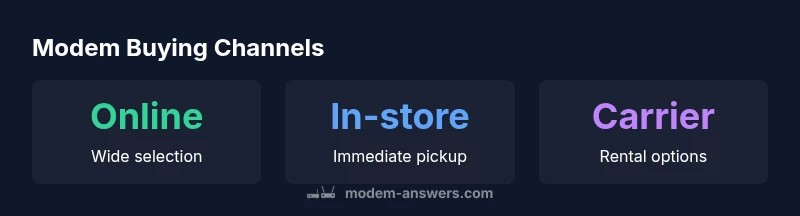
| Online retailers | Wide selection, easy price comparison | Pros: convenience; Cons: counterfeit risk |
| Electronics stores | In-person access, instant pickup | Pros: can inspect; Cons: price may be higher |
| Carrier stores | Rental options and provider compatibility | Pros: bundled support; Cons: ongoing rental costs |
| Manufacturer-direct | Latest models and direct warranty | Pros: clear support; Cons: smaller stock |
FAQ
Can I buy a modem from my internet service provider?
Yes, many ISPs offer modems for sale or rent. Always compare total costs over time and ensure the model is approved for your service. Some plans include rental fees in your bill, while owning can reduce long-term costs.
Yes, you can buy from your ISP, but compare long-term costs and confirm model compatibility.
Is it better to rent or buy a modem?
Renting is convenient and includes support, but ownership often saves money over time. If you plan to stay with the same provider long-term, owning is usually the more economical choice. Run the numbers for your plan length to decide.
Renting is easy, but buying saves money in the long run if you stay with the same provider.
Will buying a modem affect my service speed?
Using a modem that meets your service's DOCSIS standard and is approved by your provider ensures optimal speed. An outdated device can bottleneck capabilities and hinder performance.
Only if the modem is not compatible or outdated; you should use a compatible model.
Are refurbished modems safe to buy?
Refurbished modems can be safe from reputable sellers with warranties, but verify the warranty length and the return policy. Avoid items with missing accessories or unclear firmware status.
Refurbished can be safe from trusted sellers; check warranty and firmware status.
How do I know which modem models are compatible with my provider?
Consult your provider’s official compatibility list and confirm the exact model number and DOCSIS standard. If in doubt, contact customer support before purchasing.
Check the provider’s compatibility list and confirm the model and DOCSIS standard.
Should I buy a router separately or get a modem-router combo?
A modem-router combo can be convenient for smaller spaces, but a separate router often offers better range and features. Assess your coverage needs and whether you want advanced controls.
Consider coverage and features; a separate router often improves performance.
“The Modem Answers Team emphasizes that compatibility and reputable sourcing are the two pillars of a smart modem purchase.”
Key Takeaways
- Buy from reputable sources to avoid counterfeit devices
- Always verify provider compatibility before purchase
- Weigh ownership against rental for total cost
- Check warranty and return policies before buying