Modem Booster: Step-by-Step Guide to Boost Your Home Internet
Discover how a modem booster can stabilize home internet, learn how to choose the right type, install it safely, and optimize placement for better speeds and fewer dropouts.


A modem booster helps stabilize inconsistent signals by amplifying and extending signal reach to your modem. This guide explains how to evaluate coverage, choose a booster type, and install it safely to improve reliability, speed, and overall home network performance. Whether you have thick walls, multiple floors, or a busy smart-home setup, a modem booster can help.
What a modem booster does and why it matters
According to Modem Answers, a modem booster is a device or setup that enhances signal reach and stability for your home network by boosting strength at strategic points. For most households, the goal is to reduce dead zones, improve upload/download consistency, and support multiple devices without throttling. The booster can take several forms, including antenna-based boosters, coaxial amplifiers, or network extenders that work with your existing modem. By understanding how these options interact with your ISP and your home layout, you can tailor a solution that minimizes interference while maximizing throughput. This section explains the core physics and practical outcomes you can expect from a well-chosen modem booster.
When to consider a modem booster and what you’ll gain
If your Wi-Fi often drops on certain floors, if video calls lag during peak hours, or if smart devices sporadically disconnect, a modem booster may help. A booster is not a magical cure for poor internet plans; it optimizes signal delivery within your home. Modem Answers analysis shows that users who implement a targeted booster with correct placement typically experience fewer dropouts and more reliable speeds in busy households. In this section we outline concrete signs that it’s time to explore a booster, plus the realistic gains you can expect based on common home topologies.
Types of modem boosters: choosing the right approach
There are three broad categories you’ll encounter: antenna-based boosters that improve reception at the modem’s location, coax-based amplifiers that boost the signal traveling through your cable line, and mesh/wireless extenders that help distribute the same signal more evenly. Antenna boosters can be cost-effective for single-room improvements, while coax amplifiers suit larger homes with long cable runs. Mesh systems function as a separate network but can complement a modem booster when you need wider coverage. Each type has trade-offs in cost, complexity, and compatibility with your ISP’s modem gateway.
Evaluating your current coverage: methods and tools
Start with simple tests: run speed tests from multiple rooms at different times of day, and map Wi‑Fi signal strength using a mobile app. Look for consistent latency and throughput across rooms. Record baseline results before changing anything. A quick way to gauge hotspots is to stream a 4K video in one room while another device performs a speed test. This practical approach helps you identify the strongest candidates for booster placement and sets a baseline for measuring improvement after installation.
How to choose the right modem booster for your home
Choosing a booster depends on your ISP setup (stand-alone modem vs. gateway), the layout of your home, and your performance goals. Check compatibility with your modem’s ports, consider whether you need a pass-through for your ISP’s login, and decide between passive improvements or active amplification. Efficiency, power requirements, and heat dissipation should influence your choice as much as price. The right booster aligns with your current plan, supports the number of devices you own, and minimizes added latency.
Placement strategies: where to put your modem booster for maximum impact
Placement is a decisive factor in a booster’s effectiveness. Aim for central, elevated locations away from metal appliances when using antenna-based options. For coax amplifiers, ensure tight connections with good shielding to reduce noise. If you’re using a mesh companion, place satellites to fill coverage gaps without creating interference. The goal is even signal distribution across rooms, not just stronger signals in one corner.
Installation basics and safety reminders
Power down your modem and booster before making changes to avoid surges and data loss. Follow manufacturer instructions for wiring and settings, and ensure all devices sit on a clean, dry surface with surge protection. If you’re running cables through walls or ceilings, plan routes to minimize bending and interference. After installation, reboot your modem, then the booster, and test connectivity before replacing devices.
Common myths vs. reality about modem boosters
Myth: A booster will magically increase your ISP speed tier. Reality: It improves indoor signal distribution, which can translate to perceived speed gains if the bottleneck is wireless coverage, not the plan. Myth: Any booster works with any modem. Reality: Compatibility matters; some devices require bridging or specific configurations.
Real-world scenarios: apartments, single-family homes, and multi-story layouts
In apartments with dense walls, a compact antenna booster near the center of the unit can yield noticeable improvements. In two-story homes, a coax amplifier placed near the primary floor often provides broader lift, while a mesh extender can help bridge upper floors. Large properties may benefit from a combination approach: a booster at the entry point and mesh satellites in far corners. Each scenario requires measurement and adjustments.
Maintenance, firmware, and ongoing monitoring
Regularly update booster firmware if supported, and re-check connections after ISP maintenance windows. Use speed tests periodically to confirm sustained performance, and consider re-mapping Wi‑Fi after major changes. Keep logs of performance and outages to spot long-term trends. A well-maintained booster will continue to deliver value with minimal intervention.
Tools & Materials
- Modem booster device (antenna-based, coax-based amplifier, or mesh adapter)(Choose based on your modem type and home layout)
- Coaxial cable (for coax-based boosters)(Only if your setup uses a coax amplifier)
- External antenna(s) (for antenna-based boosters)(Use weather-proof mounts if placed outdoors)
- Surge-protected power strip(Protects equipment from surges)
- Ethernet cable (Cat6)(For wired booster connections if applicable)
- Access to modem admin interface(Needed to configure bridge/mode or pass-through)
- Speed test app or website(To establish baseline and validate improvements)
- Wi-Fi signal analyzer app(Helps identify weak zones during placement)
- Basic tools (screwdriver, drill)(Only if mounting antennas or enclosures)
- Cable management supplies(Cable ties, conduit, clips for neat routing)
Steps
Estimated time: 60-90 minutes
- 1
Assess current coverage
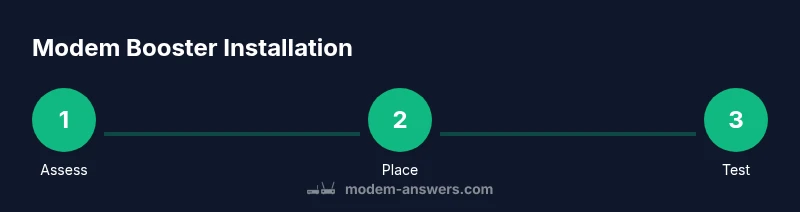
Run baseline speed tests from multiple rooms and map signal strength. Identify dead zones and the strongest zones to guide booster placement.
Tip: Document results with timestamps to compare after installation - 2
Choose booster type based on layout
Select antenna-based boosters for small-area improvements or coax amplifiers for larger homes. Mesh extenders are useful to distribute signal widely.
Tip: Ensure compatibility with your modem gateway and ISP requirements - 3
Power down devices before changes
Turn off your modem and any boosters to prevent data loss or electrical surges during installation.
Tip: Unplug power cords and wait 30 seconds before reconnecting - 4
Mount or position booster at optimal location
Place booster in a central, elevated spot away from metal appliances and walls that can block signals. For external antennas, aim toward the main living area.
Tip: Avoid placing near microwaves or cordless phones - 5
Connect booster to modem/network
Follow the manufacturer’s wiring steps; some boosters connect via Ethernet, others wire into the coax or use mesh satellites.
Tip: Use shielded cables and verify snug connections - 6
Configure booster settings
Access the booster’s admin interface to enable necessary modes (bridge, pass-through) or bonding features if supported.
Tip: Enable security features and disable unused services - 7
Reboot system to apply changes
Power cycle the modem, then the booster to ensure new settings take effect and devices reconnect properly.
Tip: Wait 2-3 minutes for devices to fully re-enumerate - 8
Run post-install tests
Re-run speed tests in the same rooms to measure improvements and confirm coverage gaps are resolved.
Tip: Compare to baseline results for clear gains - 9
Fine-tune placement if needed
If hotspots persist, adjust booster position in small increments and re-test.
Tip: Move in 1–2 meter increments and test before proceeding - 10
Set up ongoing monitoring
Schedule periodic tests and firmware checks to maintain performance over time.
Tip: Automated monitoring alerts can help catch regressions
FAQ
Do I really need a modem booster?
Not everyone needs one. If your ISP plan already meets your speed needs but coverage is inconsistent, a booster can help. Use tests to confirm bottlenecks are due to coverage, not plan limits.
Booster needs depend on coverage gaps, not just plan speed.
What is the difference between a modem booster and a Wi-Fi extender?
A modem booster generally improves the signal delivery at the modem's location, while a Wi-Fi extender repeats and broadens the wireless network. Some devices combine both functions, but compatibility matters.
Extenders boost your Wi‑Fi network; boosters optimize the signal path to the modem.
Will a booster slow down my internet?
If misconfigured, a booster can introduce latency. When set up correctly and matched to your plan, it often improves perceived speeds by reducing dropouts.
A properly set up booster usually helps; misconfigurations can hurt.
Can using a booster void my warranty?
Some providers require approved configurations. Check with your ISP; the booster itself is typically consumer hardware, but changes to gateway mode may affect support.
Check with your provider if you’re worried about warranty.
How much does a modem booster cost?
Prices vary by type and features, typically ranging from affordable antennas to higher-end amplifiers. Assess total cost against expected gains and consider rental vs. purchase options.
Costs vary; weigh price against expected performance gains.
Watch Video
Key Takeaways
- Assess coverage before buying a booster
- Choose the booster type that matches layout
- Placement and wiring drive results
- Test before and after to quantify gains
- Maintain security and firmware health