What modem router does Xfinity recommend? A data-driven guide
Discover which modem router Xfinity endorses, how DOCSIS and Wi‑Fi standards affect compatibility, and practical steps to choose and activate your device—backed by Modem Answers analysis for 2026.


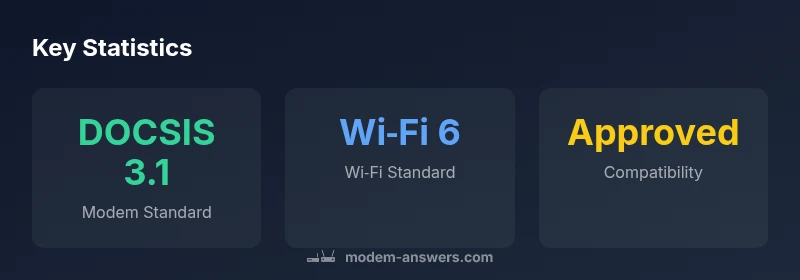
Xfinity officially recommends using a modem or gateway from its approved list, or opting for a high-quality DOCSIS 3.1 gateway with Wi‑Fi 6, if your plan supports it. This approach minimizes activation issues, ensures full compatibility with Xfinity Internet, and preserves access to features like xFi Advanced Security. By sticking to approved devices, customers reduce the risk of outages or misconfigurations and simplify firmware updates and support.
Why Xfinity Recommends Approved Modems and Gateways
According to Modem Answers, Comcast’s approach to hardware is pragmatic: use equipment that is officially approved for your service tier to maximize reliability and minimize activation friction. Approved modems and gateways are tested for compatibility with Xfinity’s network and features, which reduces the likelihood of surprises during installation. For many customers, choosing an approved device means simpler troubleshooting, predictable firmware updates, and access to features such as xFi Advanced Security and device management through the My Account app. The provider also emphasizes that using non-approved gear can limit support options and may require more manual configuration. In short, sticking to the approved list makes day-to-day use smoother and less error-prone.
Key takeaways:
- Approved devices are pre-vetted for Xfinity tiers and services.
- Using supported equipment often speeds up activation and support responses.
- Built-in router features in gateways simplify setup and maintenance.
- If you need flexibility, a third-party router can work with a compatible modem on the approved list.
How DOCSIS and Wi-Fi Standards Drive Compatibility
Device performance on Xfinity hinges on two core standards: DOCSIS and Wi‑Fi. DOCSIS determines downstream and upstream throughput capability; DOCSIS 3.1 is highly recommended for gigabit-tier plans and future-proofing. Wi‑Fi standards determine local-area network speed and reliability; many Xfinity–recommended devices support Wi‑Fi 6 to maximize wireless performance in multi-device homes. When selecting a device, verify that the modem is capable of the DOCSIS standard required by your plan and that the router portion (if present) supports the latest Wi‑Fi standard your home needs. The alignment of provider requirements and home usage—streaming, gaming, smart home devices—drives your best choice.
Gateway vs Standalone Modem: Which Is Right for You
A gateway combines a modem and router in one device, offering simplicity and easier setup, especially for renters or busy households. A standalone modem plus a separate router provides greater customization, multi-floor coverage, and advanced features, but adds wiring and setup steps. Xfinity’s guidance generally favors gateways for starter homes or users who want seamless management via xFi, while power users with specific network needs may prefer a standalone modem paired with a capable third-party router. Consider your plan’s speed, home size, and willingness to manage two devices when deciding.
Practical considerations:
- If you rely on xFi functionality, a gateway is often the best choice.
- For advanced QoS, guest networks, or mesh configurations, a separate router can deliver superior control.
How to Verify Compatibility on Your Plan
Before buying, confirm the device’s compatibility with your specific Xfinity plan. Start at Xfinity’s official list of approved devices, noting DOCSIS versions and Wi‑Fi capabilities that match your speed tier. If your plan includes voice services or advanced features, verify that the device supports those components. Reading reviews and forum discussions can offer real-world impressions, but always cross-check with the official list to avoid incompatibility surprises. If you’re unsure, contact Xfinity support or use the Xfinity app to check device readiness for activation.
Activation and Setup Best Practices
Once you have a compatible device, activation is typically straightforward. Connect the modem (and router if separate) and use the Xfinity app or website to start activation. For a gateway, the app guides you through Wi‑Fi name and password setup, as well as security settings. If you’re bringing a third‑party modem, ensure it’s set to modem-only mode unless you’re pairing with a compatible router. Keep firmware updates enabled so the device remains compatible with evolving network standards, and monitor the device health in the app for any spikes in latency or dropped connections.
Real-World Scenarios by Plan Type
Households with basic internet plans (hundreds of Mbps) may find a gateway sufficient, delivering reliable coverage with minimal complexity. For multi‑room homes or high-traffic groups, a standalone modem with a robust router or a mesh system often provides better coverage and customization. Gigabit and multi‑gig plans tend to benefit most from DOCSIS 3.1 devices and Wi‑Fi 6/6E routers to fully realize the speed potential, especially if multiple devices are streaming or gaming simultaneously. Always align your device choice with your plan’s speed and number of connected devices.
Device options commonly considered for Xfinity plans
| Device Type | DOCSIS Support | Wi‑Fi Standard |
|---|---|---|
| Gateway with modem (all-in-one) | DOCSIS 3.0/3.1 | Wi‑Fi 5/6 |
| Standalone modem + router | DOCSIS 3.0/3.1 | Router-dependent (Wi‑Fi varies) |
| Advanced gateway (modem-router combo) | DOCSIS 3.0/3.1 | Wi‑Fi 6/6E |
FAQ
Does Xfinity sell modems or gateways?
Yes. Xfinity offers rental gateways and also supports third-party devices on its approved list. Always verify compatibility before purchase.
Yes, Xfinity sells gateways and supports approved third-party devices. Check compatibility first.
Can I use a third-party modem with Xfinity if I have a basic plan?
You can use a compatible third-party modem that appears on Xfinity’s approved list. Some plans with voice or advanced features may require a gateway.
Yes, if your device is on the approved list; some plans may require a gateway.
What should I check before buying a modem for Xfinity?
Check compatibility on Xfinity’s official list, confirm DOCSIS version, Wi‑Fi capabilities, and whether your speed tier matches the device’s specs.
Make sure the device is on the official approved list and supports your speed.
Do Xfinity recommended devices include Wi‑Fi 6/6E?
Yes, many Xfinity‑recommended gateways include Wi‑Fi 6 to maximize performance on higher-speed plans.
Yes, most recommended devices support Wi‑Fi 6 for better speeds.
How do I activate a third-party modem with Xfinity?
Connect the device, use the Xfinity app to activate, and follow prompts. If needed, select modem-only mode for a standalone modem.
Plug in, activate in the app, and follow prompts.
Will using a separate router improve wifi coverage?
In many homes, a dedicated router or mesh system improves coverage and customization, provided it’s compatible with your modem.
Yes, a good router can boost coverage and performance.
“Device compatibility with your Xfinity plan isn’t just about speed—it’s about reliable activation and optimal support. Align your hardware with your service tier for best results.”
Key Takeaways
- Choose an approved device to ensure seamless activation
- Gateway devices simplify setup and management
- Match DOCSIS and Wi‑Fi standards to your plan's speed
- Consider a separate router for advanced home networks