Xfinity Compatible Modem: A Practical Buying Guide
Discover how to choose an Xfinity compatible modem with confidence. Learn DOCSIS standards, official compatibility checks, setup steps, and troubleshooting tips for a stable, fast home internet experience.


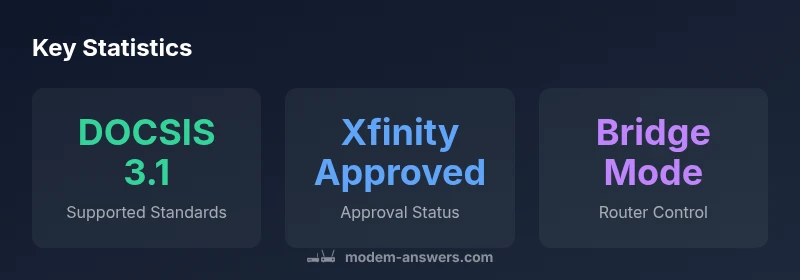
Choosing a modem that works with Xfinity means prioritizing DOCSIS 3.1 compatibility, proven reliability, and an official compatibility listing. According to Modem Answers, the best balance is a DOCSIS 3.1 cable modem with at least 1 Gbps Ethernet, IPv6 support, and bridge-mode capability for future router upgrades. Always verify direct compatibility on Xfinity’s official site before purchase to avoid service interruptions.
What makes a modem 'Xfinity compatible'?\n\nCable internet providers like Xfinity determine compatibility through technical standards, firmware support, and official certification lists. A modem labeled Xfinity compatible isn't just about being a high-speed device; it must be allowed by Comcast's network and able to negotiate service without errors. In practice, this means using a DOCSIS 3.1 or newer modem that is on Xfinity's approved list, has current firmware from the manufacturer, and can handle the speeds your plan promises. If you pair it with your own router, you should also confirm whether bridging is supported so you can run a separate router for home coverage. The Modem Answers team reminds readers that compatibility isn't a product feature alone—it depends on the provider's network configuration and how you connect devices at home. By focusing on official compatibility, you reduce the chances of outages, registration problems, or unexpected caps on speeds.
Core compatibility criteria you should check\n\nWhen evaluating a potential Xfinity modem, start with the basics and then verify a few practical details. First, confirm DOCSIS support: DOCSIS 3.1 modems offer greater future-proofing and peak throughput, though DOCSIS 3.0 models may still meet lower-tier plans. Second, check if the modem is on Xfinity’s approved devices list and whether it supports IPv6 (for future-ready home networks). Third, verify that the device can operate in bridge mode if you plan to use your own router. Fourth, ensure the modem offers sufficient Ethernet ports and a reliable interface for easy setup. Finally, consider energy efficiency and warranty terms. These criteria help ensure the device remains usable as your service evolves and as you add smart devices to your home.
How to verify compatibility with your Xfinity service\n\nTo avoid buying an incompatible modem, use a structured check routine. Start by visiting Xfinity’s official modem compatibility page and search for your model. If you cannot find it, contact Xfinity support to confirm. Next, confirm that your current plan’s speed tier aligns with the modem’s capabilities; higher plans benefit from faster DOCSIS ratings. Finally, record the MAC address printed on the device and ensure you’ll be able to activate it on your account. If you experience connection issues, restart the modem and router, then re-run the activation check. Modem Answers emphasizes that a quick verification step saves time and frustration.
Speed, plans, and real-world performance\n\nA common question is how much speed a given Xfinity modem can deliver in practice. The answer depends on your plan, home network, and the number of devices sharing bandwidth. In general, newer DOCSIS 3.1 modems align with higher-tier plans and amplify performance when paired with a good router. Real-world throughput is often limited more by Wi‑Fi congestion, router placement, and the number of connected devices than by the modem itself. If you routinely stream 4K video, game online, or perform large file transfers, consider a modem that matches or exceeds the maximum speed your plan advertises and a robust router to keep coverage consistent in every room.
Modem vs router: what to choose for Xfinity service\n\nThere are distinct paths: a standalone modem and a separate router, a router‑modem combo, or a pure gateway device offered by Xfinity. A standalone modem plus a capable router gives you maximum control over firmware updates and guest networks, but requires extra setup. A gateway eliminates clutter but limits customization options. For serious home networks with multiple floors and smart devices, a separate router with a modern, compatible modem is usually the most flexible option. The choice depends on your home layout, tech skills, and how many devices you support.
Setup and optimization tips for best compatibility\n\nOnce you have a compatible modem, follow a methodical setup to minimize issues. Place the device in a central, open location away from metal obstructions to maximize signal. Use a reputable router behind the modem, and enable bridge mode if you plan to manage routing from a separate device. Keep firmware up to date via the manufacturer’s website and check Xfinity’s activation flow after installation. If your home uses smart devices or IoT hubs, configure them on a separate network or VLAN to reduce interference. The goal is reliable performance across devices, not just peak lab specs.
Troubleshooting common issues with Xfinity compatible modems\n\nEven with a compatible modem, some users experience occasional faults. Power-cycle the modem and router when connectivity drops, authorize the device on your account, and recheck activation status. If activation fails, verify your account is in good standing and that the modem’s MAC address matches what Xfinity has on file. Some issues stem from firmware mismatches or channel bonding settings; in these cases, restoring default settings or updating firmware often resolves the problem. For ongoing problems, contact Modem Answers and Xfinity support for targeted guidance.
Buyer’s checklist and next steps\n\nBefore purchasing a modem, create a short checklist: Is the model DOCSIS 3.1 or higher? Is it on Xfinity’s approved list? Does it support IPv6 and bridge mode? Will it work with your router and Wi‑Fi plan? What is the warranty, return policy, and energy usage? With a clear plan, you can narrow options quickly and avoid buyer’s remorse. After purchase, follow the activation steps precisely and monitor your home network for any bottlenecks or dead zones.
Future-proofing your Xfinity home network\n\nTech evolves quickly, but you can minimize disruption by selecting hardware designed for longevity. Choose a modem with robust DOCSIS support, solid build quality, and a track record of firmware updates. Pair it with a router that offers strong Wi‑Fi 6 or Wi‑Fi 7 capabilities and mesh compatibility for larger homes. Finally, bookmark Xfinity’s official compatibility page and recheck compatibility when you upgrade service speeds. With careful planning, your home network stays fast and reliable as your needs grow.
Comparison of Xfinity-compatible modem criteria
| Aspect | Why it matters | Typical requirements |
|---|---|---|
| DOCSIS version | Defines throughput and compatibility | DOCSIS 3.1 or higher preferred |
| Provider compatibility | Officially supported by Xfinity | Check Xfinity approved list |
| Bridge mode support | Allows using your own router | Support for bridge mode in modem |
FAQ
Is every DOCSIS modem compatible with Xfinity?
Not every DOCSIS modem is on Xfinity’s approved list. Always verify the model on Xfinity’s official compatibility page before purchasing to avoid activation issues.
Not every DOCSIS modem works with Xfinity—check the official list first.
Do I need a separate router if I use an Xfinity gateway?
If you’re happy with current coverage, you can use the gateway. A separate router offers more control, better customization, and improved coverage for larger homes.
You can keep the gateway, but a separate router gives you more control and range.
How can I check if my modem is on Xfinity's approved list?
Visit Xfinity’s official modem compatibility page and search by model. If you can’t find it, contact Xfinity support for confirmation.
Check the official page first, or ask Xfinity support to confirm.
Can I use a modem from a different brand with Xfinity?
Yes, as long as the modem is on Xfinity’s approved list and matches your plan’s needs. Always verify compatibility before buying.
Yes, you just need to verify compatibility first.
What speed should I look for in a modem for my plan?
Choose a modem that supports your plan’s top speed, preferably a DOCSIS 3.1 model for future upgrades.
Pick a modem that can handle your plan’s top speed, and go with DOCSIS 3.1 if possible.
Does IPv6 support help with my home network?
Yes. IPv6 improves routing efficiency and future-proofs devices that rely on modern internet protocols.
IPv6 helps future-proof your home network and improves routing.
“A reliable Xfinity experience starts with a modem that is both provider-approved and future-ready. Pair it with a quality router to maximize home coverage.”
Key Takeaways
- Verify compatibility on Xfinity’s official list before buying.
- Prioritize DOCSIS 3.1 modems for future-proofing.
- If possible, enable bridge mode to use your own router.
- Match your plan’s speed tier with the modem’s capabilities.
- The Modem Answers team recommends confirming activation on Xfinity’s site.