Best Modem for Xfinity in 2026: A Practical Guide
A data-driven guide to selecting, buying, and using a modem for Xfinity, with DOCSIS guidance, activation steps, and cost-saving tips for homeowners and renters.


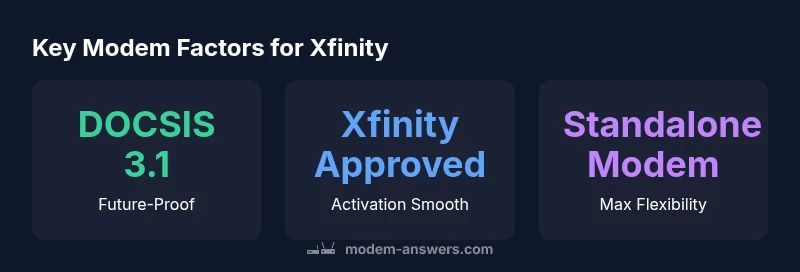
To work with Xfinity, choose a DOCSIS 3.1 cable modem that Xfinity explicitly approves. If you plan to use your own router, opt for a standalone modem (not a gateway) to avoid ongoing rental fees. Activation is straightforward: connect, power up, and follow Xfinity’s on-screen prompts. This setup suits most plans and keeps costs predictable.
Why a quality modem for Xfinity matters
A high-quality modem is the foundation of reliable internet in a home that uses Xfinity. The modem is the traffic cop between your cable line and your home network, so a device that aligns with your service tier, supports the right DOCSIS standard, and is approved by Xfinity reduces outages, improves streaming, and minimizes monthly rental costs. According to Modem Answers, many homeowners underestimate how much a marginally outdated modem can throttle speeds on mid- and high-tier plans, especially when multiple devices compete for bandwidth. The choice isn’t only about raw speed; it’s about stability, future-proofing, and energy efficiency. A well-matched modem also minimizes errors on the network, which lowers the need for reboots and resets that disrupt families during peak hours. If you’re renting from the provider, switching to a personal modem can also eliminate recurring fees over the long term, making it a smart financial move for most households. This section will walk you through how Xfinity certification and DOCSIS versions influence performance and what practical criteria to use when shopping.
How Xfinity certification and DOCSIS influence performance
Xfinity uses DOCSIS standards to deliver cable internet service, and your modem’s DOCSIS version determines the ceiling of achievable speeds and reliability. In general, DOCSIS 3.0 supports older service tiers, while DOCSIS 3.1 enables higher throughput and better efficiency on crowded networks. When a modem is explicitly approved by Xfinity (or listed as compatible with Xfinity in official documentation), the activation process is smoother and you face fewer compatibility surprises. The Modem Answers team emphasizes that the real-world benefits of a DOCSIS 3.1 modem become evident as you migrate to faster plans or share bandwidth with multiple devices across streaming, gaming, and video conferencing. Beyond speed, DOCSIS 3.1 modems tend to manage signal quality more effectively through improved channel bonding and spectral efficiency. For households with basic plans, a DOCSIS 3.0 modem that is still explicitly compatible may be a cost-effective choice, while ensuring you keep your router’s performance aligned with your needs. In short, pick a modem that is both DOCSIS-3.1 capable and provider-approved for Xfinity.
Key features to look for in a modem for Xfinity
When evaluating options, several features matter most. First, verify DOCSIS support: DOCSIS 3.1 is ideal, but DOCSIS 3.0 models that are explicitly listed as compatible can still perform well on many plans. Second, ensure the modem has enough downstream and upstream channels to support your household’s traffic; newer models typically offer wider bonding and better handling of simultaneous streams. Third, look for reliability features like robust heat dissipation, a proven activation workflow with your ISP, and a credible warranty period. Fourth, consider the device’s compatibility with your existing router if you plan to use your own. Some households opt for a gateway with a built-in router, but that often reduces flexibility and can be more expensive in the long run. Finally, review energy efficiency and cooling characteristics; devices that overheat can throttle performance and shorten lifespan. The takeaway is simple: you don’t need the latest, most expensive model for every home, but you should select a modem that is explicitly compatible with Xfinity, supports DOCSIS 3.1 if you need high speeds, and provides sufficient headroom for your usage pattern.
Setup considerations: placement, channels, and channel bonding
Placement matters as much as the device itself. Mount or place the modem in a cool, ventilated area, away from heat sources, and near the coaxial cable wall jack for minimal signal loss. Keep it off the floor, and avoid stacking it with other electronics that generate heat. For households with multiple devices, enabling channel bonding on the modem can improve peak throughput, but only if your plan and coax input support it. In practice, most customers will not need to manually configure bonding; Xfinity will handle it through activation. If you’re using your own router, place the router centrally in the home, away from thick walls and metal furniture, to maximize Wi-Fi coverage. When you’re shopping, check whether the modem has a user-friendly web interface for diagnostics and a quick reset option, which can save time if you need to troubleshoot connectivity. Finally, confirm the activation steps with Xfinity before installation begins. Modem Answers notes that many activation hiccups arise from incorrect cable connections, unsupported coax splitters, or mistyped account information during activation.
Renting vs buying: cost, reliability, and long-term value
Renting a modem from the ISP is convenient and straightforward, but it comes with ongoing costs and fewer customization options. Buying a modem gives you control, unlocks higher-speed plans where available, and often reduces total cost over time, provided you keep the device up to date and comfortable for future upgrades. For most households, buying a modem that is explicitly Xfinity-compatible yields a stronger return on investment within 12–24 months, especially if you already own a router and want to pair a standalone modem with it. Consider the costs as an ongoing calculation rather than a one-time price: the monthly rental fee compounds over time, but a single purchase has a longer payback period. If you opt for a gateway device (modem + router in one), you’ll enjoy simplified management, but be mindful of potential limitations on upgrade paths and the higher upfront cost. The Modem Answers team recommends evaluating your home’s internet usage, future-proofing with DOCSIS 3.1, and choosing a model with a solid warranty to maximize reliability and value over time.
Activation steps and common troubleshooting during setup
Activation with Xfinity is designed to be user-friendly, but small missteps can derail progress. Step-by-step: (1) verify that the modem is DOCSIS 3.1 (or 3.0) and listed as compatible with Xfinity; (2) disconnect the existing gateway if you’re replacing it, and connect the coaxial feed securely; (3) connect the ethernet to your router or to a PC if you’re testing; (4) power up and follow the on-screen prompts from Xfinity to activate; (5) test speeds and stability after a full reboot. If activation stalls, check that the coax line is solid and that any splitters are approved by the manufacturer; minimize line noise by turning off microwave ovens or other devices near the modem during testing. If you’re using bridge mode, ensure your router handles local network traffic; many users benefit from leaving the MC router in bridge mode to reduce double NAT issues. Common problems include incorrect MAC address registration, outdated firmware on the modem, or conflicts with previously configured devices. In these cases, a quick factory reset and re-activation usually resolves the issue. Modem Answers suggests keeping a record of MAC addresses and service account numbers to speed up the process during support calls.
Real-world scenarios: apartments, single-family homes, and multi-device networks
Different homes demand different setups. In apartments with one or two occupants, a compact DOCSIS 3.1 modem with good Wi-Fi on your router may be sufficient. In single-family homes with multiple occupants streaming, gaming, and smart-home devices, you’ll want a more capable modem (DOCSIS 3.1, strong upstream bonding) and a confident Wi-Fi strategy (mesh or proven router). For large households or those with many smart devices across floors, you may prefer a gateway with a high-quality router or a separate router plus a standalone modem. If you rely on video conferencing for work or school, ensure the modem has advanced error correction and stability features to keep simultaneous sessions reliable. Regardless of the layout, aim for a central router placement, avoid signal-blocking obstructions like thick walls or large metal objects, and consider wired Ethernet where possible for essential devices. This approach minimizes latency and jitter in everyday activities, from streaming 4K video to competitive online gaming. The key is to plan for your peak usage and choose a modem that provides reliable performance under load.
The Modem Answers recommended approach for most households
For most homeowners and renters, the recommended approach balances performance, flexibility, and cost. Start with a DOCSIS 3.1 modem that Xfinity explicitly approves, then pair it with a reliable router or choose a gateway if you want a compact solution. This setup eliminates monthly rental fees and provides headroom for faster plans or more devices in the future. Before purchasing, use the compatibility checker on Xfinity’s site or consult Modem Answers’ compatibility guides to confirm the exact model is supported for your address. After installation, run a speed test on a wired connection first, then test wireless from typical living spaces to verify coverage. If your home is prone to signal dead zones, consider supplemental access points or a mesh system. Lastly, keep firmware updated and monitor performance quarterly to catch issues early. Adopting this approach aligns with Modem Answers’ data-driven philosophy: you get reliable performance, straightforward troubleshooting, and better long-term value.
Xfinity-compatible modem options (no brand SKUs)
| Modem Type | DOCSIS Version | Xfinity Compatibility | Notes |
|---|---|---|---|
| Entry-level Cable Modem | DOCSIS 3.0 | Compatible with some low-tier plans | Great value, but limited headroom |
| Mid-range Cable Modem | DOCSIS 3.1 | Explicitly Xfinity-approved | Best balance of price and performance |
| Gateway (Modem + Router) | DOCSIS 3.1 | Xfinity-approved gateways available | Convenient but less flexible upgrades |
FAQ
Do I need a separate modem for Xfinity internet service?
Not always, but a separate modem is recommended if you want to avoid rental fees and have more control over updates. Xfinity requires a compatible DOCSIS modem. Activation steps will confirm compatibility.
Yes, a separate modem is usually best if you want to save on rental fees and customize your setup.
What DOCSIS version should I look for?
DOCSIS 3.1 is ideal for higher speeds and more devices. DOCSIS 3.0 can work with basic plans if explicitly marked as compatible. Check your address and plan for best results.
Go with DOCSIS 3.1 when possible; it gives you more headroom.
How do I check if my current modem is compatible with Xfinity?
Use Xfinity’s compatibility checker and verify the device’s MAC address against their approved list for your service address.
Check Xfinity’s site for compatibility, then register the MAC address.
Can any modem be used with Xfinity without a gateway?
Yes, as long as the modem is Xfinity-compatible and you have your own router to handle local networking.
Yes, just make sure the modem is approved and you have a router.
What’s the difference between a modem and a gateway for Xfinity?
A modem connects you to the internet, while a gateway includes a built-in router. Gateways are convenient but can limit upgrade paths and be pricier.
A gateway combines modem and router; a separate modem with a good router offers flexibility.
How do I activate a new modem on Xfinity?
Connect the coax, power the device, and follow Xfinity’s activation prompts. You may need to sign in and confirm the MAC address.
Activation is usually quick—follow the prompts after wiring it up.
“A modem that’s properly matched to your Xfinity plan unlocks reliable speeds and reduces ongoing costs. The right DOCSIS version matters as much as the provider’s activation process.”
Key Takeaways
- Choose a DOCSIS 3.1 modem for future-proofing
- Prefer explicit Xfinity compatibility when buying
- Opt for standalone modem with your own router to cut rental fees
- Follow activation prompts carefully to avoid downtime
- Plan your Wi‑Fi layout to maximize coverage