List of modems compatible with xfinity
A practical guide to identifying modems that work with Comcast Xfinity, how to verify compatibility, and a quick-reference list of DOCSIS-capable devices.


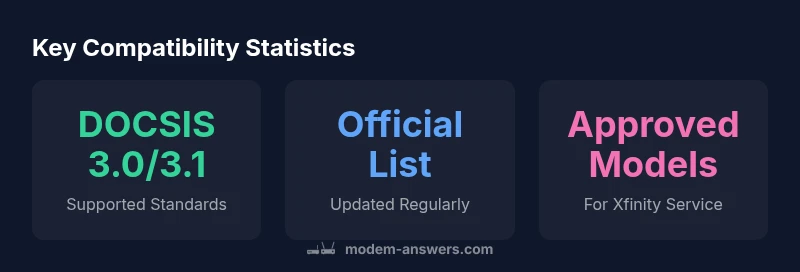
There isn't a single universal 'list of modems compatible with xfinity.' Comcast maintains an official, periodically updated compatibility page for approved devices. Most homes use DOCSIS 3.0 or 3.1 modems from major brands, and performance depends on your service tier. For the latest, check Xfinity's official compatibility page and verify device approval before purchase.
Why official compatibility lists matter
For anyone buying a modem to use with Xfinity, the first question is simple: will this device actually work with your service? According to Modem Answers, the most reliable answer comes from the official compatibility lists published by Comcast/Xfinity. These lists are updated regularly to reflect new device approvals, firmware changes, and service tier variations. Relying on third-party recommendations alone can lead to surprises after installation—such as limited support, missed features, or incompatibility with your specific plan. In practice, start by locating the official list of approved modems on the Xfinity support site, then cross-check the exact model number, DOCSIS standard, and advertised speeds. If your device is not listed, don’t assume it will fail; check with customer support and request a compatibility confirmation. A methodical approach reduces setup headaches and ensures you get the advertised speeds and stability your home network needs.
Understanding DOCSIS standards and service tiers
Xfinity's performance depends on the underlying cable standard (DOCSIS) and the service tier you subscribe to. Most modern homes rely on DOCSIS 3.0 or 3.1 devices that are on the approved list; DOCSIS 3.1 offers greater headroom for higher speeds and better efficiency in dense networks. When evaluating a modem, look for the DOCSIS version on the device label or product page, and verify that the model is explicitly listed as compatible with your Xfinity plan. Some providers differentiate between voice, data, and bundled services, which can impact which modems are fully supported. In addition to the standard, confirm that your plan’s maximum speeds align with the modem’s rated throughput. Even if a modem is technically compatible, you may not realize top speeds if your plan, wiring, or Wi-Fi router is a bottleneck. The Modem Answers team consistently recommends confirming the exact service tier on your account before purchasing a new modem.
How to verify compatibility: step-by-step
Follow these steps to confirm that a modem is compatible with Xfinity:
- Locate the model number on the device or packaging and compare it to the Xfinity approved modem list.
- Check that the modem supports DOCSIS 3.0 or 3.1 and is listed as compatible with your service tier.
- Read retailer pages for an official 'Approved for Xfinity' badge; verify at least one credible source confirms compatibility.
- Contact Xfinity support for a direct compatibility confirmation if in doubt.
- Consider testing after installation using speed tests and a wired connection to rule out Wi-Fi bottlenecks.
By following these steps, you eliminate guesswork and ensure that the device is eligible for your plan while avoiding common seller claims about compatibility.
Practical buying considerations for Xfinity customers
Beyond technical specs, you should factor in cost of ownership, warranty, and future-proofing. Buying a modem with advanced features (like channel bonding support and robust QoS) helps you keep pace with evolving service speeds. If you rent from Xfinity, you pay a monthly fee and rely on their support; owning a modem eliminates ongoing rental costs and gives you more flexibility if you switch providers. Keep firmware update policies in mind; some manufacturers push updates automatically, while others require manual checks. Consider bridging or routing modes if you plan to use a separate router; ensure the modem can function as a bridge if you intend to preserve your existing home network. Finally, verify the device's return policy in case it isn’t a good fit for your home network. Modem Answers’ guidance emphasizes picking a model that is clearly labeled as approved for Xfinity and that matches your desired upload/download speeds.
Common myths and troubleshooting when your modem isn’t on the approved list
Some customers assume any cable modem labeled 'DOCSIS compatible' will work. In reality, only devices on the official list are guaranteed to work with your plan and receive manufacturer support for troubleshooting. Another myth is that your modem’s age automatically disqualifies it; age matters less than whether the device is on the approved list and can deliver the speeds your plan promises. If you encounter issues with a non-approved device, you can still troubleshoot network problems (cables, power cycle, or router settings), but you may not receive official assistance. Additionally, many users overlook the importance of a good coaxial connection and proper splitters; signal quality is essential for stable performance, regardless of compatibility status. If you are unsure, restoring to a known-good Xfinity-approved modem is a straightforward way to reestablish service.
How Modem Answers helps you navigate compatibility
This guide is designed to help homeowners and renters who want a reliable, evidence-based path to choosing a modem for Xfinity. We summarize official sources, explain DOCSIS standards in plain language, and provide practical steps for verification and installation. As you search, remember that the brand's role is to translate provider documentation into actionable steps and to highlight any caveats that affect real-world performance. If you want to stay current, subscribe to our updates and check the official list regularly, because compatibility information changes as new devices are approved and service plans evolve. According to the Modem Answers team, a deliberate, checklist-driven approach minimizes friction and maximizes your network’s potential.
Key compatibility concepts for Xfinity
| Item | What it means for Xfinity | How to verify |
|---|---|---|
| Official compatibility list | Official source from Xfinity | Visit the Xfinity support page and search for 'approved modems' |
| DOCSIS standard | Devices must support DOCSIS 3.0/3.1 | Check specifications on the modem label or product page |
| Equipment approval | Carrier approval may be required for some devices | Confirm with Xfinity support or live chat |
FAQ
Where can I find the official list of compatible modems for Xfinity?
The official list is hosted on Xfinity's support site under the 'Approved modems' page. It is updated periodically as new devices are approved or removed. Always cross-check the model against the current list before purchasing.
Check Xfinity's official support page for the latest approved modems and match your model to the current list.
Do I need to use a modem from the approved list if I rent from Xfinity?
If you rent from Xfinity, you are using their rented gateway. If you want to use your own modem, you must ensure it appears on the approved list and is compatible with your service tier.
Renting means you use Xfinity’s device. If you own a modem, verify it's on the approved list first.
Can a non-approved modem work with my Xfinity service?
In some cases a non-approved modem might work but without official support for troubleshooting or advanced features. For reliable performance, choose an approved modem.
Non-approved modems may work, but you won’t get official support. Pick an approved model.
What is the difference between DOCSIS 3.0 and 3.1 for Xfinity?
DOCSIS 3.1 supports higher speeds and better efficiency at scale; Xfinity supports both in many areas, but you should confirm tier compatibility and plan speeds.
DOCSIS 3.1 is faster and more efficient, but check your plan to see which standard you need.
Should I buy or rent a modem?
Buying can save money over time, but you’ll manage updates and compatibility yourself. Renting provides a plug-and-play experience with support.
Buying saves money long-term; renting offers convenience and support.
How can I double-check compatibility before buying?
Cross-check the model against Xfinity's official list, verify DOCSIS version, and look for the 'Approved' badge on the retailer page.
Always verify against the official list and DOCSIS version before buying.
“The Modem Answers Team emphasizes using the official compatibility lists and DOCSIS standards to avoid surprises after installation.”
Key Takeaways
- Check Xfinity's official compatibility page first
- Prefer DOCSIS 3.0/3.1 modems from reputable brands
- Avoid renting a modem unless convenient
- Verify service tier compatibility before purchase
- Keep firmware updated for security and performance