Can You Use Any Modem with Xfinity? A Practical Compatibility Guide
Learn whether any modem works with Xfinity, how to verify compatibility, and how to avoid activation issues with practical guidance from Modem Answers.


can you use any modem with xfinity? The short answer is no. Xfinity requires a Comcast-approved modem or gateway for activation, and not every device is on the official list. Compatibility depends on both hardware (DOCSIS standard and capabilities) and provider authorization for your address. Always verify the exact model on Xfinity’s approved equipment roster before buying or renting. This upfront check saves time, money, and headaches later.
What "Xfinity compatibility" means for everyday users\n\
How Xfinity validates modems and gateways\n\
How to check if your modem is approved\n\
What happens if you use an unsupported modem\n\
Step-by-step: using your own modem with Xfinity\n\n1. Verify your plan requirements and the modem's DOCSIS standard. 2. Find your exact model number and confirm it appears on Xfinity's approved list. 3. Gather the modem's MAC address and serial number for activation. 4. Connect the modem to the coax line and power. 5. Open the Xfinity app or website and start activation. 6. If activation fails, double‑check the model and address. 7. If approved, consider bridging to use your own router for better Wi‑Fi. 8. Run a speed test to confirm you receive the expected speeds. 9. Enable security settings on your router and update firmware. 10. If problems persist, contact Xfinity support for help.
Considerations for households with multiple devices and speed plans\n\
Compatibility snapshot for common modem configurations
| Modem Type | DOCSIS Standard | Xfinity Compatibility | Notes |
|---|---|---|---|
| Standalone Cable Modem | DOCSIS 3.0/3.1 | Typically Yes (if approved) | Check official list before purchase |
| Cable Gateway (modem-router) | DOCSIS 3.0/3.1 | Yes (often recommended) | Built‑in Wi‑Fi and easier management |
| Unknown/Unapproved Modem | — | Usually No | Activation not possible on Xfinity |
| Bridge-mode with own router | DOCSIS 3.0/3.1 | Depends on device and plan | Requires gateway for activation |
FAQ
Can you use any modem with Xfinity?
No. Xfinity requires a Comcast‑approved modem or gateway for activation. BYO is possible only if the device appears on Xfinity’s approved list for your address and plan.
Not every modem will work; check the approved list first.
How do I find out if my modem is on Xfinity's approved list?
Look up the exact model on Xfinity’s official equipment compatibility page for your address. If it isn’t listed, contact support before buying.
Search the official list to confirm your model.
Do I need a gateway or can I use a standalone modem?
For higher speed plans, gateways with built‑in Wi‑Fi are common, but a standalone modem is allowed if approved and you have a separate router.
A gateway is often best for speed, but BYO modem is possible if approved.
Will using my own modem affect Wi‑Fi performance?
Your Wi‑Fi depends on your router, not the modem itself. If you use your own router, bridging can help maximize coverage.
Your router does the heavy lifting for Wi‑Fi.
Are there any fees to use a third‑party modem with Xfinity?
There are no BYO modem rental fees if you provide your own device, though some plans may require you to use Xfinity’s gateway for full features.
No rental fees if you BYO, depending on the plan.
How long does activation take after connecting a BYO modem?
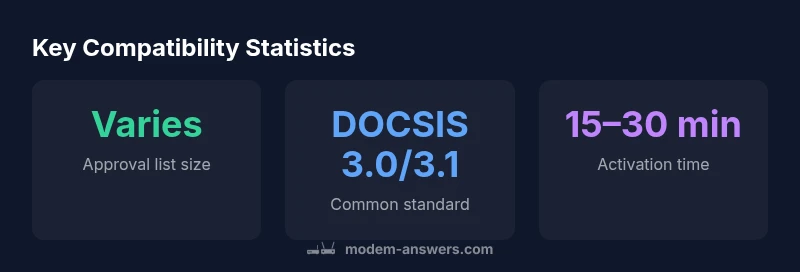
Activation usually takes a few minutes up to an hour, provided the modem is approved and correctly connected.
Activation is quick if approved; check status in the Xfinity app.
“The Modem Answers Team emphasizes confirming compatibility with the official Xfinity list before purchasing or activating a BYO modem.”
Key Takeaways
- Check the official Xfinity approved list before buying or renting.
- Only use DOCSIS 3.0/3.1 modems that are explicitly approved for your plan and address.
- Consider a gateway (modem-router) for higher speed plans and easier setup.
- If you own a router, bridge mode can let you keep your own network while using Xfinity service.
- When in doubt, contact Xfinity support to confirm compatibility and activation steps.