Router vs Modem Spectrum: A Practical Comparison
A detailed, analytics-driven comparison of Spectrum's router vs modem options, including standalone devices, gateways, bridge mode, and setup tips for homeowners and renters.


Router vs modem spectrum decisions hinge on how you want your home network to perform. In simple terms, a modem connects you to the internet, while a router creates your home network; Spectrum frequently offers gateway devices that combine both. According to Modem Answers, understanding bridge mode and upgrade paths helps homeowners choose the right setup for stability and scalability.
Understanding the Essentials: router vs modem spectrum in a Spectrum context
In most homes the terms modem and router refer to two distinct roles in delivering a reliable internet experience. A modem is the device that talks to your internet service provider and pulls data from the cable or fiber network. A router takes that data and distributes it to devices around your home, creating a wireless or wired network. Spectrum devices often bundle both roles into a single gateway, which can simplify setup but may limit some customization. For homeowners and renters, this distinction isn’t purely academic: it determines where upgrades should happen if you want faster speeds, lower latency, or broader Wi‑Fi coverage.
This foundational understanding sets the stage for practical decisions about equipment, placement, and how Spectrum’s policies impact what you can install yourself.
Spectrum's Equipment Landscape: Rental vs Purchase
Many Spectrum plans include a rental gateway, though customers can often use their own equipment if compatible. The gateway (modem‑router combo) is convenient for households seeking a single device and automatic updates. By contrast, buying a separate modem and a high‑performance router provides more control over features such as parental controls, guest networks, QoS, and firmware updates. Modem Answers Analysis, 2026, indicates a growing trend toward owners pairing a modern DOCSIS 3.1 modem with a capable router for optimal throughput and reliability. This trend reflects a desire for customization and long‑term value, especially in multi‑device homes.
Core Performance Factors: speed, latency, and reliability
Performance isn’t defined by the number printed on a box. It comes from how well the modem and router handle peak load, how efficiently the device manages wireless channels, and how reliable the firmware is over time. Selecting a DOCSIS standard with modern capabilities, such as DOCSIS 3.1 compatible modems, helps future‑proof your connection, while choosing a router with strong antennas and the latest wireless standard improves coverage. The exact speeds you experience depend on your Spectrum plan, your home layout, and how you allocate traffic between devices; a properly configured network often outperforms a higher‑spec device with poor placement.
When to Use a Separate Modem and Router
Choose separate devices if you want maximum control over your network, intend to upgrade hardware over time, or require advanced features like sophisticated QoS rules, segmented guest networks, or detailed parental controls. A two‑device setup also makes it easier to optimize Wi‑Fi coverage in larger homes by placing the router away from obstructions or using mesh extenders. For gamers and streamers, a high‑quality router can reduce jitter and optimize path selection, while the modem remains focused on reliable connectivity. Generally, Spectrum’s gateway is fine for many households but may feel limiting as needs evolve.
The Gateway Option: Pros and Cons
Gateway devices offer a compact, plug‑and‑play experience with automatic updates and seamless compatibility with Spectrum services. They’re ideal for renters or small apartments where space and simplicity matter. The trade‑off is that you’re often limited to the gateway’s built‑in Wi‑Fi capabilities and the manufacturer’s feature set. If you outgrow the gateway, you may need to replace the unit rather than upgrading a component. The decision depends on your budget, space, and desire for customization.
Practical Setup Tips for Spectrum Customers
Before buying anything, confirm your plan’s equipment options with Spectrum. If you opt for a separate modem and router, ensure the modem is on Spectrum’s approved list and that the router supports your desired features. Bridge mode can simplify network management by letting the router handle Wi‑Fi while the modem remains in pass‑through mode; this is especially useful when you already own a high‑performance router. Regularly update firmware, change default admin passwords, and configure a guest network to protect your primary network. If you rely on smart home devices, place controllers and hubs on a separate, reliable network for stability.
Security, Privacy, and Future‑Proofing
Your home network’s security starts with strong passwords, up‑to‑date firmware, and careful provisioning of devices. Separate devices often allow more granular control of firewall rules and firmware updates, while gateways provide integrated security features updated by the manufacturer. Think about future needs: more smart devices, higher‑bandwidth streaming, and faster wireless standards. A flexible setup that accommodates additional access points or mesh networks can extend Wi‑Fi coverage and throughput without re‑architecting your entire system.
Quick decision framework
If you want maximum control over features, upgrades, and customization, choose separate modem and router. If you prefer simplicity and a compact footprint, a Spectrum gateway is a sensible option. Consider home size, device count, and whether you’ll benefit from features like VPNs or extensive guest networks. Verify current Spectrum policy and plan compatibility before deciding.
Bridge mode in practice: two real‑world considerations
Bridge mode can be a powerful tool when you own a high‑end router and want to bypass the gateway’s routing features. If you switch to bridge mode, you preserve the modem’s connection while letting your own router manage Wi‑Fi, security, and QoS. However, not all Spectrum gateways support bridge mode, and enabling it can reset some settings on your third‑party router. Always back up configurations and confirm support before making the change.
Comparison
| Feature | Standalone Modem + Separate Router | Gateway (Modem-Router Combo) |
|---|---|---|
| Device Type | Two devices (modem + router) | One integrated gateway device |
| Control over Settings | High; independent management for modem and router | Integrated control via gateway interface |
| Wi‑Fi Performance | Often higher with a quality router and proper placement | Performance tied to gateway hardware and firmware |
| Bridge Mode Availability | Yes on most standalone modems; easy to route through own router | Depends on model; sometimes limited or non‑existent |
| Setup & Management | Moderate to advanced depending on devices | Very simple with one device and unified app/portal |
| Future‑Proofing & Upgrades | Flexible upgrades; swap components over time | Less flexible; upgrade may require replacing gateway |
| Cost Context | Upfront device costs plus potential upgrades | Rental or upfront gateway cost; often bundled by provider |
| Provider Compatibility | Broad compatibility with own router and modem | Optimized for Spectrum; may limit third‑party options |
Positives
- Greater control over home network settings
- Potential for higher Wi‑Fi performance with a quality router
- Flexible upgrades and easier long‑term customization
- Better long‑term value if you already own good gear
What's Bad
- Higher upfront cost to buy modem + router
- More setup complexity and ongoing maintenance
- Possible compatibility quirks with ISP equipment
- Managing two devices can be cumbersome for casual users
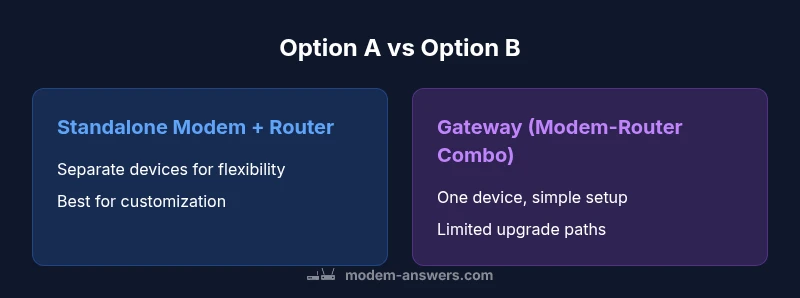
Separate modem + router generally offers better performance and future‑proofing, while a gateway suits simple, plug‑and‑play setups.
If you value customization and are willing to manage two devices, separate gear is worth it. For most renters or small homes, Spectrum’s gateway provides a straightforward, reliable option with fewer moving parts. The Modem Answers team’s view is that the best choice aligns with your technical comfort and long‑term needs.
FAQ
Can I use my own router with Spectrum if I rent a gateway?
Yes, many Spectrum customers can use their own router alongside a gateway by placing the gateway in bridge mode or configuring the network accordingly. Check your plan and model support before making changes.
Yes. You can typically use your own router with Spectrum by enabling bridge mode on the gateway or configuring the network settings; always verify model support first.
What is bridge mode and when should I enable it?
Bridge mode disables the gateway’s routing features so your own router handles the network. Use it if you want full control over Wi‑Fi, DNS, security, and QoS with a separate router.
Bridge mode lets your own router control the network. Enable it when you want full control over Wi‑Fi and security.
Do Spectrum gateways support Wi‑Fi 6?
Some Spectrum gateways support the latest Wi‑Fi standards, but capability varies by model. If Wi‑Fi 6 performance matters, verify the exact gateway model before renting.
Wi‑Fi 6 support depends on the gateway model; check the exact specs before choosing.
Is it cheaper to rent Spectrum's gateway or buy my own equipment?
Renting a gateway can be cheaper upfront, but buying a modem and router may save money long‑term if you plan to keep the gear for years. Consider total cost of ownership and upgrade plans.
Renting is simple, buying may save money in the long run if you plan to keep devices for years.
What security features should I look for in a home network device?
Look for firewall capabilities, regular firmware updates, guest networking, and strong admin password options. Separate devices often offer more granular security controls.
Check firewall options, updates, guest networks, and strong passwords for better security.
How should I decide between standalone devices and a gateway?
Base the choice on home size, device count, desired customization, and budget. If you want simplicity and compactness, gateway is fine; if you need peak performance and flexibility, go with separate modem and router.
Decide by home size and needs: simplicity with a gateway vs performance with separate gear.
Key Takeaways
- Choose separate modem and router for control and performance
- Opt for a gateway if simplicity and space matter
- Bridge mode is a key consideration for advanced users
- Verify Spectrum compatibility before buying
- Plan for future growth with scalable hardware