Modem vs MiFi: Difference and Side-by-Side Guide
Explore the difference between a modem and a MiFi with an analytical, step-by-step comparison. Learn how each device works, typical costs, and the best use cases for home vs. mobile internet.


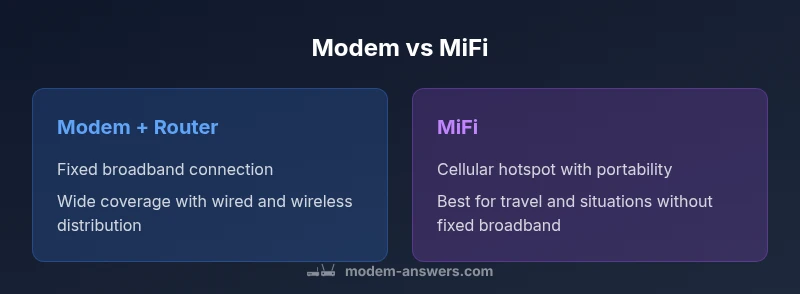
The difference between a modem and a MiFi is rooted in how they connect you to the internet. A modem links your home to your ISP’s network, typically powering a router to provide Wi‑Fi across a fixed space. A MiFi is a portable cellular hotspot that shares mobile data. For fixed homes, a modem with a router generally wins; for travel or flexible use, a MiFi shines.
Difference at a Glance: Modem vs MiFi
At its core, the difference between a modem and a MiFi is about the network source and intended use. A traditional modem connects your home to the internet via a landline or fiber line provided by an ISP. It typically requires a separate router to distribute Wi‑Fi to all devices in the home. A MiFi, by contrast, is a small cellular hotspot that creates a Wi‑Fi network from a cellular data connection. It is designed to be portable and rely on a carrier’s mobile network rather than a fixed broadband line. For many households, the Modem Answers team finds that the right choice depends on whether your priority is a stable, fixed home setup or on-the-go connectivity. The term difference between a modem and a mifi is more than hardware: it reflects the trade-off between fixed reliability and mobile convenience.
Core Connectivity Architectures: Modem + Router vs MiFi
Understanding how each device gets online helps clarify the distinction. A home modem is wired into the ISP’s infrastructure and assigns IP addresses to connected devices via a router. This setup supports high symmetry in speed, longer-term reliability, and a consistent Wi‑Fi footprint across a larger area. A MiFi uses a cellular modem inside the device and piggybacks on the provider’s mobile network. Its Wi‑Fi network is typically smaller in range, and performance hinges on signal strength, network congestion, and data plan tier. The Modem Answers team notes that in practice, most households experience fewer interruptions with a fixed broadband setup, particularly for streaming, gaming, and multi‑device households. Mobile hotspots excel when you need bandwidth on the move or in locations where fixed broadband isn’t available.
Device Form Factors and Portability
Form factor matters. A home modem is a fixed piece of equipment designed for a durable, year‑round installation. It’s usually wall‑mounted or placed in a cabinet and requires constant power. A MiFi is compact and battery‑powered (or USB‑charged in some models), enabling you to carry a personal Wi‑Fi network in a pocket. The portability comes with trade‑offs: batteries degrade over time, and battery life can vary with usage and signal. If you travel frequently or work from temporary locations, a MiFi reduces the need to rely on public Wi‑Fi, while for a family with multiple streaming devices, a fixed modem/router often provides more predictable performance.
Speed, Latency, and Real‑World Performance
Speeds at the endpoint depend on several variables. A modem connected to a fiber or cable service can deliver multi‑hundred megabits per second up to the provider’s plan limits, with consistent latency suitable for gaming and live video. A MiFi’s top speed is constrained by the cellular network’s capabilities, carrier plan, and signal strength; it can range from tens to hundreds of Mbps in ideal conditions but often falls short of fixed broadband under load. The Modem Answers analysis shows that users who rely on MiFi for home use frequently observe variability during peak hours or in remote areas, whereas a dedicated fixed broadband connection tends to be steadier and more scalable for larger households.
Data Plans, Costs, and Ownership Considerations
Ownership and ongoing costs are major factors. A modem with router usually ties to an ISP plan, with fees that cover hardware depreciation and service. Many households own their modem and router outright, paying a monthly service fee that reflects their speed tier and data allotment. A MiFi requires a data plan from a mobile carrier, with recurring charges that depend on data caps, throttling policies, and international roaming options. In some regions, unlimited or high‑tier cellular plans exist, but those can be significantly more expensive than fixed broadband. The Modem Answers team recommends evaluating your typical data usage, including streaming, gaming, and video conferencing, before selecting between these two approaches.
Security, Privacy, and Network Management
Security practices differ in practice between these two devices. A fixed modem/router setup often supports advanced features like WPA3 encryption, guest networks, firewall settings, and VPN compatibility, giving you granular control over device access and traffic. A MiFi device typically offers standard Wi‑Fi security (WPA2/WPA3) and a simpler management interface; some higher‑end models support guest networks and basic firewall features. Because MiFi relies on cellular networks, you’ll want to consider SIM/card security and potential risks if the device is lost or stolen. The Modem Answers guidance emphasizes keeping firmware updated on both devices and enabling automatic updates where possible to minimize exposure to known vulnerabilities.
Setup, Maintenance, and Troubleshooting
Setting up a modem+router usually involves connecting the modem to a coax, fiber, or DSL line, powering up the router, and configuring Wi‑Fi names and passwords. It may require activation with your ISP, which sometimes can be completed remotely. A MiFi setup is typically quicker: insert a SIM, power on, and use a companion app or web interface to configure a network name, password, and security settings. Troubleshooting steps for both include checking cables, verifying service status with the ISP or carrier, rebooting devices, updating firmware, and testing with a wired connection to isolate issues. The Modem Answers team stresses documenting your network layout and noting the devices that require the most bandwidth to simplify remote support.
Use‑Case Scenarios: When to Choose Modem+Router or MiFi
If you need a reliable home network with multiple devices and consistent speeds for 4K streaming or online gaming, a modem with a router is generally the better choice. In contrast, if you travel frequently, live in a condo with weak fixed broadband, or work from temporary locations, a MiFi offers portability and resilience against location‑based outages. The decision should also weigh cost: while fixed broadband often has predictable monthly charges, MiFi costs can fluctuate with data usage and roaming. In many households, a hybrid approach—fixed broadband for home use and a portable hotspot for travel—offers the best balance of reliability and flexibility.
Decision Framework: How to Decide Between Modem+Router and MiFi
To determine the best option, apply a simple framework: (1) assess your primary use case (home stability vs mobility), (2) estimate device counts and data requirements, (3) compare total cost of ownership including hardware and data plans, and (4) consider future needs like remote work or multi‑location access. If your priority is a high‑quality, uninterrupted home network, start with a modem+router and upgrade only if you need more flexible mobility. If your priorities are portability and on‑the‑go connectivity, prioritize a reliable MiFi with a robust data plan. The takeaway from this comparison is clear: match the device to your typical workflow, rather than forcing one solution to fit all scenarios.
Comparison
| Feature | Modem + Router | MiFi (Portable Hotspot) |
|---|---|---|
| Connectivity source | Fixed ISP connection (cable/fiber/DSL) | Cellular network (LTE/5G) |
| Portability | Low (home‑bound) | High (portable) |
| Coverage and device capacity | Broad coverage with router distribution (multi‑room) | Limited range; number of devices depends on MiFi model |
| Speed potential | Often higher and more stable; up to plan limits | Variable; depends on cellular network signal and plan |
| Setup complexity | Moderate; modem activation + router setup | Low to moderate; plug‑in and configure via app/web interface |
| Data costs | ISP plan; stable monthly fee | Carrier data plan; ongoing data charges by usage/domain |
| Power and reliability | Continuous power; reliable uptime | Battery powered; uptime limited by battery life |
| Security features | Advanced router features; VPN compatibility | Basic Wi‑Fi security; some models support guest networks |
Positives
- Clear separation of home network and internet access for reliable performance
- Easier scaling for many devices with robust router features
- Stronger security controls and advanced network management
- Typically better cost predictability for fixed use
- Wide availability of hardware and support options
What's Bad
- Higher upfront and ongoing costs for a home setup with fiber/cable
- Less portability; not ideal for frequent travel
- Complex setup may require ISP activation and professional help
- Data limits and pricing can vary with fixed broadband plans
Modem + router is the better choice for fixed homes; MiFi excels for mobility
If you want stable, high‑throughput Wi‑Fi for multiple devices in a single location, choose a modem + router. If you need internet access on the go or in locations lacking fixed broadband, a MiFi is the smarter option.
FAQ
What is the essential difference between a modem and a MiFi?
The essential difference is the connectivity source: a modem connects to fixed broadband for a home network, while a MiFi uses cellular data to create a portable hotspot. Each serves different use cases—home stability versus on‑the‑go connectivity.
The main difference is that a modem attaches to fixed broadband for home use, while a MiFi creates a mobile hotspot using cellular data.
Can a MiFi replace a home internet connection entirely?
In some cases, a MiFi can replace home internet for light to moderate use, especially when fixed broadband is unavailable. However, reliability, data costs, and performance under load often make fixed broadband the preferred choice for a busy household.
A MiFi can work where fixed broadband isn’t available, but it may not match the reliability and data capacity of home internet for heavy use.
Do I need a router with a modem?
Most modems require a router to distribute Wi‑Fi, though some modem+router devices come as a single unit. A separate router provides more control over network features and coverage, especially in larger homes.
Usually yes, you’ll want a router to share the connection via Wi‑Fi, unless you buy a modem‑router combo.
Which offers better speed for streaming and gaming?
A fixed modem + router connected to a high‑speed plan generally offers higher, more stable speeds and lower latency for streaming and gaming. A MiFi’s speed hinges on cellular network quality and plan limits, which can be more variable.
For speed, a home modem with a good plan is usually better; MiFi depends on mobile networks and plans.
Are MiFi devices secure for sensitive work?
MiFi devices provide standard Wi‑Fi security, but fixed routers typically offer more robust security controls and enterprise features. Always enable strong passwords, firmware updates, and consider VPN options for sensitive work.
MiFis have basic security; for sensitive work, you’ll want strong Wi‑Fi protections and regular updates.
What should I consider if I travel frequently?
If you travel often, a MiFi can keep you connected in locations without reliable fixed service. Look for a device with long battery life, a strong antenna, easy device management, and a carrier plan that covers your typical destinations.
For travel, prioritize a MiFi with good battery life and solid carrier coverage.
Key Takeaways
- Choose Modem + Router for home reliability and scalability
- Opt for MiFi when portability and location flexibility matter
- Consider total cost of ownership, not just hardware price
- Plan around data usage and network availability in your area
- Security should be evaluated for both options and kept up to date