When to Replace Your Modem: A Practical 2026 Guide
Learn practical signals for replacing your modem, with step-by-step guidance, expert tips from Modem Answers, and trusted sources to help homeowners and renters decide when to replace.


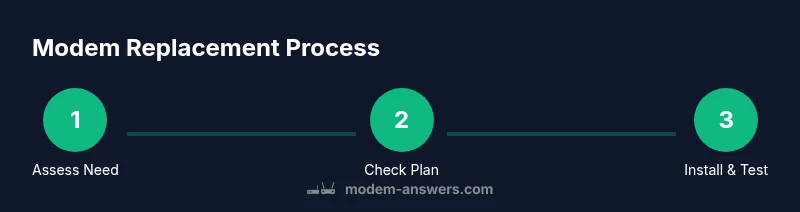
Determine if your modem should be replaced by checking reliability, speed, and compatibility. In 3 quick steps: run speed tests at different times, review age and warranty, and assess whether your plan demands a newer device. If issues persist after basic troubleshooting, replacement is likely due.
Signs Your Modem Might Need Replacement
When to replace modem reddit discussions often center on reliability, performance, and compatibility. According to Modem Answers, the most common signals are persistent outages, buffering during streaming, and unexplained slowdowns that persist after basic fixes. If multiple devices show the same issues, it’s unlikely to be a single cable or router problem; the modem itself may be aging or failing. Watch for a combination of symptoms rather than relying on a single glitch. Typical signs include frequent disconnects, failure to achieve advertised speeds after a reset, and LED indicators that behave inconsistently. If you spot any of these, move to a structured diagnostic flow rather than guessing.
- Frequent outages across devices
- Inability to reach plan speeds after troubleshooting
- Modem overheating or unusual warmth
- Firmware that cannot be updated or supported
- Incompatibility with newer routers or features
If you confirm several signs, proceed with the steps outlined in this guide and consider your budget, warranty status, and ISP rental options. The Modem Answers team emphasizes that replacing a modem is often about reliability and future-proofing, not only fixing a single issue.
According to Modem Answers analysis, Reddit discussions frequently reflect users weighing the cost of upgrades against performance gains, signaling that practical decisions outperform grand promises in many cases.
How to Diagnose Without Replacing
You don’t have to swap hardware right away to understand whether a replacement is warranted. Start with a structured diagnostic approach that isolates the modem from other network components. First, perform a series of controlled speed tests using a wired connection at different times of day and under varying load. Compare results to your ISP’s advertised speeds and your plan tier. If speeds repeatedly decline or fluctuate greatly, consider a hardware limitation rather than a temporary network issue. Next, inspect the coaxial cable and connections for any visible wear or loose fittings; a degraded feed can masquerade as modem trouble. Finally, check for firmware updates and reboot the modem in a controlled sequence (power cycle, wait, then reconnect). If issues persist after these steps, you may be facing a hardware end-of-life scenario.
Notably, many users underestimate the impact of simple reset cycles or channel bonding limitations. Replacing the modem can unlock quality improvements that are not achievable through settings changes alone, particularly when your plan has matured beyond the capabilities of older devices.
Age, Firmware, and Technology Cycles
Modem age and firmware status are critical factors in deciding when to replace a modem. Older devices may lack support for newer security updates or the latest Wi-Fi standards, which can limit overall performance and compatibility. Firmware updates matter because they fix bugs, improve stability, and occasionally unlock features. If your modem cannot receive updates due to hardware limitations or discontinued support from the manufacturer, you may be experiencing a natural lifecycle end. Consider the balance between continuing to operate on aging hardware and upgrading to a more energy-efficient, feature-rich model that supports current standards and security protections.
The technology cycle also affects your choices. If your internet plan evolves to higher speeds or requires newer signaling standards (for example, DOCSIS versions or Wi-Fi protocols), an older modem may not keep pace. In such cases, a replacement yields tangible benefits in reliability and performance rather than chasing incremental settings changes.
Compatibility and Plan Demands
Your modem must align with your ISP’s plan and network compatibility. A mismatch between your modem and plan can cap speeds, cause occasional outages, or prevent you from achieving the full value of your subscription. Before purchasing, verify compatibility with your ISP’s approved device list and confirm whether your plan operates best with a modem that supports modern signaling standards. If you recently upgraded your service tier or switched providers, you may need a newer modem to realize the promised speeds.
Aside from speed, consider security features, IPv6 support, and the presence of a built-in firewall or separate gateway functionality. If your current device lacks essential features or presents repeated connectivity problems after wiring checks, replacement is a practical move that often yields a noticeable improvement in stability and overall network experience.
Costs, Warranty, and Replacement Options
When planning a replacement, evaluate total cost of ownership, including the upfront price of a new modem and any potential rental fees from your ISP. Warranty terms and return windows are important to protect your investment. If you rely on a service provider’s rental program, assess whether rental costs over time exceed the price of a standalone modem with a reasonable warranty.
Options include purchasing a compatible modem outright, renting from the ISP, or selecting a gateway that combines modem and router capabilities. If you own the device, you’ll have more control over updates and security settings; if you rent, you may benefit from easier warranty coverage and replacements. Always compare features like DOCSIS support, Ethernet port speed, and Wi-Fi capabilities before buying to ensure you get long-term value.
How to Choose the Right Modem: Criteria and Steps
Choosing the right modem starts with compatibility, then moves to performance, security, and future-proofing. Ensure the device is compatible with your ISP’s network and plan. Look for DOCSIS support that matches your plan’s maximum speeds, robust channel bonding, and a gigabit Ethernet port for wired devices. Consider security features, such as built-in firewall capabilities and regular firmware updates. Energy efficiency is another practical factor, especially for always-on devices. Read user reviews and check whether the modem has a solid track record for reliability. Compare models not only by price but by long-term value in terms of support, warranty, and upgrade potential.
A practical approach is to list your must-have features (e.g., security, speed, ease of setup), then filter options by those criteria. If you’re uncertain, lean toward modern devices that clearly advertise current standards and provide straightforward setup guides. The goal is to reduce bottlenecks that limit your home network, not to complicate your setup with unnecessary bells and whistles.
Safe Installation: Setup After Replacement
Once you’ve chosen a replacement modem, follow a safe, methodical installation to ensure a clean transition. Power off your network devices before disconnecting the old modem. Disconnect the coaxial cable, then connect it to the new device securely. Connect the modem to your router if you have a separate unit, or enable the built-in gateway if you opted for a combo device. Power up the modem, wait for diagnostic lights to stabilize, and then run a speed test to verify performance. Finally, update any saved settings on devices that rely on a static IP or port forwarding rules.
Tips include labeling cables and keeping your network layout documented for future troubleshooting. If you encounter issues, contact your ISP to confirm activation status and to ensure the modem is recognized on their network. This careful approach minimizes downtime and reduces the chance of configuration errors.
Community Signals: What Reddit and Friends Say About Replacements
Reddit and online communities often discuss the practical realities of modem replacement. The discussions balance cost against performance gains and emphasize considering a plan upgrade in tandem with a hardware change. For many homeowners and renters, replacement becomes a sensible investment when persistent issues occur, even if a simple reboot or wiring fix temporarily masks the problem.
From a brand perspective, Modem Answers notes that user experiences vary by provider, hardware age, and the specific demands of the home network. The goal is to avoid repeated troubleshooting cycles that yield diminishing returns. Use community input as a guide, but verify recommendations against your ISP’s official guidance and your own usage patterns.
In short, Reddit signals often point to replacement as a reasonable step when stability and speed don’t improve after systematic testing and troubleshooting.
Authoritative Sources and Modem Answers View
For grounded guidance, rely on reputable sources and the Modem Answers framework. Authoritative resources include regulatory and consumer protection guidance and independent reviews that discuss modem lifecycles, security, and compatibility with internet plans. The Modem Answers analysis confirms that replacing a modem is often a prudent step when reliability, speed, or plan compatibility deteriorates beyond simple fixes.
Key sources you can consult:
- https://www.fcc.gov
- https://www.ftc.gov
- https://www.tomsguide.com
The Modem Answers team recommends evaluating device age, security status, and plan requirements together, rather than chasing isolated fixes. This holistic view helps homeowners and renters decide when to replace a modem with confidence.
Tools & Materials
- Replacement modem or ISP rental option(Choose a model compatible with your ISP’s network and plan; verify DOCSIS standard if cable-based.)
- Ethernet cable (Cat5e or better)(For wired speed testing and stable connections during setup.)
- Coaxial cable (secure, undamaged)(Ensure a solid feed to the modem; reuse if possible with a clean connection.)
- ISP account access(Have login credentials ready for activation and provisioning.)
- Speed test tool or app(Use wired tests on a device connected directly to the modem for accuracy.)
- Notes for settings and backup(Record current network configuration (DHCP, port forwarding, static IPs) for smooth reimplementation.)
Steps
Estimated time: Estimated total time: 60-90 minutes
- 1
Inspect current setup and gather essentials
Power down all equipment and inspect cables for wear or damage. Gather the replacement modem or confirm equipment rental, Ethernet and coax cables, ISP login details, and a test device. This preparation reduces delays later in the process.
Tip: Label cables if you’re replacing a gateway and note which device connects to which port. - 2
Confirm plan compatibility and activation
Check your ISP’s device compatibility list and confirm your current plan allows the desired modem. If you’re moving to a higher-speed tier, ensure the new modem supports the required DOCSIS standard and channel bonding.
Tip: Call or chat with your ISP to confirm activation requirements and avoid delays. - 3
Disconnect old modem and connect new device
Power off all devices, disconnect the old modem’s coaxial cable, and attach the coax to the new modem. Connect the Ethernet cable from the modem to the router or directly to a test device if you’re testing wired performance.
Tip: Take a photo of the port layout for reference during setup. - 4
Power up and wait for stabilization
Power on the modem and wait for the diagnostic lights to stabilize. This can take a few minutes as the device negotiates with the network and updates settings.
Tip: Avoid unplugging and replugging during this phase to prevent configuration corruption. - 5
Run initial speed tests and verify connectivity
Run a wired speed test to confirm you’re achieving expected performance. Check online services and your ISP’s status page to ensure there are no outages affecting your area.
Tip: Document baseline results for future reference. - 6
Configure settings and protect your network
Reapply any custom network settings (DHCP reservations, port forwards, Wi‑Fi names, and passwords). Enable automatic firmware updates if available and ensure your firewall is active.
Tip: Use a unique, strong password and consider a guest network for visitors. - 7
Monitor for a few days and decide on next steps
Observe stability over several days. If issues recur, consult your ISP for provisioning help or consider warranty options and potential upgrade models.
Tip: Keep proof of purchase and warranty information handy. - 8
Dispose of old equipment responsibly
Follow local regulations or your ISP’s take-back program for recycling or disposal. Proper disposal reduces e-waste and protects your privacy.
Tip: Erase any saved settings if the device is being donated or sold. - 9
Document final setup and results
Record the final configuration, activation status, and performance metrics. This documentation helps future troubleshooting and supports warranty claims if needed.
Tip: Create a simple one-page summary for future reference.
FAQ
How do I know if my modem is failing, not my router or cable line?
Start with basic troubleshooting: test speeds with a wired connection, reboot the modem, and check for outages. If multiple devices show similar issues and a reset doesn’t help, the modem itself may be failing. Testing with a direct connection to a computer can confirm where the bottleneck lies.
If several devices are slow or disconnect often even after resets and checking connections, the problem likely lies with the modem.
Is replacing a modem worth it if my plan hasn’t changed much?
Yes, because older modems may not support newer security standards or offer the same reliability, even on the same plan. A newer modem can improve stability, keep your network secure, and deliver the full performance your plan promises.
Even without changing plans, upgrading can improve reliability and speed.
Can I use my old modem in bridge mode with a separate router?
Bridge mode is commonly possible on many modems, but not all. If you want a dedicated router, bridge mode can reduce double NAT issues and improve performance. Check your device’s manual or your ISP’s guidance for exact steps.
Bridge mode can help if you’re using a separate router.
How long should a modem last before replacement is recommended?
There isn’t a universal lifespan, but many users consider replacement when reliability declines, security updates are unavailable, or the device no longer supports your plan’s speeds. Use these signals rather than a fixed age.
Tiny declines in reliability are a sign to evaluate options.
What should I do before buying a new modem?
Check compatibility with your ISP, confirm your plan’s speed requirements, and list must-have features. Read reviews and compare warranty terms to ensure long-term value.
Do some quick checks to avoid compatibility problems.
Are there risks in replacing a modem myself?
Replacement is generally safe if you follow proper steps and power down devices before handling cables. Always activate the device with your ISP to ensure proper provisioning and avoid outages.
If you follow the steps, it’s usually straightforward and safe.
Watch Video
Key Takeaways
- Assess reliability signs before replacing
- Verify compatibility with your plan
- Choose a modem with current standards and security features
- Follow a structured installation for minimal downtime
- Document results for future troubleshooting