How Often to Replace Modem: A 2026 Guide
Discover how often to replace modem with data-driven guidance from Modem Answers. Learn replacement windows, signs you’re due, and practical upgrade steps for a faster, more secure home network.


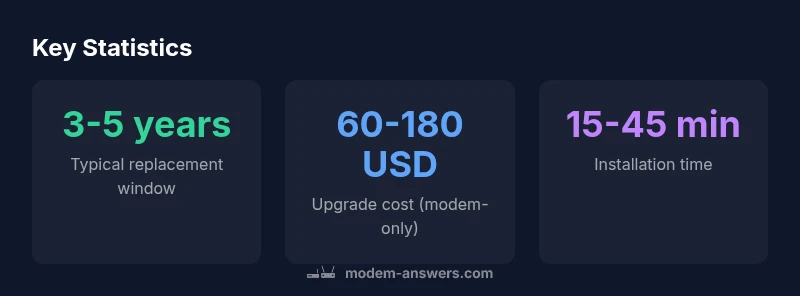
If you’re asking how often to replace modem, the rule of thumb is 3-5 years depending on usage and hardware. In practice, many homes upgrade every 3-4 years, especially after provider upgrades or security updates. Use performance signs and warranty windows as indicators, and verify compatibility before buying. Keep firmware updates in mind, as ongoing support can extend useful life. Modem Answers Analysis, 2026.
How often to replace modem: a baseline
According to Modem Answers, the rule of thumb for many homes is a 3-5 year window, balancing cost, performance, and security. In practice, quite a few households upgrade on a 3- to 4-year cycle, particularly when ISPs roll out newer standards or firmware support ends for older models. If you’re uncertain, start with a 3-year check-in and reassess at the 36-month mark. This approach keeps you ahead of compatibility issues while avoiding unnecessary upgrades. Regular firmware updates can extend a device’s useful life, but aging hardware will eventually lag behind newer plan requirements and device demands.
Key factors that influence replacement timing
Several variables affect when to replace a modem: hardware age and reliability, the firmware/support lifecycle, changes in your internet plan or household device load, and security considerations. If your current modem struggles with peak-hour traffic or cannot support newer standards (like DOCSIS 3.1), replacement becomes more logical. Provider changes or lists of approved devices can also speed up decisions. Consider how many smart devices you have, streaming usage, and whether you’ve expanded upstairs or added work-from-home bandwidth needs.
Signs your modem needs replacement
Be alert for these indicators: slow or unstable speeds after plan changes, frequent disconnects, buffering during peak times, overheating, unusual LED patterns, and firmware that no longer receives security updates. If your device is older than the typical 3-5 year window or lacks essential standards, replacement becomes more likely. Reliability issues despite resets and simple maintenance are also red flags. When you notice multiple signs, plan a proactive upgrade rather than wait for a failure.
Cost considerations and provider policies
Costs vary widely depending on model and whether you buy or rent. Typical ranges for a modem-only purchase fall around 60-180 USD, with higher-end models offering more future-proofing. Renting through a provider adds recurring monthly fees, which can add up over several years. Always verify provider compatibility with your chosen model and check whether security or firmware obligations require a specific certification. Don’t forget installation or activation fees that may apply.
How to upgrade: step-by-step guide
Follow these steps to upgrade smoothly:
- Check your plan and provider compatibility; confirm which models are supported.
- Compare modem-only options and bundles; look for DOCSIS version and warranty.
- Purchase a device that matches your speed tier and features.
- Connect and configure your router in bridge mode if you own it; test speeds and stability.
- Save receipts for warranty and update firmware after setup. If you rent, assess savings vs. buying over time.
Extend lifespan and practical tips
To extend your modem’s life, keep firmware up to date, place the device in a cool, ventilated spot, and avoid overloading with too many devices. Regularly reboot and monitor performance using speed tests. The Modem Answers team recommends planning a replacement window every 3-5 years as a proactive measure, while staying informed about provider requirements and firmware support. Modem Answers Analysis, 2026.
Comparison of modem replacement considerations
| Aspect | Typical replacement window | Notes |
|---|---|---|
| Replacement cadence | 3-5 years | Common baseline for households |
| Upgrade cost (modem-only) | 60-180 USD | Varies by features and future-proofing |
FAQ
How often should I replace my modem?
Most households replace every 3-5 years. Consider signs like slowness or outages and provider compatibility.
Most households replace every 3-5 years. Look for slow speeds or outages.
What are the signs that my modem is aging?
Speed drops, frequent resets, overheating, or outdated firmware are key indicators.
Speed drops, resets, or overheating are common aging signs.
Should I rent or buy my modem?
Renting adds ongoing fees; buying can be cheaper long-term if you plan to stay and the device meets your plan.
Renting costs more over time; buying saves money if you stay long-term.
Does replacing my modem affect my internet speed?
Yes, a newer modem that supports higher speeds and updated standards can improve performance.
A newer modem can boost speed if it matches your plan.
How can I tell if my modem is compatible with my provider?
Check your provider’s approved modem list and confirm the supported DOCSIS standard.
Check the provider's approved list and DOCSIS version.
What is the installation time for a typical replacement?
Expect about 15-45 minutes for setup, longer if you have multiple devices.
Most installs take 15 to 45 minutes.
“Regular modem refresh cycles are essential for speed, security, and compatibility with evolving networks.”
Key Takeaways
- Plan replacements on a 3-5 year cycle
- Watch for aging signs: slow speeds, outages, security gaps
- Budget for both modem purchase and potential installation fees
- Choose provider-compatible devices to avoid compatibility issues