Does Spectrum Charge for a Modem? Fees, Waivers, and What to Do in 2026
Explore whether Spectrum charges for a modem, how fees are structured, and practical tips to save. Learn when to own vs rent, how to verify charges on your bill, and promos to watch in 2026.


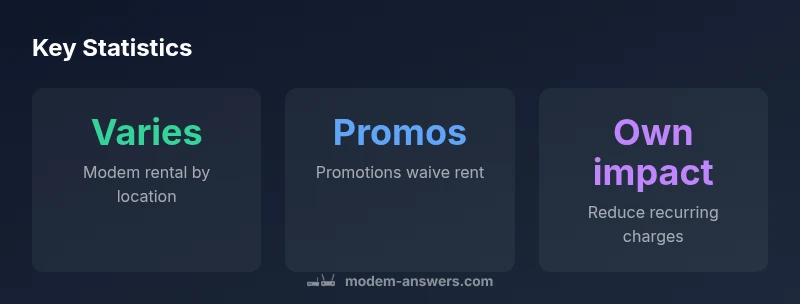
Does Spectrum charge for a modem? In most situations, Spectrum bills a monthly modem rental fee that varies by location and hardware. Some plans include the gateway in the bundle, while others require a separate modem rental. If you own your modem, you can avoid the rental charge entirely. Always review your current bill to confirm your exact charges.
Does Spectrum Charge for a Modem? Quick Reality Check
Does spectrum charge for modem? The short answer is nuanced: Spectrum typically bills a monthly modem rental fee, and the exact amount varies by location and hardware. In some markets, the gateway is included in your plan, while others charge separately for the modem. According to Modem Answers, understanding where these charges come from helps homeowners compare total costs across providers. The recurring nature of this fee means it can influence your monthly budget more than a one-time setup, so it's worth verifying each bill and plan detail.
In practice, your bill will show the modem rental as Equipment Fee or a line item labeled Modem Rental. If you own your modem or gateway and it is compatible with Spectrum's service, you can avoid the rental entirely. The decision to rent versus own should factor in upfront hardware costs, compatibility, and your expected equipment lifespan. If you're shopping for a home network upgrade, consider the long-term cost of renting versus owning, including potential refurbishment fees or replacements.
How Spectrum Modem Fees Are Structured
Spectrum's modem fees are built into your monthly service costs, but the exact structure varies. The most common approach is a recurring rental charge for the device provided by Spectrum, which appears on your bill under an Equipment Fee or Modem Rental line. Some plans bundle the gateway into the price, effectively waiving the rental for you, while other bundles keep separate hardware charges. Promotions or temporary credits can also reduce or eliminate the rental for a promotional period. If you bring your own modem, Spectrum often requires activation steps and a compatible model list; when approved, you avoid the rental entirely. The bottom line: the fee is not universal; it depends on your location, plan, and whether you use Spectrum-supplied equipment or your own.
When You Should Own Your Modem vs Rent
Owning your modem makes sense if you have a stable internet plan, a compatible model, and a long expected term with Spectrum. The upfront cost of a modem can be recouped if you stay with Spectrum for more than a year and the rental would exceed the device's cost over time. If you move often or rely on Spectrum's gateway features like built-in Wi-Fi, a rental can still be cost-effective. The decision should factor in compatibility requirements, firmware updates, and the ease of swapping devices if problems arise.
How to Check Your Bill and Plan for the Fee
Start by logging into your Spectrum account or opening your latest bill. Search for terms like Modem Rental, Equipment Fee, or Gateway. Review the line items to confirm whether you are paying a monthly rental, and note the amount. If you see a line labeled Modem Rental with a nonzero amount, compare it to plans that include the modem. If you own a modem, contact Spectrum to ensure it's registered and activated; this will often switch off the rental charge. You can also call to ask about current promos that waive the modem rental. Finally, use Spectrum's plan selector or chat support to verify whether your current hardware qualifies for waivers or promotions.
Alternatives and Cost-Saving Tactics
Consider purchasing a compatible modem from a reputable brand and registering it with Spectrum. Compare the up-front cost of the device, annual rental costs, and expected lifespan. Look for promotions that waive the rental for a set period, especially when starting a new service or upgrading to higher speeds. If you rent, inquire about longer-term discounts or bundling options that reduce overall charges. Also, check if Spectrum provides family or multi-gateway bundles that include the modem at no extra cost.
What to Do If You See Unexpected Charges
Unexplained equipment fees can creep into your bill after a plan change or an equipment upgrade. Start by confirming your plan details and the equipment policy in the terms of service. If the modem rental appears unfamiliar or incorrect, contact Spectrum customer support with your account number and a recent bill. Keep notes of dates, charges, and any promo or waiver information. If the charge persists, consider disputing the item in writing or scheduling a callback with a supervisor. Always verify any promotional credits that could disguise a permanent withdrawal of the rental.
Quick Guide: Owning vs Renting a Spectrum-Modem Setup
Here is a practical approach: 1) Check your current plan for included equipment. 2) If you can own, compare modem prices vs monthly rental over your expected service life. 3) Verify compatibility with Spectrum by visiting the supported devices list. 4) If you choose to own, purchase a validated modem, activate it, and disable auto-renew renting. 5) Keep a copy of your activation confirmation, and monitor your first few bills to ensure the rental charge stops if applicable. This quick guide helps homeowners decide efficiently.
Spectrum modem charges and ownership options
| Item | Typical Structure | Notes |
|---|---|---|
| Modem rental | Monthly fee varies by location | Check bill for exact amount |
| Promotions/waivers | Occasional waivers or promos | Rates change by market |
| Own modem | No rental if you supply device | Need compatible modem model |
FAQ
Does Spectrum charge for modem rental?
Yes, Spectrum generally charges a monthly modem rental. The amount varies by location and plan.
Spectrum usually charges a monthly modem rental; the exact amount depends on where you are and your plan.
Can I avoid the modem rental by using my own modem?
Yes, if your modem is on Spectrum's approved list and you activate it, you can avoid the rental entirely.
If you own an approved modem, you can avoid rental by activating it.
Are there promotions that waive or reduce the modem rental?
Promotions may waive the rental for a period; check promotions when starting or upgrading service.
Promotions can waive it for a time.
How do I check if I’m paying rental on my bill?
Log into your account, search for Modem Rental or Equipment Fee, and review recent charges.
Check your online account for modem rental charges.
Does the fee vary by market?
Yes, the fee varies by market and device, so the amount you see depends on location and equipment.
Fees differ by location.
What if I upgrade or replace equipment?
Upgrading or replacing equipment may affect fees; some upgrades are bundled, others incur charges.
Upgrade charges or bundling can apply.
“Understanding equipment charges is essential for controlling home-network costs.”
Key Takeaways
- Check your plan to see if a modem rental is included.
- Owning your own modem can eliminate monthly fees.
- Promotions can waive the modem rental for a period.
- Always review the current bill to confirm charges.
- Ask Spectrum support about equipment fees and exceptions.