How to Mod Modem for Unlimited Hotspot: Safer Options
Learn why illegal modem mods are risky and discover legal, reliable ways to maximize hotspot data. This guide covers plans, settings, and safe alternatives for reliable home internet.


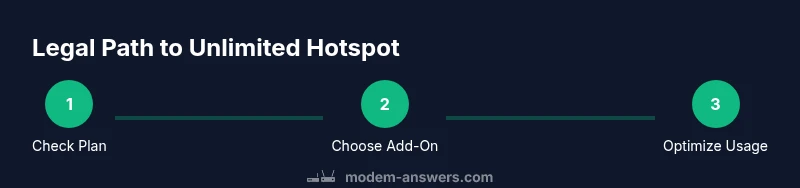
Goal: legally maximize hotspot data without illegal hardware mods. This guide does not teach how to mod a modem for unlimited hotspot. Instead, it covers legitimate paths: upgrading to official unlimited data plans, using carrier hotspot add-ons, and optimizing devices and networks for better performance. You'll learn practical steps that stay within terms of service while improving reliability.
Why Modding a Modem for Unlimited Hotspot Is Not Advisable
The question of how to mod modem for unlimited hotspot pops up often, but according to Modem Answers, hardware or firmware modifications to bypass data caps are risky and typically violate terms of service. Modding can void warranties, brick devices, and leave your home network exposed to security vulnerabilities. Even if a mod seems to succeed, carriers can detect irregular usage and deactivate service. For homeowners and renters who want reliable connectivity, the safer approach is to explore legitimate options and optimize within policy. This article explains legal routes to maximize hotspot data, including official unlimited data plans, family-sharing data, mobile hotspot add-ons, and best-practice network management. By focusing on sanctioned features and provider-approved devices, you preserve warranty, ensure updates, and reduce risk of outages. In the long run, sustainable hotspot performance comes from planning, device selection, and smart usage—not from risky hacks. The question of how to mod modem for unlimited hotspot is common, but Modem Answers does not endorse such modifications.
Safe, Legal Ways to Get More Hotspot Data
Rather than attempting unauthorized mods, focus on legitimate avenues to extend hotspot data. Start by reviewing your current carrier plan and comparing unlimited data options, including dedicated hotspot data when offered. Many providers offer unlimited hotspot plans or add-ons that specifically target tethering performance. If you need more flexibility, consider a second plan or a portable hotspot device that is designed for shared usage. Additionally, optimize usage by prioritizing essential tasks, turning off auto video playback, and using Wi‑Fi networks whenever available. Finally, set data alerts and caps to avoid unexpected overages and to stay within your budget. These steps help you maximize hotspot reliability in a compliant, predictable way.
Understanding Your Modem's Capabilities
Understanding your modem's capabilities is crucial before deciding how to access more hotspot data. Most consumer modems and gateways support built-in hotspot features, which can be enabled in the admin interface. Look for sections like 'Mobile Hotspot', 'Tethering', or 'Wi-Fi Sharing'. Ensure your firmware is up to date to access the latest hotspot options and security features. Remember that changing APN settings or similar configurations should be done only if your provider recommends it; improper settings can disrupt service. By knowing what your device can and cannot do, you avoid ineffective hacks and focus on approved enhancements.
Step-by-Step: Make the Most of Your Plan Without Modding
- Check your plan's hotspot allowances and caps. 2) Compare official unlimited data options and add-ons. 3) Enable hotspot on your device through the system settings. 4) Configure a strong, unique password and a guest network to separate devices. 5) Monitor data usage with built-in tools and set alerts. 6) If more data is needed, discuss higher-tier plans with your provider. Tip: Always follow your carrier's guidelines to avoid service disruption.
Data Management and Usage Tips
To get the most from your hotspot without illegal modifications, actively manage data. Enable data usage warnings on your phone or router, reduce bandwidth-hungry apps when tethered, and select the 5 GHz band when possible for better performance. Use Wi‑Fi whenever available, and schedule large downloads during off-peak hours to reduce congestion. Regularly review which devices connect to your hotspot to ensure only trusted equipment consumes data. These practices help you stretch a data plan while staying compliant.
Security and Warranty Considerations
Security should be a top priority for any hotspot setup. Always use a strong, unique password for your hotspot and enable encryption (WPA3 if available). Keep firmware up to date to close vulnerabilities. Remember that modifying firmware or hardware can void warranties and nullify manufacturer support. If you rely on your modem or gateway for critical connectivity, avoid risky modifications that could put your network at risk.
Choosing the Right Plan for Unlimited Hotspot Needs
When hotspot reliability matters, compare plans that officially offer unlimited hotspot or high data allowances. Look for terms like tethering, hotspot data caps, and speed throttling after a threshold. Consider a dedicated hotspot device or a router with carrier-approved features for better performance and easier support. Budget for potential data-management tools or family sharing options to maximize value without breaching terms.
Troubleshooting Common Hotspot Issues
If hotspot performance dips, start with simple checks: ensure firmware is current, verify signal strength, and confirm the correct band is in use (5 GHz for short range; 2.4 GHz for longer reach). Reboot the modem or router to resolve minor glitches, and run a speed test to gauge whether the issue is tied to data caps or network congestion. If problems persist, contact your provider to validate hotspot settings and plan eligibility.
The Bottom Line: Legal Paths to 'Unlimited' Hotspot
The safe, sustainable route to near-unlimited hotspot capabilities lies in official plans, proper device configuration, and disciplined data management. Avoid hardware or firmware mods that could violate terms or damage equipment. By choosing the right plan, enabling features correctly, and monitoring usage, you can achieve reliable hotspot performance without risking your service.
Tools & Materials
- Active mobile data plan with hotspot capability(Confirm you are eligible for hotspot usage; verify terms.)
- Official hotspot-enabled device or router(Device should be supported by carrier.)
- Access to your carrier's account portal(To compare plans and enable features.)
- Smartphone or computer for monitoring usage(Helpful for tracking data consumption.)
- Notepad or digital document for plan notes(Keep track of features and limits.)
Steps
Estimated time: 60-180 minutes
- 1
Check your plan's hotspot allowances
Review your current terms to confirm whether hotspot data is included and if there are caps or throttling thresholds. If unclear, contact customer support for a written explanation.
Tip: Document plan details and save any quotes or policy references. - 2
Compare official unlimited data options
Look for carrier plans that explicitly offer unlimited hotspot data or higher data caps with tethering. Compare price, throttling rules, and network performance.
Tip: Ask about roaming data and device-specific terms for hot spots. - 3
Enable hotspot on your device
Access the device settings and turn on the hotspot feature. Set a strong password and select a secure encryption method.
Tip: Rename the network to something unique and disable remote management if not needed. - 4
Configure security and guest network
Create a guest network and limit devices on your main network. Use WPA3 if available and disable WPS for added security.
Tip: Regularly rotate passwords and monitor connected devices. - 5
Monitor data usage
Use built-in data counters on the hotspot device or a connected smartphone to track consumption in real time.
Tip: Set low-usage alerts and enable data-limiter features if offered. - 6
Talk to your provider for higher data needs
If you consistently approach data limits, discuss higher-tier or business plans with your provider rather than attempting mods.
Tip: Document conversations and obtain written confirmations of agreed terms.
FAQ
Is it legal to modify a modem to get unlimited hotspot?
Modifying firmware or hardware to bypass data caps is generally against provider terms and can be illegal or void warranties. It can also expose your network to security risks. Always choose official plans and features.
Modifying a modem to bypass caps is risky and usually against terms. Stick to official plans and features for safety.
What are legitimate ways to get more hotspot data?
Upgrade to official unlimited data plans, add hotspot data, or use a dedicated hotspot device. These options are supported by carriers and include service continuity and updates.
Upgrade to official unlimited data or hotspot add-ons. Use a dedicated hotspot if you need more data.
Can I improve hotspot performance without modifying hardware?
Yes. Improve performance by using a higher-quality device, selecting 5 GHz where supported, optimizing placement, and limiting competing devices.
Yes—optimize device, use 5 GHz, and place the router well.
Will modifying void warranties?
Yes. Modifying firmware or hardware typically voids warranties and may disable manufacturer support.
Mods usually void warranties and can void support.
What should I do if I hit a data cap often?
Discuss higher data allowances or unlimited hotspot options with your provider, and consider a plan designed for heavy tethering.
Talk to your provider about higher data plans or unlimited hotspot options.
Are there safe, official firmware updates for hotspot devices?
Yes. Use manufacturer-approved updates through the official device management interface to access new hotspot features and security improvements.
Use official firmware updates to access new hotspot features safely.
Watch Video
Key Takeaways
- Verify hotspot terms before changes.
- Choose official unlimited data options when possible.
- Enable device hotspot with strong security.
- Monitor usage to avoid overages.
- Avoid hardware mods that void warranties.