Do Gaming Modems Make a Difference? A Practical Comparison
An analytical, user-focused comparison of gaming modems vs standard modems, examining latency, QoS, price, and setup to help gamers decide when a dedicated gaming modem is worth it.


Gaming modems can make a meaningful difference, but only when your setup pushes high-speed plans, requires low latency, and has multiple devices competing for bandwidth. Models with strong QoS, reliable firmware, and gigabit Ethernet tend to stabilize ping and reduce jitter, especially on busy networks. For many players, a solid midrange modem suffices, while premium features yield diminishing returns for casual gaming.
Do Gaming Modems Make a Difference? The Big Picture
According to Modem Answers, the difference a gaming modem makes is shaped by your internet plan, router, and in-home network, not by a miracle device. A modem sits in the middle of a network chain that includes your provider's service, the cable or fiber line, the modem itself, and the router or gateway that feeds your devices. If you routinely contend with high traffic, especially on gigabit-class plans or households with multiple players, a modem that supports current standards and reliable firmware can reduce buffering and stabilize latency. The goal is to ensure the modem aligns with your needs: number of connected devices, your game genres (FPS, RTS, MOBAs), and your preferred connection type (wired Ethernet vs. Wi‑Fi). In practice, modulation, error correction, and how the device negotiates with your ISP all matter. Modem Answers analysis shows that the most noticeable gains appear when the network experiences contention, such as simultaneous 4K streams and gaming bursts. Do gaming modems make a difference? Yes—within the constraints of your overall network.
Core Performance Dimensions for Gamers
Latency, jitter, and bandwidth management are the triad that determines how gaming feels in real time. A modem with low-latency design, stable DOCSIS support, and robust error correction can help minimize ping spikes, particularly if you share your connection with streaming devices or smart home gear. Beyond raw speed, look for hardware acceleration for packet handling, ample RAM/CPU headroom, and a solid update cadence from the manufacturer. If your game relies on quick reflexes or precise timing, a modem that maintains consistent throughput under load is often worth the premium. However, the optimal setup also depends on your router, cable plant quality, and the number of devices on your network at peak hours.
QoS and Priority: What It Means for Gaming
Quality of Service (QoS) is a feature many gaming-focused modems advertise. When enabled, QoS tries to prioritize gaming traffic over less time-critical tasks like email or background downloads. In practical terms, this can translate to steadier frame rates and smoother hit registration during online play. The most effective QoS implementations allow per‑device or per‑app prioritization, which is particularly useful in households where multiple people stream, work, or game at once. Be mindful that QoS performance depends on router compatibility and proper configuration. A modem that supports advanced QoS paired with a compatible router can yield the most consistent gaming experience, especially on busy networks.
Compatibility, Firmware, and Future-Proofing
A gaming modem should not be judged in isolation from firmware stability and ISP compatibility. Modern gamers benefit from DOCSIS 3.1 or newer and a clear upgrade path toward future speeds. Firmware updates matter for security, performance tweaks, and bug fixes, so choose a maker with regular releases and transparent changelogs. If you plan to upgrade your internet plan or migrate to higher-tier services, investing in a modem with a solid upgrade trajectory can save money and avoid early obsolescence. In addition, ensure your modem is compatible with your ISP’s approved lists and any required activation steps. A well-chosen modem supports not only today’s speeds but tomorrow’s features.
Real-World Scenarios: When a Gaming Modem Makes Sense
If you frequently experience ping spikes during competitive sessions, or your household includes 3–5 devices actively using bandwidth simultaneously, a gaming modem with strong QoS and reliable performance can make a noticeable difference. In contrast, if your internet plan provides ample headroom and your games run smoothly on a midrange device, upgrading to a premium gaming modem may offer limited gains. Console users and PC gamers alike should weigh wired Ethernet reliability against high-quality Wi‑Fi solutions. For households with modular setups (modem + router), pairing a capable modem with a gaming-grade router can yield the most consistent results.
Setup Best Practices to Maximize Gains
Start with a wired connection for the gaming device whenever possible. Disable bandwidth-heavy processes during gaming sessions, such as automatic OS updates, cloud backups, and streaming in the background. Enable QoS with a focus on prioritizing gaming traffic, configure port forwarding where appropriate, and verify your DNS settings to minimize lookup delays. Regularly reboot your modem and router to clear caches and refresh connections. Documenting your network layout (IP schemes, wired/wireless devices, and active services) helps you troubleshoot latency issues more quickly.
Budgeting: Balancing Cost and Benefit
Price often reflects feature sets rather than raw speed alone. A midrange gaming modem typically strikes a balance between performance and value, offering solid latency management, decent throughput, and ongoing firmware support. High-end models may introduce advanced features such as multi-gigabit Ethernet, more granular QoS controls, or even mesh-friendly designs. If your budget is tight, ensure you still get essential capabilities (reliable DOCSIS support, stable firmware, and a clear upgrade path) rather than chasing luxury features with little real-world impact on your latency or stability.
Common Misconceptions About Gaming Modems
A frequent misconception is that any modem labeled as “gaming” automatically delivers better latency. While some models optimize traffic handling, the biggest improvements come from how the modem interacts with your router, the design of your home network, and the speed tier you subscribe to. Another misconception is that higher price guarantees better performance; in many cases, midrange devices with solid QoS and reliable firmware deliver most of the practical gains for typical home networks. Finally, remember that your provider’s network quality and the cable plant can cap achievable performance regardless of modem quality.
Practical Takeaways for Different Setups
- If you have a high-speed plan (gigabit-class) and multiple devices, prioritize a modem with robust QoS and DOCSIS 3.1+. - If you mostly game on PC with wired Ethernet, the benefit of a gaming modem may be modest compared to a quality router. - For households with Wi‑Fi-only gaming, pair a capable modem with a high-performance router that supports latest Wi‑Fi standards. - Always confirm ISP compatibility before buying and factor in firmware update cadence as part of the total value.
Comparison
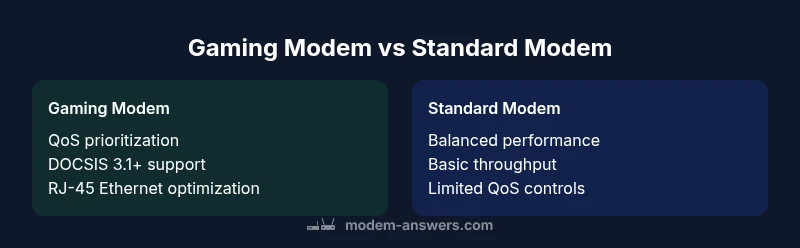
| Feature | Gaming Modem | Standard Modem |
|---|---|---|
| Latency & Jitter | Lower and more stable with QoS-enabled models | Moderate, can vary with network conditions |
| Bandwidth Handling | Optimized for high-speed plans; preserves throughput on busy networks | Sufficient for typical broadband; may bottleneck under load |
| QoS & Priority | Advanced QoS and game-priority features | Basic QoS or none |
| DOCSIS Compatibility | DOCSIS 3.1+ or newer; future-proofing | DOCSIS 3.0/3.1; may require upgrade for gigabit plans |
| Price Range | $60-$150 | $40-$100 |
| Setup & Router Integration | Often pairs with a gaming router; easier to configure with dedicated units | Typically standalone or gateway devices |
| Best For | High-speed, multi-device, competitive gaming | Casual gaming or light usage |
Positives
- Potential for lower latency with optimized QoS
- Better stability for competitive gaming
- Future-proofed hardware and faster throughput
- Simplified setup when integrating with a router
What's Bad
- Higher upfront cost
- May offer marginal gains for casual gamers
- Firmware updates depend on manufacturer
Gaming modems are worth considering for competitive gamers and high-speed home networks
In most cases, choose a gaming modem if latency is a priority and your plan supports it. For casual players, a solid midrange option often provides the best value without overinvesting.
FAQ
What exactly is a gaming modem?
A gaming modem is a cable or fiber modem with features optimized for online gaming, notably improved QoS controls, stable firmware, and compatibility with high-speed plans. It is still part of your home network and relies on the router and connection quality to deliver results.
A gaming modem is a modem with features to help gaming traffic, but the rest of your network still matters.
Do gaming modems always improve ping?
Not always. Ping is influenced by plan speed, ISP routing, and network congestion. A gaming modem can help by prioritizing gaming traffic and reducing jitter, but gains depend on your overall setup.
A gaming modem can help, but it isn’t a magic fix for everyone. The rest of your network matters too.
Should I upgrade my modem for console gaming?
If your console relies on Wi‑Fi and you frequently experience latency during multiplayer games, upgrading to a modem with strong QoS and solid reliability can help. For many players, a good midrange modem paired with a quality router is sufficient.
Consoles can benefit from a solid modem, especially with QoS and a stable router setup.
Is a gaming modem worth it on a budget?
On a budget, prioritize devices with dependable firmware and QoS features rather than premium hardware. You can often achieve good results with midrange modems if you optimize your network traffic and use wired connections where possible.
If you’re budget-conscious, focus on QoS and reliability rather than top-end features.
How do I verify ISP compatibility for a gaming modem?
Consult your ISP’s official compatibility list and activation steps. Even a great modem can fail to perform optimally if it’s not supported by your provider, so confirm support and required firmware versions before buying.
Always check your ISP’s list to avoid compatibility issues before purchasing.
Can a gaming modem replace my router?
In many homes, a separate router provides better performance than a built-in gateway. A gaming modem plus a high-quality router often yields the best results, especially for wired and wireless gaming needs.
Sometimes you’ll get better performance with a separate router than a gateway.
What should I look for in firmware updates?
Look for regular updates with notes on performance improvements and security fixes. Regular firmware support helps maintain stability and address new network conditions that affect gaming.
Keep firmware current to maintain stability and security.
Are there downsides to gaming-focused modems?
Premium gaming modems can cost more and may offer gains that aren’t noticeable unless you push your network. Some features require compatible routers and proper configuration to be effective.
Upfront cost and setup complexity can be downsides if gains aren’t noticeable.
Key Takeaways
- Assess your internet plan and device count before buying
- Prioritize modems with robust QoS and DOCSIS 3.1+
- Prefer wired connections for latency-sensitive games
- Balance price against actual gaming benefits
- Regularly update firmware and verify ISP compatibility