How Far Can a Modem Be From the NBN Box: A Practical Guide
Learn practical, safe distances between your modem and the NBN box, plus tips to extend coverage with wired backhaul, mesh Wi‑Fi, and smart placement.


Typically, a standard Ethernet run supports up to 100 meters from the NBN box to the modem. For reliable Wi‑Fi, place the router or add mesh nodes to cover dead zones instead of stretching long cables. In practice, keep wired drops within 100 m and use wireless solutions to fill gaps in larger homes.
Understanding distance in home networks
Distance between your NBN box and the modem matters because it affects signal integrity, speed, and reliability. In Australia, most homes connect the NBN box to the router via Ethernet. The maximum reliable Ethernet run on standard copper cables (Cat5e/Cat6) is about 100 meters. If you need to stretch beyond that, you’ll likely need additional hardware or alternative backhaul options. The exact limiting factor depends on your NBN connection type (FTTP, FTTN, or HFC), but the same principle applies: shorter, well-graded runs yield better performance. When planning, consider cable routes through walls, floors, and ceilings, and prioritize a direct route over a long, looping path. Also consider your Wi‑Fi coverage, since wireless performance can be more sensitive to distance and obstacles than wired connections.
Tip: Start your plan at the NBN box and map a shortest, obstacle-free path to the most-used rooms.
Ethernet cable length and performance
Ethernet cabling has a formal maximum length of 100 meters from the modem to the NBN box. Staying within this limit preserves signal quality and reduces packet loss. Use high-quality Cat6 or Cat6a cables for future-proofing and to support gigabit speeds over longer runs. Label the cable and test each link with a basic network tester after installation. If you must exceed the 100-meter recommendation, you can split the run with a switch or access point placed in a central location, ensuring each segment remains within 100 meters.
Note: Avoid coiling long runs tightly; use proper routing to minimize EMI and wear.
Wi-Fi coverage vs physical distance: plan your layout
Even with a fixed Ethernet distance, Wi‑Fi coverage depends on where you place your router. Position the modem/router in a central, elevated spot, away from thick walls and heat sources. In large homes, consider a mesh Wi‑Fi system or one or two additional access points to maintain consistent coverage. For best results, keep the main router within 5-10 meters of the NBN box to minimize intermediate hops; then place satellites or nodes where you need coverage. For apartments or small houses, a single well-placed router or compact mesh kit suffices.
Pro tip: Use a room-by-room heat map to identify dead zones and plan node placement accordingly.
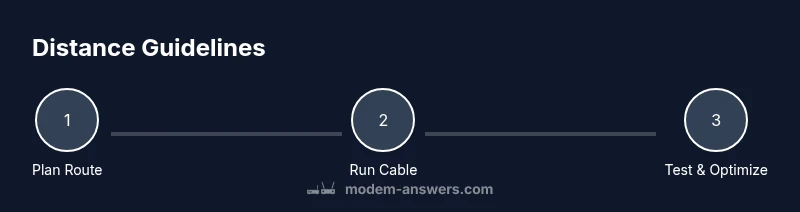
Distance guidelines by connection type
FTTP (fiber to the premises): The NBN box (NTD) provides Ethernet for your home network. Use a wired Ethernet run directly to your modem within the 100-meter limit. FTTN (fiber to the node): The critical path is the copper pair from the node to your home; inside your house, treat it as Ethernet between NTD and router as long as cabling remains 100 m. HFC (hybrid fiber-coax): The setup is similar; the important factor is a reliable Ethernet link from the NBN box to your router. In all common configurations, the home Ethernet link should be kept under 100 meters. If your property layout makes a long run impractical, consider a wired extender strategy or a mesh system to preserve speed and latency.
Key takeaway: The 100-meter Ethernet rule applies across FTTP/FTTN/HFC; use wired backhaul or mesh for larger homes.
How to extend distance safely
Safe and reliable options include: 1) Use a longer Cat6/Cat6a Ethernet cable with a proper path; 2) Add a network switch near the far room and run a single long cable to the switch; 3) Use a mesh Wi‑Fi system to extend wireless coverage without new long cable runs; 4) Use Ethernet over powerline adapters as a last resort if your home electrical wiring is robust and your devices support it; 5) Avoid running cables parallel to mains power cables as interference can degrade performance. Before drilling or routing cables through walls, check building codes.
Warning: Do not run Ethernet through walls or ceilings without proper planning and permissions; seek professional help if needed.
Quick-start room-by-room layout plan
Map out a simple floorplan starting from the NBN box. Place the main router in a central, elevated position to minimize obstructions. Run a single cable toward distant rooms; terminate at a wall plate or a small switch, then extend coverage with an additional AP or a mesh node where needed. After setup, test speed in every main living area and adjust node positions to maximize coverage while avoiding frequent handoffs. Keep a spare length of cable for future reconfigurations.
Checklist: identify obstacles, plan routes, choose between wired backhaul or mesh, and run tests to validate performance.
Tools & Materials
- Cat6/Cat6a Ethernet cable(Shielded recommended for long runs; choose lengths to minimize splices.)
- RJ-45 connectors/Crimp tool(Needed if making custom-length cables.)
- Cable clips or raceways(Secure runs along walls; avoid tripping hazards.)
- Ethernet tester(Useful to verify continuity and speed.)
- Network switch(Optional for extending wired backhaul from a central hub.)
- Mesh Wi‑Fi system(Helpful for large homes with Wi‑Fi dead zones.)
- Powerline adapters(Alternative to run Ethernet; performance depends on wiring.)
- Drill and wall plates(Use if you plan to route cables through walls.)
Steps
Estimated time: 60-90 minutes
- 1
Plan your network layout
Survey your home and map where the NBN box, the modem, and high-usage rooms sit. Mark potential cable routes that avoid electrical cables, pipes, and furniture. Decide whether you’ll use a wired backhaul or a mesh system to cover distant rooms.
Tip: Start with a rough sketch and label each route by room to avoid backtracking. - 2
Measure and select cables
Measure the longest planned path from the NBN box to the farthest room. Choose Cat6/Cat6a for future-proofing and ensure you have extra length for slack and bends. Prepare a few spare connectors and clips.
Tip: Leave extra 10-15% cable length for routing flexibility. - 3
Route the cable or set up initial nodes
If wiring, lay the cable along baseboards or through conduits to minimize exposure. If using mesh, place the primary node near the NBN box and plan secondary nodes for coverage gaps.
Tip: Treat the cable path as a control line for clean installation. - 4
Connect the modem and NBN box
Connect the Ethernet run from the NBN box to the modem. Power on both devices and verify the link status. If you’re using a switch, connect it to the modem as the distribution point.
Tip: Ensure the modem firmware is up to date for stability. - 5
Test speeds and coverage
Run speed tests in main living areas and bedrooms to confirm coverage. Use different devices to check consistency and adjust node positions if needed.
Tip: Document readings to compare after future changes. - 6
Optimize or expand as needed
If speeds drop or dead zones persist, consider adding a mesh node or a dedicated AP, or re-routing cables for a shorter path. Ensure anything added is properly powered and secured.
Tip: Regularly reassess network layout as you add devices.
FAQ
What is the maximum recommended Ethernet length from the NBN box to the modem?
The standard recommendation is to keep Ethernet runs under 100 meters to maintain signal integrity and minimize latency. If you need more distance, consider a wired switch or wireless backhaul (mesh) for coverage.
Keep Ethernet runs under 100 meters to preserve reliability; use mesh for longer distances.
Will distance impact my internet speed?
Yes. Greater distance can introduce small latency and potential packet loss on long copper drops. Using shorter, high-quality cables and a direct Ethernet path helps preserve speeds.
Longer cables can add latency; shorter, quality cables help maintain speed.
Can I place the modem far from the NBN box if I use powerline adapters?
Powerline adapters can work when Ethernet runs are impractical, but performance varies with household wiring. They are not as reliable as a direct wired run or a dedicated mesh network.
Powerline adapters can help, but performance is variable.
Should I route cables behind walls or along the surface?
Surface routing is safer and easier to modify. If you must go behind walls, obtain the necessary permits and consider professional installation to avoid damage and code violations.
Surface routing is safer; behind-wall work may require permits.
Does upgrading to a mesh system improve coverage more than a single router?
In larger homes or spaces with multiple dead zones, a mesh system generally provides more consistent coverage than a single router by intelligently steering devices between nodes.
Mesh systems offer better coverage for bigger homes.
Is Ethernet the only reliable backhaul option?
Ethernet backhaul is the most reliable. Alternatives like MoCA (coax) or powerline adapters can work in some homes but may introduce variability based on wiring and electrical noise.
Ethernet backhaul is most reliable; alternatives exist but vary in performance.
Watch Video
Key Takeaways
- Keep wired runs under 100 meters for reliability
- Use wired backhaul or mesh to optimize Wi‑Fi in larger homes
- Plan routes to minimize obstacles and interference
- Test, label, and document network changes