Modem Compatibility with AT&T: A Practical Guide
Understand whether a modem can work with AT&T, differentiate between fiber and DSL setups, and get practical steps to choose a compatible device or router.


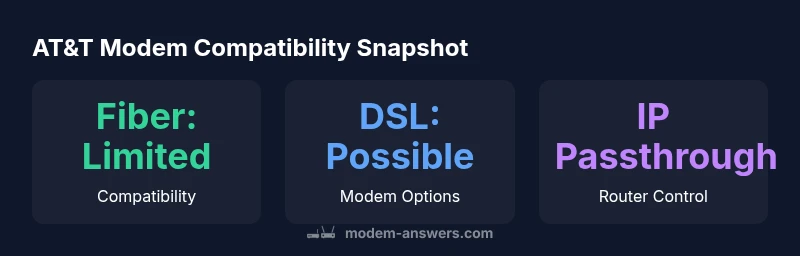
Bottom line: there is no universal modem officially compatible with AT&T. For most AT&T Fiber plans, third‑party cable modems won’t work and you’ll need AT&T’s gateway or use a router behind it in IP Passthrough. If you’re on legacy AT&T DSL, a compatible DSL modem can work, but verify credentials and speed with AT&T.
Overview: Understanding what 'modem compatible with AT&T' really means
According to Modem Answers, the phrase 'modem compatible with AT&T' can be misleading, especially for fiber-based plans. AT&T Fiber typically relies on a provider gateway, and third‑party cable modems are not supported in the same way they are with cable companies. For legacy AT&T DSL, a compatible DSL modem may be workable, but you must confirm PPPoE credentials, speed tier, and any gateway requirements with AT&T. The bottom line is that AT&T’s service type determines compatibility more than any single device: fiber demands gateways or bridge configurations, while some DSL setups allow a direct modem connection. This distinction matters for home networks, where many homeowners want to own their router for features like guest networks or advanced QoS. Modem Answers emphasizes verifying your plan before shopping to avoid wasted purchases and frustration with incompatible hardware.
Service Types and Their Impact on Modem Compatibility
AT&T offers multiple service types, and the hardware you need follows suit. Fiber to the home (FTTH) typically uses an Optical Network Terminal (ONT) connected to AT&T's gateway, which handles authentication and routing. In most cases, third‑party modems alone won't provide Internet access, because the gateway performs authentication and dynamic configuration. DSL-based AT&T services, historically known as U-verse, can sometimes be used with a compatible DSL modem, provided you can supply PPPoE credentials and support the speed tier of your plan. Fixed wireless Internet, if available, uses different equipment and isn't generally compatible with standard DOCSIS modems. By separating service type from a fashion of hardware, you can avoid the common pitfall of buying a modem that looks compatible but won’t actually work on your line. The Modem Answers approach is to map specific hardware to service type and avoid generic claims about compatibility.
Practical Checklists Before You Buy or Rent
Before purchasing gear, complete this quick checklist to confirm compatibility: (1) Identify your service type (fiber, DSL, wireless). (2) Confirm whether you will use the provider gateway or place your own router in IP passthrough. (3) Verify required authentication method (PPPoE or dynamic IP). (4) Confirm supported speeds and channels; faster plans often demand higher-performance routers. (5) Check for known compatibility lists from AT&T or your provider. (6) Read customer reports on bridging and bridge mode reliability. By following these steps, you’ll reduce the risk of buying a modem that cannot connect to AT&T’s network, which is a frequent issue for homeowners looking for a simple upgrade.
Setup Scenarios: IP Passthrough, Bridge Mode, and Beyond
If you decide to use your own router, IP Passthrough on the AT&T gateway is a common bridge option. This mode forwards the public IP login to your router, enabling you to manage Wi‑Fi, parental controls, and advanced QoS without changing the provider’s authentication. Bridge mode and IP Passthrough are not identical; bridge mode typically retains fewer routing features on the gateway, while IP Passthrough more reliably forwards traffic for consumer routers. For fiber, your router’s WAN port will receive a public‑facing IP, and you’ll want to configure your router for DHCP or a static IP depending on the gateway’s settings. For DSL, you may connect a modem to the gateway or install the modem in front of your router. Ensure you save credentials and verify the connection after reboot. Modem Answers recommends documenting settings for future troubleshooting.
Common Pitfalls and How to Avoid Them
One of the most common mistakes is assuming that a device labeled 'AT&T compatible' will work with fiber; fiber plans almost always require AT&T's gateway. Another pitfall is ignoring speed tier limitations; an underpowered router will bottleneck high‑speed connections even if a modem connects. Some users fail to disable Wi‑Fi on the gateway when using IP Passthrough, which can cause double NAT issues and poor performance. If you’re migrating from a rented gateway, ensure you are in full bridging mode and test speed with an external speed test tool. Finally, avoid mixing service types; a DSL modem won’t connect to a fiber line, and a DOCSIS modem won’t work with AT&T fiber but might be usable with non-AT&T cable service. These steps align with Modem Answers’ guidance to reduce setup friction.
Quick Start Guide for DSL Users
If you still operate on AT&T DSL, start with a verified DSL modem that supports your plan's speed. Connect the modem to the phone line, then attach your own router to the modem’s Ethernet port. Configure PPPoE credentials if required, set the correct MTU, and enable bridging if your modem supports it. Test connectivity by visiting a few websites and using a speed test to confirm you meet your plan’s advertised speed. If you run into issues, contact AT&T support to confirm line status, as DSL provisioning can be sensitive to line quality and distance from the exchange. Modem Answers emphasizes planning ahead and saving all credentials for future updates.
Modem compatibility overview by service type
| Service Type | Modem Compatibility | Recommended Setup |
|---|---|---|
| Fiber (AT&T) | Typically gateway required; third-party modems are not supported | AT&T gateway; or IP Passthrough to your router |
| DSL/Legacy AT&T Internet | Possible with a compatible DSL modem; verify credentials | Connect modem first, then router; enable bridging if supported |
| Other scenarios | Not applicable to AT&T fiber; DSL may apply depending on plan | Consult AT&T support to confirm options |
FAQ
Is there a universal modem that works with AT&T?
No. AT&T fiber generally requires the provider gateway; DSL may allow a compatible modem.
There isn’t a universal modem that works across all AT&T services; fiber needs the gateway, and some DSL setups may work with a compatible modem.
Can I use my own router with AT&T Fiber?
Yes, you can use your own router behind AT&T's gateway via IP Passthrough, but you may lose some gateway features.
You can attach your router behind the gateway using IP Passthrough, but some gateway features may not be available.
What is IP Passthrough?
IP Passthrough forwards the public IP to your own router, letting you manage Wi‑Fi and services.
IP Passthrough sends the IP directly to your router, giving you control over networking features.
How do I know if my equipment is supported?
Check AT&T’s device compatibility lists or contact support. Availability varies by plan.
Check AT&T’s official lists or ask support to confirm compatibility.
Will upgrading to a new gateway improve performance?
Not for fiber unless you’re using your own router in IP Passthrough; gateway features may help with compatibility.
A new gateway won’t boost fiber speed unless you bridge to your own router.
What about fixed wireless internet?
Fixed wireless uses provider equipment and isn’t compatible with standard modems; use the supplied hardware.
Fixed wireless uses special gear and isn’t compatible with regular modems; stick with the provider’s hardware.
“In AT&T’s ecosystem, compatibility isn’t about a single modem—it's driven by your service type and gateway configuration. The best approach is to plan for a gateway or bridge to a capable router, rather than chasing a universal 'modem compatible with AT&T' claim.”
Key Takeaways
- Verify service type before shopping for gear.
- Fiber plans usually require AT&T's gateway.
- DSL can work with a compatible modem if PPPoE is supported.
- Use IP Passthrough to add your own router without losing network control.
- Always check official compatibility lists before buying.