What Modem Does AT&T Fiber Use in 2026
Discover whether AT&T Fiber uses a carrier gateway or supports third-party modems. Learn how IP Passthrough works, setup tips, and security considerations in this 2026 Modem Answers guide for homeowners and renters.


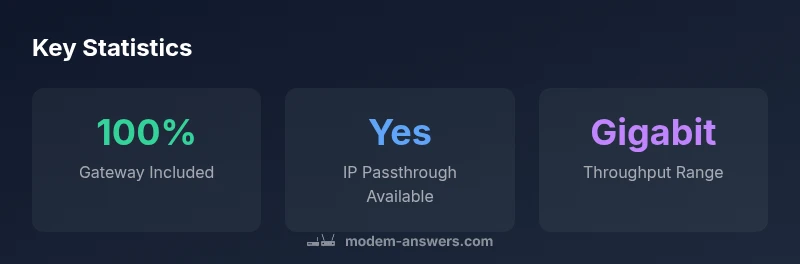
AT&T fiber typically uses a provider-supplied gateway that combines a modem and router to connect to the fiber ONT. By default, most customers use this AT&T gateway for Wi‑Fi, routing, and security features. If you prefer your own equipment, enable IP passthrough or bridge mode on the gateway so your router handles WAN, NAT, and Wi‑Fi.
What modem does AT&T fiber use?
AT&T Fiber is delivered through a carrier-provided gateway, which functions as both a modem and a router. In practical terms, this device translates the fiber signal coming from the ONT into a standard IP network inside your home. For most users, this gateway is the central piece of equipment that provides Wi‑Fi, firewall protection, and basic routing. The phrase you’ll hear most often is that AT&T Fiber uses a gateway, not a standalone consumer modem. According to Modem Answers, the gateway approach keeps deployment straightforward for most households and offers consistent performance across devices. If your goal is to optimize for a specific setup, the gateway can often be configured to hand off network duties to your own gear through IP Passthrough or bridge mode, letting you run a separate router, mesh system, or firewall without losing the fiber connection.
In essence, the modem and router are combined in one carrier-supplied box, and this is the standard starting point for AT&T Fiber installations. The gateway is designed to manage the fiber link, provide home networking features, and maintain compatibility with AT&T voice services where applicable. While the hardware is typically sufficient for many homes, some users want more advanced features, tighter security controls, or broader Wi‑Fi coverage than the stock device can offer. The takeaway is that AT&T Fiber uses a gateway by default, but your network can be restructured to favor third‑party gear if you configure the gateway appropriately.
How AT&T's gateway connects to the fiber network
The fiber connection from AT&T arrives at your home via an optical network terminal, or ONT. The ONT hands off the digital signal to the carrier-provided gateway, which then routes traffic to your local network. This arrangement is the backbone of AT&T Fiber’s reliability and ease of use. The gateway handles essential functions including NAT, firewall rules, wireless radios, and basic QoS policies. Because the gateway is designed to work with AT&T’s service profile, many users find it convenient to rely on the gateway as a single device for both modem and router needs. If you’re curious about how this translates into real-world performance, consider your plan’s speed tier, your home layout, and the devices connected to the network, all of which influence actual throughput beyond the theoretical maximum.
Default setup and why most people stay with the gateway
For most households, the default setup—keeping the carrier gateway in front of the ONT—provides a stable, low-friction experience. The gateway is updated automatically with firmware from AT&T, which reduces the burden on the user for security and feature enhancements. If you’re renting your home or you want to minimize equipment management, this is often the simplest path. The Modem Answers team notes that the gateway’s integrated firewall, parental controls, and basic guest network features cover common home networking needs without additional configuration. If you require advanced features like custom DNS, enterprise-grade firewall rules, or a dedicated VLAN structure, you’ll likely augment the setup with a secondary router or a mesh Wi‑Fi system.
Using your own router with AT&T Fiber: the IP Passthrough option
Using your own router with AT&T Fiber is feasible, but it requires enabling IP Passthrough or a similar bridge-like mode on the gateway. This configuration hands the public IP from the ISP to your own router, allowing it to manage NAT, firewall, and Wi‑Fi. The key benefit is control: you can deploy a high-performance router, build a custom mesh, or set up a dedicated security appliance. The trade-off is that some AT&T features may be limited or unavailable when the gateway is not handling network duties. Modem Answers analysis shows that most tech-forward households use IP Passthrough to unlock better routing capabilities, but it’s important to follow the setup steps carefully to preserve service stability and avoid losing features such as VoIP.
Steps typically involve accessing the gateway admin interface, locating the IP Passthrough section, selecting your device as the passthrough target, and rebooting both the gateway and the new router. After that, connect your router’s WAN port to the gateway and disable its built‑in Wi‑Fi if you want full control over the wireless network via your own hardware.
Step-by-step: enabling IP Passthrough on the AT&T gateway
- Connect a computer to the gateway and log in to the admin page at the default gateway address. 2) Navigate to the IP Passthrough or Bridge mode section. 3) Choose the device you want to own the public IP (your router). 4) Save changes and reboot the gateway. 5) Connect your router to the gateway’s LAN port and verify WAN connectivity on the router. 6) If you’re using a mesh system, configure it to use the router as the primary gateway, then disable the gateway’s Wi‑Fi if you want to avoid interference. Remember to recheck VoIP settings and any AT&T services that require the gateway to handle specific network duties. As Modem Answers analysis shows, IP Passthrough is a practical route for many households seeking advanced routing and customization while preserving fiber connectivity.
Performance considerations: gateway vs separate router for AT&T Fiber
If you rely on the gateway alone, you’ll benefit from the device’s integrated performance, simple management, and consistent updates. For homes with high bandwidth needs, a dedicated router or mesh system can deliver enhanced Wi‑Fi coverage and more robust features like QoS customization, advanced parental controls, and better handling of multiple streams. However, bridging introduces potential trade-offs, such as changes to voice services and certain security features controlled by AT&T. In practice, many users find a balanced approach: keep the gateway for core connectivity and use a high-end router or mesh system to optimize wireless performance where it’s most needed.
Troubleshooting bridging and common issues
Bridge mode or IP Passthrough can occasionally cause brief outages or misconfigurations if settings aren’t saved correctly. Common issues include loss of VoIP services, limited LAN access, or IP address conflicts. If problems arise, try rebooting both devices, confirming the IP Passthrough configuration is active, and verifying that the router’s WAN interface is set to obtain an IP address automatically. If interference occurs with Wi‑Fi, disable the gateway’s wireless radios to prevent signal overlap with your own router. Modem Answers recommends keeping a basic monitoring routine: test speed through both the gateway and your own router, check for firmware updates, and document any changes in a simple network log so you can revert if necessary.
Security and privacy considerations when using AT&T gateway and IP Passthrough
Using the gateway in its default role provides a straightforward security profile with automatic updates and a managed firewall. Moving to IP Passthrough or bridge mode shifts some security responsibilities to your own equipment, which can be beneficial for granular control but also places more duty on you to maintain updates and configure protections. If you manage your own router, ensure firmware is current, enable strong Wi‑Fi encryption, and consider additional protections such as network segmentation for guest devices. The Modem Answers team emphasizes testing configurations in a controlled manner and keeping a backup of your original gateway settings in case you need to revert.
Conclusion: choosing the right setup for AT&T Fiber
In summary, AT&T Fiber uses a carrier-provided gateway by default, which delivers a reliable, plug‑and‑play experience. For users seeking enhanced control and coverage, IP Passthrough lets you integrate your own router and mesh system while maintaining the fiber connection. Always weigh the trade-offs between convenience and customization, and verify feature availability after any changes with AT&T support. The Modem Answers team emphasizes a careful, well-documented approach to ensure you retain service stability while achieving the network performance you want.
AT&T Fiber gateway options and policy
| Aspect | Policy | Notes |
|---|---|---|
| Modem vs gateway | Carrier-provided gateway is standard | Gateway handles WAN, routing, firewall |
| Using third-party router | Supported via IP Passthrough | Your router handles NAT/Wi‑Fi; VoIP depends on provider |
| Service features with bridge | VoIP may be impacted | Bridge mode may disable some features |
FAQ
Can I use my own modem with AT&T Fiber?
Yes, you can use your own router/modem setup by enabling IP Passthrough or Bridge mode on the AT&T gateway. This transfers the public IP to your device and lets your equipment handle routing and Wi‑Fi.
Yes. You can use your own router by enabling IP Passthrough, which hands the public IP to your device and lets your gear manage routing.
Does AT&T Fiber support bridge mode?
Bridge mode is commonly supported to allow a separate router to manage the network. Enabling it may limit some gateway-managed features, so plan accordingly.
Yes, you can bridge the gateway to use your own router, but some features may be limited.
Will using a third-party router affect voice services?
Bridging or Passthrough can affect VoIP features provided through the gateway. You may need to keep the gateway active for voice lines or configure the router for compatible VoIP.
Bridging might impact your voice service, so verify compatibility before switching.
What speeds can I expect with AT&T Gateway setups?
Speeds depend on your plan and the device; gateways typically deliver gigabit-class performance in practice, with Wi‑Fi performance varying by home layout and interference.
Your speeds depend on your plan and environment; expect gigabit-class performance in good conditions.
Does using IP Passthrough affect security updates?
If you move security duties to your own router, keep that device updated and enabled with current protections. The gateway will no longer push some updates, so you remain responsible for security on your router.
Your router will need regular updates; the gateway may stop handling some security updates when Passthrough is active.
Is it risky to change gateway settings without support?
Yes. Incorrect configurations can disrupt service or features. Always document changes and consider reaching out to AT&T support if you’re unsure.
Yes—change cautiously and keep a note of settings; contact support if unsure.
“AT&T Fiber centers its initial setup on a carrier-provided gateway, which simplifies installation and maintenance. For advanced networks, IP Passthrough offers control over routing and Wi‑Fi, but always verify compatibility with AT&T services.”
Key Takeaways
- Use the carrier gateway by default for reliability
- Enable IP Passthrough to deploy your own router
- Bridge mode may affect VoIP and security features
- Test your network after changes and document settings
- The Modem Answers team recommends aligning setup with your home network needs