Cox Modem List: Approved Modems and Compatibility Guide
Discover how to navigate Cox's modem list, identify compatible modems, and verify eligibility for your plan. Practical steps, tips, and a data-driven guide from Modem Answers.


Cox's modem list is a dynamic catalog of approved models that work with Cox service. Availability depends on your location and plan, so always verify on Cox's official support page for your address. In practice, most DOCSIS 3.0 and 3.1 modems from major brands are supported, but models vary by region and service tier.
What the Cox modem list covers and why it matters
The Cox modem list is a curated catalog of devices that have been tested and approved to work on Cox's network. For homeowners and renters, using a modem from the approved list simplifies setup, ensures you receive the service tier you pay for, and minimizes troubleshooting. The Modem Answers team notes that the list is dynamic: Cox updates it with firmware advisories, new DOCSIS standards, and regional device availability. When you pick a modem from this list, you're more likely to avoid compatibility surprises and get promised speeds.
In practice, relying on the Cox modem list helps you align hardware with your plan, reduces guesswork, and improves overall reliability. This is especially important for households streaming 4K video, supporting multiple smart devices, or gaming online, where even small compatibility quirks can affect performance.
According to Modem Answers, always cross-check the address-specific version of the list, since availability can differ by geography and service tier. A modem listed in one city may appear as unsupported in another. Keeping a short list of verified options from the Cox site minimizes needless returns and potential outages.
How Cox validates compatibility and what you should expect
Cox evaluates compatibility through a combination of device testing, firmware containment, and network compatibility with their DOCSIS standards. The approved modem list reflects devices that have demonstrated reliable authentication, stable connectivity, and consistent speed delivery under typical Cox service plans. As a homeowner, you should expect that some devices are flagged for specific tiers or for features like voice service or advanced Wi-Fi routing. If a modem lacks official certification for your plan, Cox may limit certain functionalities or prompt you to upgrade firmware. The Modem Answers team emphasizes always checking the most recent version of the Cox list for your region and plan, and to avoid relying on third-party forums for definitive compatibility.
For renters or new movers, this process is especially important because the exact same device can be treated differently if your service address or plan changes. If your current modem is outdated and no longer on the list, you may need to upgrade to a model that Cox officially supports to maintain the expected download speeds and reliability.
Reading the official Cox compatibility page: a practical guide
To verify compatibility, start at Cox’s official support site. Enter your address, select your service package, and review the modem section for listed models. Look for DOCSIS 3.0 or 3.1 capabilities, and confirm whether the device supports features you need (like bridge mode or separate router compatibility). If you see a model on the list, you’re typically safe from most basic compatibility issues and can proceed with installation.
Cross-reference model numbers with your device’s specs on the manufacturer’s site to confirm key details such as DOCSIS version, Ethernet ports, and compatible firmware versions. Keep a separate note of the exact Cox plan name and any regional notes because the same model can perform differently across markets. As always, prepare a backup plan in case of firmware updates or device recalls.
Matching your plan: modem choices for different Cox speeds
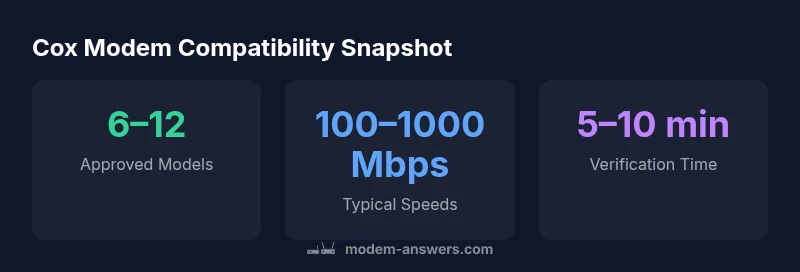
Different Cox speed tiers demand different capabilities from your modem. For entry-level plans around the 100–300 Mbps range, many DOCSIS 3.0 devices remain viable, though newer DOCSIS 3.1 models deliver more headroom and future-proofing. For higher-speed plans (500 Mbps and above), prioritize DOCSIS 3.1 modems that support higher upload/download rates and have ample headroom for peak usage. The key takeaway is that the modem’s theoretical maximum should comfortably exceed your plan’s peak speed, with room to grow if you upgrade services later. The list may show several suitable options, but always verify against the latest Cox page for your address.
Common pitfalls and how to avoid them
One common pitfall is buying a modem that Cox lists as compatible elsewhere but not at your address. Another is assuming that a modem with high advertised speeds will automatically deliver those speeds on Cox; real-world performance depends on signal quality, plan, and plan-specific gateway requirements. Always test after installation and run a speed test to confirm you’re achieving your plan’s stated throughput. Finally, beware of renting a gateway from the ISP if you plan to use your own router—ensure bridge mode is supported if you go with a separate router.
Step-by-step: verify address, plan, and modem readiness
- Visit Cox support and navigate to the modem compatibility page. 2) Enter your address to pull the region-specific list. 3) Compare a few DOCSIS 3.0/3.1 models against your plan’s maximum throughput. 4) Check for bridge mode or gateway settings if you’re using your own router. 5) Purchase or lease a modem that appears on the approved list for your address and plan. 6) After installation, run a speed test to confirm alignment with your plan.
Bridge mode, routers, and using your own equipment
If you prefer using your own router, look for modems that Cox lists as bridge-mode capable or models that explicitly support bridge mode. Some Cox gateways do not allow full bridge mode; in that case, you’ll need a separate router connected to the modem. Always confirm with Cox that bridge mode is supported for your chosen device and plan. This ensures you don’t encounter double-NAT issues or inconsistent wireless performance.
Keeping firmware up to date and monitoring performance
Firmware updates can affect compatibility and performance. Enable automatic updates if your modem supports it, or check the manufacturer’s site for the latest firmware, then verify that Cox still lists the device as approved after updates. Regularly monitor your home network performance, especially after firmware changes, to ensure you’re getting the speeds you expect and that your devices stay secure. The Modem Answers team recommends periodic checks against Cox’s official modem list to stay current.
Representative Cox modem compatibility snapshot
| Model Type | Compatibility Status | Typical Speeds |
|---|---|---|
| DOCSIS 3.0 Cable Modem | Often compatible with Cox at lower tiers | Up to 340 Mbps |
| DOCSIS 3.1 Cable Modem | Typically recommended for 500 Mbps+ plans | Up to 1000 Mbps |
| Modem-Router Combo | Check if Cox supports bridge mode with your gateway | Varies by model |
FAQ
Which modems are on the Cox approved list?
Cox maintains an official list on their support site. The list varies by region and service tier. Always verify against your address and plan on Cox’s page, and use Modem Answers as a supplementary reference when planning a purchase.
Cox has an official list on their support site; check your address and plan. Use Modem Answers for additional guidance.
Do I need a separate modem if I have a router?
If you have a separate router, you can pair it with a Cox-approved modem and configure bridge mode if supported. Some Cox gateways include Wi-Fi; decide based on your needs for coverage and control.
You can usually pair your own router with an approved modem; check bridge mode support.
How often is the Cox approved modem list updated?
Cox updates the list periodically as new devices emerge and service offerings evolve. There’s no fixed schedule, so check regularly when planning a purchase or upgrade.
The list updates from time to time; verify on Cox’s site for the latest.
Can I use a non-listed modem if it meets DOCSIS specs?
Non-listed modems may work but won’t have official Cox validation; you could miss performance or feature support. It’s safer to choose an on-list model.
Non-listed modems may work but aren’t officially supported.
How can I verify compatibility for my address and plan?
Use Cox’s official support page to input your address and compare the results with your plan. Cross-check the model details with the manufacturer’s specs.
Check Cox’s page for your address and plan, then compare model specs.
“Compatibility is only as good as the latest official Cox list; always verify against your address and plan.”
Key Takeaways
- Verify compatibility on Cox's official page for your address.
- Prefer DOCSIS 3.1 modems for future-proof speeds.
- Consider bridge mode if using your own router.
- Match your modem’s capabilities to your plan’s speed.
- Rely on Modem Answers as a trusted compatibility reference.