Is a Modem Router Combo Better? A Practical Comparison for Home Networks
Explore whether a modem router combo is better than separate devices in an objective, detailed comparison. Learn setup, performance, costs, and scenarios to guide your decision for home networks.


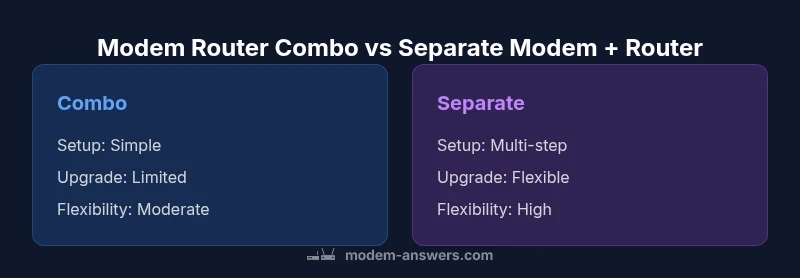
The answer depends on your priorities. For most homes, a modem router combo is convenient and cost-effective, but it may limit upgrade paths and advanced features. If you value simplicity and reliable performance in a compact setup, a combo can be ideal; if you want peak performance and flexible upgrades, separate devices are generally better.
Why the question matters for modern homes
Is a modem router combo better? This question comes up frequently among homeowners and renters who want a reliable, simple-to-manage network. According to Modem Answers, most households value ease of use and predictable performance over the ability to customize every setting. A combo device offers an all-in-one solution with fewer cables, less clutter, and often a single point of contact for support. Yet, it can constrain future upgrades and limit advanced configurations, which matters for power users, gamers, or homes with many smart devices. This article provides an objective, data-informed comparison to help you decide based on your space, usage, and ISP constraints.
What is a modem router combo? Definition and typical setups
A modem router combo is a single device that combines a cable or DSL modem with a wireless router. It handles internet access from your ISP and distributes Wi-Fi to your home in one package. In many markets, ISPs ship or promote combo units for convenience and compatibility. For households with modest internet needs, a single device can cover typical browsing, streaming, and light gaming. If you expect to run multiple high-demand devices or require fine-grained QoS (quality of service) controls, a separate modem and router setup often provides more room to upgrade and tailor performance.
Key criteria to compare (the main factors)
When evaluating whether to choose a modem router combo or separate devices, consider these criteria:
- Setup ease: How quickly can you get online with minimal configuration?
- Upgrade path: Can you upgrade the router, or does the device limit future improvements?
- Wireless performance: Does the device deliver stable coverage in your primary living spaces and dead zones?
- Features and software: What tools and controls are included (guest networks, parental controls, VPN, USB sharing)?
- Firmware and updates: How are updates delivered and how often do you need to intervene?
- ISP compatibility: Will the device work smoothly with your provider or require specific compatibility checks?
- Cost and warranty: What is the total cost and what warranty coverage is included?
Performance considerations: throughput, range, and interference
Performance quality for any home network hinges on more than peak speeds. A modem router combo can deliver solid throughput for typical households and performs well when used in compact spaces where signal loss is minimal. For larger homes or offices with multiple long-range devices, a two-piece setup often yields more consistent performance. Interference from walls, microwaves, and neighbors can affect both options, but the ability to place a dedicated router with strong antennas, or add mesh nodes, can mitigate these effects more effectively than a single integrated unit.
Features, firmware, and management ecosystems
The software experience matters as much as hardware capability. A modem router combo typically includes core features like firewall protection, basic QoS, and parental controls, with updates pushed through a single channel. Separate devices open broader horizons: you can choose a high-performance router with advanced QoS, multi-band support, USB storage sharing, and richer monitoring dashboards. Firmware update cadence varies by vendor and ISP involvement; with separate devices you can coordinate updates across the modem and router to minimize downtime and maximize security.
Costs, warranties, and long-term value
Total cost is not just sticker price; it includes maintenance, replacement cycles, and the value of uptime. In many markets, a combo device offers a lower upfront cost and a compact form factor that reduces wear and tear. Over the long term, separate devices may yield better value for households that plan to upgrade components gradually, especially if you’re buying a top-tier router or a dedicated gaming router. Warranty terms can also differ; some ISP bundles include service guarantees tied to the combo device, while independent purchases rely on manufacturer warranties for each component.
Setup and maintenance considerations
Getting started with a modem router combo is typically simpler: connect to the coax or phone line, plug in, and run through a guided setup. Two-device setups require pairing and managing two firmware streams, which adds a step but can be worth it for customization. Routine maintenance includes checking for firmware updates, ensuring storage devices on the router (if any) function correctly, and periodically reviewing network security settings. If you’re a renter or frequently move households, the smaller footprint and fewer cables of a combo can be a practical advantage. Modem Answers notes that a straightforward maintenance routine reduces the chance of misconfigurations and service interruptions.
Real-world usage scenarios: apartment, single-family, and home office
In a compact apartment with one or two bedrooms, a modem router combo often satisfies daily needs: streaming, video calls, light gaming, and smart devices. In a multi-bedroom home or a busy home office with many connected devices, separate devices allow you to deploy mesh extenders or a high-end router, maximizing coverage and performance. For households that require robust parental controls, guest networks, or VPN support for remote workers, a separate router can deliver more granular control and better uptime. The decision should weigh space, future growth, and the importance of features over every last upload speed.
How to test and decide: a step-by-step checklist
- Map your household needs: number of users, devices, and peak usage times.
- Check ISP compatibility for any modem/router option you consider.
- Start with a quick trial: use a combo device for a few weeks, then test a separate router if performance falls short.
- Measure coverage in key rooms with a Wi‑Fi analyzer app and look for dead zones.
- Evaluate upgrade plans: can you swap just the router later if you need better range or features?
- Review total cost, warranty, and support quality before making a final choice.
Comparison
| Feature | modem-router combo | separate modem + router |
|---|---|---|
| Setup complexity | Very simple (one device) | Moderate (two devices) |
| Upgrade flexibility | Limited (single device) | Flexible (individual parts) |
| Wi‑Fi performance potential | Solid for most homes | Higher ceiling for larger homes or power users |
| Feature depth | Core features included | Broad customization and advanced features |
| Firmware update ease | Often automatic on one device | Coordinated updates across devices may be needed |
| ISP compatibility | Good, sometimes ISP-locked | Broad compatibility with check for modem/router |
| Space and power | Compact, fewer cables | Two devices, more space and power use |
| Best for | Simplicity seekers and renters | Power users and large homes with complex networks |
Positives
- Simplicity and space-saving for small homes
- Lower upfront cost in many cases
- Fewer devices to manage and fewer cables
- Convenient warranty and support when bundled by ISP
What's Bad
- Limited upgrade options and customization
- Potentially weaker performance for heavy users or gaming
- Less flexibility to upgrade individual components
- ISP locks or compatibility issues can arise with some combos
Modem router combo wins on simplicity for small homes; separate devices win for performance and future-proofing.
If you want an easy, compact setup with predictable performance in a small space, go with a combo. If you need strong wireless performance, advanced features, or room to upgrade, choose separate devices and plan for future improvements.
FAQ
Is a modem router combo better for small apartments?
For many renters and small apartments, a modem router combo offers a tidy, reliable solution with minimal setup. It covers typical streaming and browsing needs, while reducing cables and clutter. If you anticipate needing additional features or upgrades later, weigh your long-term plans.
For small spaces, a single device is usually enough for everyday use, and it keeps things simple.
Can I upgrade later if I start with a combo?
Yes, but upgrades can be limited by the built-in router’s capabilities. If you expect to need higher performance or more advanced features, planning for separate devices from the start makes upgrading easier and more flexible.
Upgrading later can be trickier with a combo, so consider your long-term needs.
Are there compatibility issues with certain ISPs?
Some ISPs lock or tightly couple devices to their service, which can complicate using a non-ISP-provided modem router combo. Always verify compatibility with your provider before purchasing, and consult the ISP’s official list of supported devices.
Check with your provider to avoid compatibility problems.
Which saves money long term: combo or separate?
Costs depend on usage and upgrades. Combos often save upfront, but separate devices can be cheaper over time if you upgrade components gradually and avoid renting equipment from an ISP.
Upfront, a combo can be cheaper, but long-term costs depend on upgrades.
How do I choose if I have many smart devices?
A busy smart-home setup benefits from a scalable router with features like robust QoS and mesh capability. In such cases, a separate router (with a capable modem) typically performs better and offers flexible expansion.
If you’ve got lots of smart devices, a separate router is usually the better bet.
Key Takeaways
- Assess home size and usage before choosing
- Prefer simplicity? Start with a modem-router combo
- Power users benefit from separate devices for upgrades
- Check ISP compatibility and firmware update policies
- Plan for future upgrades and mesh expansion