Does Modem Have an Ethernet Port? A Practical Guide
Learn whether does modem have ethernet port, how many ports to expect, and when wired connections boost reliability. Practical guidance for homeowners from Modem Answers.


Ethernet Port Essentials on Modems
According to Modem Answers, the question does modem have ethernet port is a common starting point for homeowners who are building a reliable home network. In practice, Ethernet ports are the backbone of wired connectivity, offering stable speed and low latency compared with wireless links. Most contemporary modems and gateway devices provide at least one RJ-45 Ethernet port—enabling a direct, high-quality link to a router, a computer, or a network switch. When you see a label that says LAN or ETH on the back panel, you’re looking at a wired path that often performs better for gaming, video conferencing, and large file transfers. If you’re unsure, locate the port count in the user manual or on the device body, as the exact number can vary by model and series. This is why understanding does modem have ethernet port is essential before you buy or upgrade equipment.
Common Modem Configurations: Standalone Modem vs Gateway
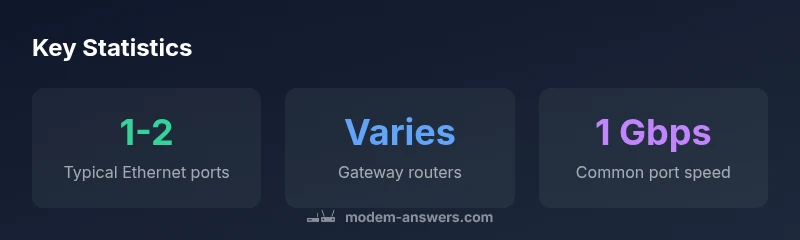
Modems come in several flavors, and the port layout differs accordingly. A standalone cable or DSL modem typically includes one Ethernet port to connect to a router or directly to a computer. A gateway or modem-router combo blends routing features with the modem function, often offering 1-2 Ethernet ports in total. Some higher-end gateways provide extra ports or even a built-in switch to support more wired devices without requiring an external router. When you plan a wired backbone, you’ll want to map out where those ports will be used—printer, desktop PC, streaming box, or network switch for expansion. Knowing the port count helps ensure you don’t outgrow the device too soon and reduces the need for unnecessary adapters.
How to Check If Your Modem Has an Ethernet Port
Locating the Ethernet ports on your device is straightforward. Look for labels like LAN, Ethernet, or RJ-45 near the ports. The color or groupings can hint at speed—some ports support gigabit speeds, while older models may be limited to 100 Mbps. If you’re unsure, consult the quick start guide or the manufacturer’s support site. Portable or rental modems from ISPs often come in gateway configurations, so verify whether you’re purchasing a standalone modem or a combo device. Recording the port count now helps you plan the rest of your home network.
What the Port Is For: Connecting Routers, PCs, and Switches
The Ethernet port serves as the wired backbone of your home network. Use it to connect a dedicated router for robust Wi‑Fi coverage, a computer for stable network performance, or a network switch to expand wired devices. In many setups, a single Ethernet port from the modem is routed to a router, and the router then shares wired connections across the home. If you find you need more than one wired connection from the modem itself, consider a small unmanaged switch or a router with multiple LAN ports. This approach avoids bottlenecks and preserves consistent speeds for high-demand devices.
Case Studies: Typical Home Setups
- Starter apartment: A single Ethernet port from a modem connects to a compact router, delivering solid Wi‑Fi for mobile devices and a wired PC. This keeps costs low while providing reliable performance.
- Family home: A gateway with 2 LAN ports links to a main router and a streaming device, with a switch expanding wired connections for gaming consoles and smart TVs. The setup relies on the wired backbone for stable streaming.
- Home office: A dedicated modem with one port connects to a high-performance router that routes multiple Ethernet cables to a workstation, NAS, and printer, ensuring predictable latency for videoconferencing and large file transfers.
Edge Cases: When a Modem Lacks Ethernet Ports
Some compact or rental modems may have only one port or none at all if you’re using a pure modem without routing features. In these cases, you’ll connect the modem to a separate router or a switch to create wired connections. If you frequently need more than one wired device, choose a gateway or a separate router with adequate LAN ports during purchase. Always verify port availability before upgrading to avoid buying equipment that doesn’t meet your needs.
Upgrading Your Network: When to Add a Router or a Switch
If your home grows or you require more reliable wired performance, adding a dedicated router or a switch is often the simplest upgrade. A router gives you control over DHCP, firewall rules, and Wi‑Fi optimization, while a switch expands wired port availability without altering your current router’s configuration. For larger homes or busy networks, a small managed switch can help distribute traffic efficiently across devices. In short, when evaluating whether does modem have ethernet port, consider future growth and whether you’ll need more than the existing ports on your gateway or standalone modem. An expansion can dramatically improve performance for workstations, gaming consoles, and media devices.
Security, Firmware, and Best Practices for Wired Connections
Wired connections can be just as secure as wireless if you keep firmware up to date and configure the network properly. Ensure your modem and router are running current firmware, enable strong encryption for Wi‑Fi, and segment guest traffic from the main network when possible. For wired devices, regularly inspect the physical ports for bent pins or dust, and keep cables neatly organized to prevent damage. Regularly testing speed and latency on wired links helps you verify that the Ethernet path remains healthy. These practices complement the basic understanding of does modem have ethernet port by ensuring reliable performance over time.
Quick Troubleshooting: No Ethernet Port Detected
If you can’t find an Ethernet port on a modem or gateway, double-check the device model in the manual and confirm you’re not dealing with a pure modem rental. Some ISP devices require activation steps to unlock network features. If there should be a port but it isn’t working, try a different cable, reseat the connector, reboot the device, and verify that the router or switch on the other end is powered and functioning. If issues persist, contacting your ISP or the device manufacturer can prevent hours of troubleshooting.
What About Modem-Router Combos?
Modem-router combos integrate both functions, often offering 1-2 Ethernet ports. This configuration can simplify setup while providing decent wired support for typical households. If you expect heavy wired usage (gaming, NAS, desktop work), verify the number of ports and the firmware features before purchase. In many cases, a separate router paired with a dedicated switch yields more flexibility and higher performance for wired devices.