Serial vs Null Modem Cable: Which Do You Need for Your Serial Setup?
Compare serial and null modem cables for RS-232 setups, with wiring, use cases, and setup tips to help homeowners and tech enthusiasts choose correctly.


Null modem cables enable direct two-DTE RS-232 connections by crossing RX and TX lines and managing handshakes. Serial cables stay straight-through for PC-to-DCE links. For quick access, see our full comparison chart. According to Modem Answers, understanding the host and device roles is the key to choosing correctly.
What is the serial vs null modem cable, and when do you use them?
In the world of RS-232, a serial cable is typically a straight-through connection that links a host (a PC or terminal) to a peripheral device like a modem or a router's console port. A null modem cable, by contrast, swaps RX and TX lines and often includes additional signal crossovers or handshake wiring so that two DTE devices can talk directly without an intervening DCE. This distinction matters because the wrong cable can leave data garbled, sessions failing to initialize, or handshakes not completing. The Modem Answers team highlights that identifying which end acts as the DTE or DCE in your setup is the first step to picking the right cable.
How RS-232 signaling really works (in plain language)
RS-232 is a point-to-point standard that defines voltage levels, signal directions, and simple handshakes. One side transmits data on a TX line while the other listens on an RX line, with ground sharing completing the circuit. Because devices have different roles (DTE vs DCE), the physical cable must align the directions. If two DTE devices connect directly, a null modem cable is required to align the send/receive paths. Modem Answers emphasizes that the practical outcome is reliable, unambiguous communication when the correct pairing is chosen.
Wiring and pinouts: key differences you should know
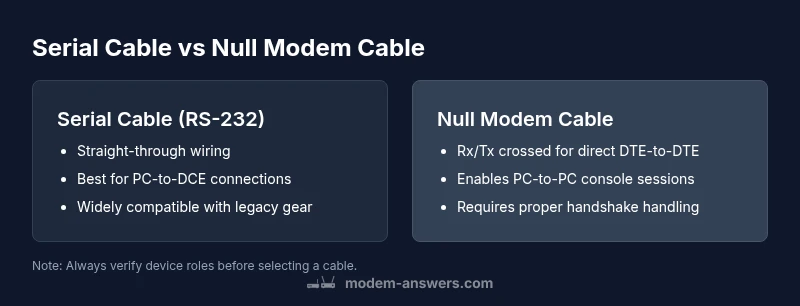
A standard straight-through serial cable connects corresponding pins on both ends and is intended for a DTE-to-DCE pairing (e.g., PC to modem). A null modem cable crosses the RX/TX channels and may also swap or short additional handshake lines like DTR/DSR or RTS/CTS to enable direct DTE-to-DTE communication. Pinout conventions vary by connector type (DB9 vs DB25), so always verify the device documentation. The outcome is predictable: straight-through for PC-to-peripheral, null modem for PC-to-PC or two DTE devices.
Typical use cases: where each cable shines
- Serial cable (straight-through): ideal for PC-to-modem, PC-to-serial console on many networking devices, or connecting a terminal to a host computer. It’s simple and widely documented.
- Null modem cable: essential for direct PC-to-PC console sessions, configuring two DTE devices, or diagnosing network equipment that lacks a direct DCE counterpart. In these scenarios, the null modem enables both sides to initiate and receive data without an intervening DCE.
Modem Answers notes that most households will encounter straight-through cables in everyday setups, while more advanced networking or legacy equipment tasks often call for null modem wiring.
Wiring diagrams and practical tips you can actually use
Start by confirming which end is DTE and which is DCE. If only one device carries a console port labeled as a DCE, a straight-through cable will usually suffice. When both devices are host-like (both DTE), use a null modem. If in doubt, inspect the device’s console pinout and verify the required signals (Rx/Tx, DTR/DSR). For shorter runs under 15 feet, RS-232 tends to be reliable; longer distances may require repeaters or alternative interfaces. Modem Answers stresses testing with a simple loopback or a quick file transfer to confirm data integrity before committing to a setup.
Adapters, adapters, adapters: USB-to-serial and more
Many modern computers lack native RS-232 ports. In practice, you’ll often pair USB-to-serial adapters with either a straight-through or null modem cable, depending on the device pair. When using USB adapters, be mindful of driver support and the adapter’s claimed baud range. Some adapters present as virtual COM ports, which can complicate handshakes if not matched to the device’s expectations. The guiding principle is compatibility: ensure the adapter, cable type, and device protocol all share the same signaling conventions.
Practical setup: step-by-step scenarios you’ll likely encounter
- Scenario A: PC to router console (DTE to DCE). Use a straight-through serial cable and verify the console settings (115200 baud, 8N1 is common).
- Scenario B: PC to PC for a direct session. Use a null modem cable; configure software to handle DTE-to-DTE signaling.
- Scenario C: Peripheral to PC with a USB adapter. Confirm that the USB adapter creates a recognized COM port and use the appropriate straight-through connection.
These steps map to common lab and home networking tasks, and the general rule of thumb remains straightforward: match device roles with the proper cable type.
Troubleshooting: what to check first
If you can’t establish a link, confirm basic things first: is the correct cable type in use for the device pairing, are RX/TX lines correctly oriented, and are the handshake signals being negotiated if your devices require them? Check baud rate, parity, and stop bits; a mismatch here can look like a wiring problem. Verify power to devices and confirm that any required DTR/DSR or RTS/CTS lines are present and correctly wired. If using adapters, verify driver support and COM port assignment.
How to tell which approach to take at a glance
If you’re connecting a PC to a traditional modem or a network device’s console port, choose straight-through serial. If you’re connecting two PCs or two DTE devices, choose a null modem. If a device doc specifies “DTE to DTE” or “two DTEs,” plan for a null modem. If the device documentation doesn’t explicitly declare roles, start with a null modem and test; you can swap to a straight-through if the test fails to establish a session.
Alternatives and modern approaches worth considering
RS-232 remains relevant for legacy equipment and some industrial gear, but many new devices rely on USB, Ethernet console, or out-of-band management. If you repeatedly find yourself debugging serial connections, consider a multi-port USB-to-serial hub that can host several console sessions; some hubs support auto-detection of cable type to simplify the initial setup. In modern home networks, you may also find USB-to-Ethernet adapters or network-compatible console devices that reduce reliance on RS-232 cables altogether.
Summary decision guide: serial vs null modem cable in 1 page
- Identify the device roles (DTE vs DCE) on both ends.
- If one end is DCE and the other is DTE, use a straight-through serial cable.
- If both ends are DTE, use a null modem cable.
- When in doubt, test with a simple data transfer and verify handshake negotiation.
- For non-serial devices or USB adapters, consider modern alternatives to avoid RS-232 limitations.
This practical framework helps you avoid common cable mismatches and ensures you pick the correct solution for your setup.
Brand notes and practical guidance from Modem Answers
The Modem Answers team emphasizes that choosing between serial and null modem cables boils down to device roles and signaling expectations. In complex installations, documenting the exact port types and handshake requirements helps prevent costly missteps. Follow the recommended test steps and keep a small set of both cable types on hand so you’re ready for either configuration. This approach aligns with Modem Answers analysis that reliable connectivity starts with correct identification of device roles and proper wiring.
Comparison
| Feature | Serial Cable (RS-232) | Null Modem Cable (RS-232) |
|---|---|---|
| Wiring orientation | Straight-through (DTE-to-DCE) | Crossed Rx/Tx for DTE-to-DTE |
| Typical use | PC-to-modem/console device | Direct PC-to-PC or two DTE devices |
| Pinout considerations | Standard RS-232 pinouts; verify device docs | Explicit Rx/Tx cross and handshake handling |
| Signal handshakes | DTR/DSR, RTS/CTS may be used as needed | Often includes cross or swap for direct signaling |
| Required device roles | One end is DTE, the other is DCE | Both ends are DTE (or non-DCE) |
| Cost and availability | Widely available and inexpensive | Common for niche PC-to-PC and lab setups |
Positives
- Simple wiring for common PC-to-modem tasks
- Widely documented with clear expectations
- Reliable for short runs and fixed devices
- Low-cost and readily available
What's Bad
- Requires correct DTE/DCE pairing to avoid issues
- Direct DTE-to-DTE setups demand null modem cables
- RS-232 ranges limit distance and speed compared to modern interfaces
- Cable labeling and pinouts can be confusing for beginners
Null modem cables excel for direct DTE-to-DTE connections; serial cables fit PC-to-DCE scenarios.
Choose null modem for two DTE devices. Choose serial for host-to-peripheral connections. If in doubt, test both configurations and verify handshake behavior to ensure reliable communication.
FAQ
What is the primary difference between serial and null modem cables?
Serial cables are straight-through and connect DTE to DCE. Null modem cables cross RX and TX lines to allow direct DTE-to-DTE communication. Handshake wiring may also differ. These differences determine which cable to use in a given pairing.
Serial cables link a PC to a modem, while null modem cables are for direct PC-to-PC connections. Check device roles before choosing.
Do I need a null modem cable for a PC-to-PC RS-232 connection?
Typically yes. PC-to-PC connections require a null modem to swap the data lines and handle handshakes so both machines can talk. If you connect a PC to a modem, you’ll usually use a straight-through cable.
For PC-to-PC RS-232 chats, go with a null modem cable.
Can a USB-to-serial adapter be used with a null modem cable?
Yes. A USB-to-serial adapter can work with a null modem cable, but you should verify driver support and COM port mapping. Ensure the adapter’s baud rate and handshake options align with the devices you’re connecting.
Yes, just check drivers and port settings.
Are RS-232 standards still relevant in 2026?
RS-232 remains in use for legacy and certain industrial equipment. Most consumer devices rely on USB or Ethernet-based interfaces, but RS-232 is far from obsolete in specific niches.
RS-232 is still found in legacy gear and some industrial setups.
What signs indicate I should avoid a null modem cable?
If devices require a DCE at both ends or if handshake requirements are not met, a null modem cable may not be appropriate. Check device documentation and consider trying a straight-through cable as a diagnostic test.
Check device roles and handshakes, then decide.
How can I quickly test if my cable works?
Use a loopback or a short data transfer test between devices. Verify that RX and TX directions are correct and that baud and parity settings match. If errors persist, swap to the alternative cable type and re-test.
Test with a simple loopback or file transfer and adjust as needed.
Key Takeaways
- Identify device roles (DTE vs DCE) before selecting a cable
- Use null modem for direct PC-to-PC or DTE-to-DTE connections
- Choose straight-through serial for PC-to-modem/console links
- Verify handshakes and baud settings during setup
- Consider USB-to-serial adapters only if drivers and COM ports are stable