What Modem Do I Need? A Simple Homeowner's Buying Guide
Learn how to pick the right modem for your internet plan, provider, and home setup. This buying guide covers compatibility, DOCSIS standards, renting vs owning, and step-by-step checks to prevent buyer's remorse.


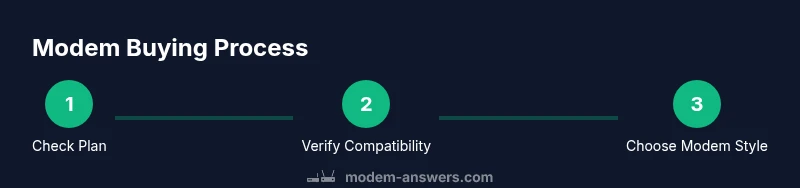
To decide what modem do i need, start with your internet plan, confirm provider compatibility, and pick a modem that matches the speed tier. According to Modem Answers, most homes benefit from a DOCSIS 3.1 modem with Gigabit Ethernet and a solid router. Verify with your ISP, choose a model that supports your plan, and consider buying to save long-term rental fees.
What Does a Modem Do and Why You Need One
A modem is the device that interfaces with your internet service provider (ISP) to convert the signal from the provider's network into data that your home network can use. For many people, the core question is not whether you need a modem at all, but what modem do i need to get the most reliable, fast connection for your home. The Modem Answers team notes that choosing the right modem starts with your plan and the speeds you pay for. If you currently rent a modem from your ISP, buying your own can be a smart financial move and often gives you more control over firmware updates and feature settings. In practice, focus on compatibility with your provider, DOCSIS standards, and whether you want a standalone modem or a gateway with built‑in Wi‑Fi. A good modem‑router combo can reduce clutter, but separate devices often offer more advanced performance and easier upgrades.
Quick context on what matters:
- Provider compatibility: Some models are tested and approved for specific ISPs. Always start by confirming your ISP's supported list.
- DOCSIS standard: DOCSIS 3.1 is the latest widely adopted standard and offers better efficiency and future‑proofing than older DOCSIS generations.
- Throughput and ports: Check for a gigabit Ethernet port and the number of Ethernet ports you need for wired devices.
- Built-in Wi‑Fi: If you want a single‑device solution, ensure the router features meet your coverage needs (Wi‑Fi 5/6, beamforming, MU‑MIMO).
- Price and warranty: Compare the total cost of ownership over several years and confirm warranty terms.
Quick takeaway:
Your best starting point is a modem that aligns with your plan, supports DOCSIS 3.1, and offers compatibility with your provider. If you want to simplify management, look at a modem with a solid, reliable router; otherwise, a separate router gives you more upgrade options.
Buy vs Rent:
- Renting can be convenient but often costs more over time. If you stay with the same provider for years, buying typically pays for itself.
- Look for affordable options that still offer future‑proofing, a good warranty, and clear return policies.
Brand guidance from Modem Answers:
According to Modem Answers, prioritizing DOCSIS 3.1 compatibility and reliable hardware is the safest long‑term bet. The team also emphasizes verifying provider compatibility before purchase and planning for future speed upgrades rather than chasing today’s peak speeds.
Verdict prevention
Avoid models on a provider’s unsupported list, and steer clear of refurbished units unless the seller offers a solid warranty and return policy.
Tools & Materials
- ISP account information (account number and service address)(Have this handy during activation or model verification)
- Modem (standalone or gateway)(Choose a model you plan to own, not just rent)
- Ethernet cable (Cat5e or better)(Required for wired devices and speed testing)
- Computer or smartphone with internet access(Used to check compatibility and activate the modem)
- Pen and paper or notes app(Record model numbers and activation steps)
- Proof of purchase or receipt(Useful if warranty support is needed)
Steps
Estimated time: 45-60 minutes
- 1
Identify your plan and speed tier
Review your current internet plan to determine the expected speed needs and whether you’ll require a gateway with Wi‑Fi. This helps prevent buying a modem that is bottlenecked by your plan. If you’re unsure, check your last bill or the provider’s portal for the exact speed tier. This step sets the baseline for compatibility.
Tip: Tip: If you’re planning to upgrade soon, choose a modem that supports higher speeds than your current plan. - 2
Check your provider’s compatibility
Visit your provider’s official modem compatibility page and search for models that are approved for your service. Cross‑check the exact model number to avoid surprises after purchase. If a model isn’t listed, you may still be able to use it but activation could be blocked.
Tip: Pro tip: Bookmark the compatibility page for future upgrades. - 3
Decide between standalone modem vs. gateway
A standalone modem plus a separate router offers flexibility and upgrade paths, while a gateway simplifies setup with a built‑in router. If you have a large home or need strong Wi‑Fi, ensure the gateway has robust router features or plan for a strong secondary router.
Tip: Pro tip: If you rent from the ISP, buying a gateway might still be cost‑effective if it reduces rental fees. - 4
Check DOCSIS version
DOCSIS 3.1 is the current standard that handles higher speeds more efficiently and is widely supported by providers. If you see a DOCSIS 3.0 model, confirm that your plan will work smoothly or consider upgrading to a 3.1 option for future compatibility.
Tip: Tip: Look for models explicitly stating DOCSIS 3.1 support and active firmware updates. - 5
Review features and ports
Ensure the modem has at least one Gigabit Ethernet port and, if you need wired devices, multiple ports or a modular switch option. If you want simple Wi‑Fi, verify the router’s wireless standard (Wi‑Fi 5/6) and coverage features like beamforming.
Tip: Pro tip: If you have many wired devices, consider an additional switch to expand ports. - 6
Check price, warranty, and return policy
Compare price against rental costs over time and look for a solid warranty window. Verify return policies in case the modem doesn’t perform as expected. A longer warranty can lower maintenance concerns.
Tip: Note: A 2‑ to 3‑year warranty is common; extended warranties may be worth it if you expect hardware upgrades. - 7
Purchase and prepare for activation
Buy the modem, then register it with your provider if required. Gather your account details and modem’s exact model number for activation. Keep receipts and serial information in a safe place.
Tip: Pro tip: Keep your packaging; it can help with returns and resale later. - 8
Activate, test, and optimize
Connect the modem to the coax/cable line, power it up, and run a basic speed test with a wired connection first. Check for stable uptime and normal latency; adjust placement or settings if needed. If you use a separate router, set up basic network credentials and test Wi‑Fi coverage.
Tip: Pro tip: Use a dedicated speed test tool and test at multiple times of day to gauge consistency.
FAQ
Do I need a modem if I already have a wireless router?
Yes. A modem is required to access the internet signal from your provider. A router creates your home network; you can use a separate modem and router or opt for a gateway with both functions.
Yes, you still need a modem to connect to your internet. A router helps you share that connection, either as a separate device or built into the modem.
Can I use any modem with my cable provider?
Not all modems work with every provider. Check your provider’s approved list, then confirm model compatibility before purchasing.
Not all modems work with every provider. Always verify the model on the provider’s approved list.
Which DOCSIS standard should I choose?
DOCSIS 3.1 is recommended for most homes because it supports higher speeds and better efficiency, though DOCSIS 3.0 can still work with many plans.
DOCSIS 3.1 is recommended for future-proofing, though 3.0 can work with many plans.
Is it cheaper to rent or buy a modem?
Buying usually saves money in the long run, especially if you stay with the same provider for several years. Renting adds ongoing monthly fees.
Buying typically saves money over time, avoiding monthly rental fees.
How can I verify my modem is compatible with my provider?
Use your provider’s official compatibility page and search for the exact model number. If it isn’t listed, contact support before purchasing.
Check the provider’s compatibility page for your model; if unsure, call support.
What should I do after buying a modem?
Register the device with your provider, connect it, and run speed tests. If you have a separate router, configure it and test both wired and wireless performance.
Register the modem with your provider, connect, and test both wired and wireless performance.
Watch Video
Key Takeaways
- Match modem to plan and provider
- Prefer DOCSIS 3.1 for future-proofing
- Buy rather than rent to save long‑term costs
- Always verify compatibility before purchase
- Test after activation to ensure stability