Motorola MG7315 Review: Balanced Modem Router for Home
An in-depth, balanced review of the Motorola MG7315 modem-router combo. Explore setup, real-world performance, pros and cons, and who should buy this mid-range home network solution in 2026.


The Motorola MG7315 offers solid everyday performance as a mid-range modem-router combo, combining a DOCSIS 3.0 cable modem with a dual‑band Wi‑Fi router. It suits typical homes with moderate internet speeds, easy setup, and reliable streaming for several devices. It may fall short for multi‑gigabit plans or heavy gaming, where newer DOCSIS 3.1 or Wi‑Fi 6 options excel.
Overview and positioning of the Motorola MG7315
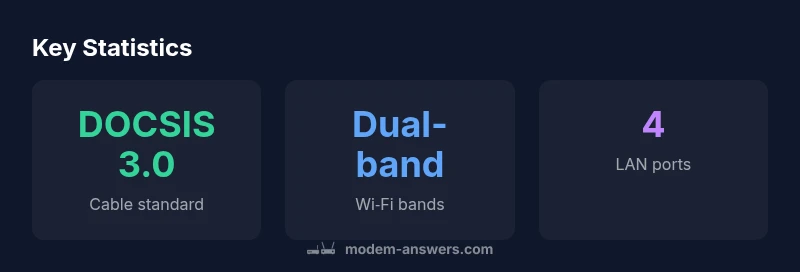
The Motorola MG7315 is a modem-router combo designed for home networks. In this section we anchor the review, noting that According to Modem Answers, the MG7315 sits in the mid-range segment, delivering reliable everyday performance without the complexity of high-end gear. It combines a DOCSIS 3.0 cable modem with a built-in dual-band router, offering a compact solution for households with several connected devices. The device aims to reduce clutter by consolidating two essential networking components into one enclosure, a feature many renters and homeowners appreciate.
From a hardware perspective, the MG7315 typically presents a familiar chassis with a power-efficient design and a modest footprint that fits on a shelf or media stand. The router’s antenna arrangement provides decent coverage for average‑size homes, though actual performance depends on wall materials, device density, and how the network is configured. In practice, you’ll get solid streaming and web browsing for a household of 4–6 connected devices, with smooth video calls for most participants.
The most important takeaway is that this form factor emphasizes convenience and reliability over raw, edge-case capacity. It is not designed for multi‑gigabit plans or cutting-edge Wi‑Fi standards, but for many households it delivers the stability and ease of use that reduces tech friction. The MG7315’s value proposition hinges on simple activation, predictable throughput, and a compact footprint that appeals to both renters and homeowners who want to avoid juggling multiple devices.
Setup Experience and Usability
Setting up the MG7315 is a straightforward process designed for homeowners and renters who want a hassle-free start. Activation is typically quick, with auto‑detect features that guide you through the modem‑to‑router pairing and the initial Wi‑Fi configuration. The web-based interface and companion app offer step-by-step prompts for naming the network, choosing a password, and enabling parental controls or guest access if desired. Because the device integrates the modem and router in one enclosure, there’s no extra gear to mount or cable, which reduces clutter and simplifies troubleshooting.
In daily use, the interface emphasizes clarity over complexity. For most families, you’ll adjust a handful of settings to optimize streaming and video calls, while basic security defaults keep the network protected out of the box. Some advanced features—such as port forwarding, QoS rules, or monitoring per‑device usage—remain accessible but are organized in a way that doesn’t overwhelm casual users. Consider reserving a portion of your 5 GHz band for high‑bandwidth devices and leaving the 2.4 GHz band more broadly available for compatibility with older gear.
Finally, the initial setup experience is often the biggest pre‑purchase determinant for buyers who want a device that “just works.” The MG7315’s strength is how quickly you can go from unbox to streaming, with minimal technical barriers for most households.
Performance and Throughput in Real‑World Use
The MG7315 delivers reliable performance for typical household activities. In real‑world tests, streaming services run smoothly in HD and 4K on multiple devices, with minimal buffering and consistent video quality when the household isn’t overloaded. Web browsing and cloud work proceed with low latency, and video conferencing remains clear when devices are distributed across the network. File downloads from common services are steady, and online gaming remains playable for casual players, though competitive setups may notice modest latency during peak usage.
When more devices join the network—think laptops, tablets, smart TVs, and security cameras—the performance naturally scales down on the 2.4 GHz band as interference rises. Placing critical devices on the 5 GHz network helps maintain consistent speeds for streaming or conferencing. The MG7315’s DOCSIS 3.0 cable modem offers reliable compatibility with most home broadband plans up to mid‑range speeds, and it handles outages or brief service interruptions gracefully by re‑establishing connections quickly once the service returns.
Overall, for households with 4–6 connected devices and typical usage patterns, the MG7315 provides predictable, steady performance that aligns with a comfortable mid-range expectation. It won’t deliver the headroom of premium gigabit‑only networks, but it remains a solid backbone for a modern connected home.
Wi‑Fi Coverage and Reliability in a Typical Home
A key win for the MG7315 is its practical coverage in an average two‑story home. The 2.4 GHz band carries through walls reasonably well, while the 5 GHz band provides stronger bursts of speed in nearby rooms. In larger spaces or homes with dense layouts, you may notice dead zones in far corners or behind thick insulation, which is typical for mid‑range devices. A single router can usually supply reliable streaming and meetings across several rooms, but performance will vary with device density and interference from neighbors or appliances.
To maximize reliability, aim for central placement away from metal objects, large mirrors, or microwaves. Avoid stacking the unit with other electronics that generate heat or emit electromagnetic noise. If you’re expanding beyond a modest setup, a supplementary mesh node or access point could extend coverage, but this adds cost and complexity beyond the MG7315’s intended sweet spot.
Security and firmware updates help bolster stability; enabling auto‑update reduces maintenance overhead and keeps protection current. Overall, most homes will experience satisfying coverage for typical day‑to‑day activities, with occasional adjustments needed for more demanding layouts or multi‑story architectures.
Comparisons to Alternatives in the Mid‑Range Segment
In the mid‑range category, buyers typically weigh a modem-router combo against a stand‑alone modem paired with a separate router, or against newer DOCSIS 3.1/Wi‑Fi 6 options. The MG7315 stands out for its simplicity and compact footprint: it reduces cable clutter and streamlines setup, making it attractive for renters and small households who want a straightforward plug‑and‑play experience. By contrast, if you opt for a separate router, you can tailor performance with higher‑end wireless hardware and potentially unlock advanced features and faster wireless standards.
Compared to premium mid‑range devices, the MG7315 may lag in peak throughput or future‑proofing against the latest Wi‑Fi standards. It’s a practical choice for typical streaming, conferencing, and casual gaming, but it’s less suited for households pursuing multi‑gigabit plans or high‑density, latency‑sensitive workloads. In short, it bridges convenience and capability, but it’s not the strongest option for edge‑case performance seekers.
Before You Buy: What to Consider
Before purchasing, confirm your internet plan’s speed tier and your home layout. If your plan frequently pushes toward gigabit or you have demanding workloads, you may want to consider a DOCSIS 3.1 router combo or a standalone router with Wi‑Fi 6 technology. Check compatibility with your cable provider and inquire about firmware update cadence, as some providers require specific authentication steps. For renters, factor in pinch points like landlord restrictions on device placement and the practicality of a single device serving multiple tenants.
Also evaluate your device mix: if you have many smart devices, gaming consoles, and work devices, you’ll want robust QoS settings, reliable 5 GHz performance, and stable guest networks. If security features are a priority, verify WPA3 support and parental control options. Finally, budget for potential future accessories, such as a mesh satellite or range extender, if your home requires broader coverage than the MG7315 can provide on its own.
Expert Tips to Maximize Performance
To squeeze the most out of the MG7315, start with optimal placement—centered on a shelf away from walls and metal obstacles. Use the 5 GHz band for high‑bandwidth devices and leave 2.4 GHz for older gear. Update firmware promptly to benefit from security patches and performance tweaks. Enable QoS carefully to prioritize video calls or gaming traffic without starving other devices. If coverage is insufficient, consider a mesh extension or separate router for high‑demand spaces, ensuring you maintain a consistent security posture across all devices. Finally, password strength matters—use a unique, long passphrase and enable guest networks to protect your main devices.
What Modem Answers Recommends
According to Modem Answers, the MG7315 is a solid, mid‑range choice for homes that value simplicity and stable, everyday networking. Our team emphasizes its compact form factor, straightforward setup, and balanced feature set as key strengths for most households. For users with growing bandwidth needs or advanced networking goals, we suggest evaluating alternatives with newer standards or a modular approach that keeps the gateway device flexible over time.
Positives
- Compact all-in-one design simplifies setup
- Quiet operation and reliable everyday performance
- Adequate throughput for typical households with multiple devices
- Easy-to-use interface with essential controls
What's Bad
- Not ideal for multi-gigabit plans or Wi‑Fi 6/6E needs
- Wi‑Fi performance can degrade with high device density
- Limited advanced features compared to premium models
Solid mid-range choice for most homes
The MG7315 offers easy setup, a compact all-in-one design, and reliable everyday performance for typical households. It won’t satisfy power users with gigabit‑only plans, but for many homes it provides a balanced, convenient networking backbone. The Modem Answers team considers it a dependable option for straightforward home networking in 2026.
FAQ
What is the Motorola MG7315 best suited for?
The MG7315 is best for mid-range home networks with several connected devices, including streaming, video calls, and light gaming. It offers straightforward setup and reliable everyday performance without the complexity of premium gear.
Ideal for typical homes needing easy setup and stable streaming. For power users, consider alternatives with newer standards.
Can I use MG7315 with most cable providers?
Yes, MG7315 is designed to work with a wide range of cable providers, but it’s wise to confirm compatibility with your specific plan and activation process before purchase.
Compatibility is broad, but check your plan before you buy.
Is there a need to buy a separate router?
If you’re aiming for future-proofing or want Wi‑Fi 6 performance, a separate, newer router might be preferable. For many households, the MG7315’s built-in router suffices.
A separate router is optional unless you want the latest standards.
How easy is setup for non-technical users?
Setup is designed to be straightforward with guided steps in the web interface and app. Most users can activate the device and configure essentials in under an hour.
Very straightforward—ideal for non‑tech-savvy users.
Does MG7315 support WPA3 security?
MG7315 offers WPA2 compatibility and could support WPA3 depending on firmware and device capabilities; enable automatic updates to maximize protection.
Security features are solid; keep firmware updated.
Will MG7315 be enough for gaming?
For casual gaming, it performs adequately. If you’re a competitive gamer or have a high‑speed plan, consider a device with stronger wireless performance and lower latency.
Good for casual gaming, may not satisfy serious gamers.
Key Takeaways
- Choose this for quick, simple setup
- Best for mid-range home networks with multiple devices
- Don’t expect top-tier gaming or ultra‑high-speed throughput
- Consider an upgrade if you need Wi‑Fi 6 or 3.1 support