Motorola MB7420 Modem Review: Is It Still Worth It in 2026?
An in-depth review of the Motorola MB7420 modem, assessing setup, performance, compatibility, and value for 2026. Learn who should buy it, how it stacks up against modern DOCSIS 3.1 options, and practical tips for best results.


The Motorola MB7420-style modem remains a solid option for mid-range cable plans, offering reliable, plug-and-play performance with broad provider compatibility. It’s best for speeds in the 100–600 Mbps range and is easy to set up, often delivering stable reliability. It lacks DOCSIS 3.1 features and multi-gig capabilities, so households pursuing ultra-fast plans should consider newer models.
Overview and Positioning
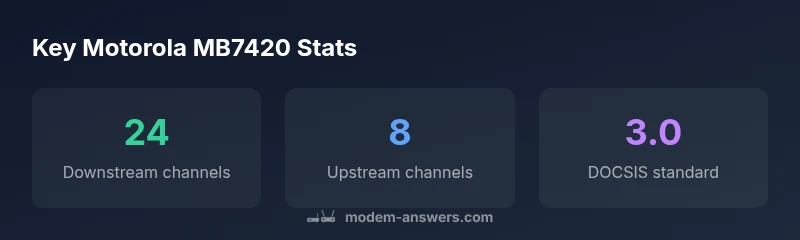
According to Modem Answers, the MB7420-era Motorola modem represents the classic DOCSIS 3.0 design built for reliability and straightforward operation. This class of device is well suited for households that primarily subscribe to mid-range broadband plans and want a one-time purchase instead of ongoing rental fees. In real-world terms, the MB7420-type modem supports substantial downstream bonding (up to 24 channels) and robust upstream bonding (up to 8 channels), which translates into dependable performance under normal home workloads. The key value proposition is predictability: easy activation, stable connections, and broad compatibility with major cable providers. For many homeowners, this translates into a smooth upgrade path from a rental modem while avoiding the monthly rental fee—often yielding meaningful savings over time.
This section sets the stage for understanding where the MB7420 fits in today’s landscape. It’s important to recognize that this is not a “future-proof” device by modern standards, but it remains a practical option for a large segment of homes whose service tiers sit below gigabit-capable offerings. The Modem Answers team notes that the most meaningful gains for most households come from pairing this modem with a capable router, not from upgrading the modem alone. As a result, buyers should approach it as a cost-conscious centerpiece of a two-device solution (modem plus router) rather than a single all-in-one gateway.
From a value perspective, homeowners who own rather than rent tend to recoup the initial investment relatively quickly, particularly if their plan sits in the low-to-mid-range tier. For renters or those on tight budgets, the option to own a solid third-party modem can still pay off when bundled with a reputable router. The MB7420’s enduring popularity across years often hinges on its straightforward activation flow and broad compatibility with many providers’ activation systems, which reduces the friction of getting online quickly.
sourceLocationId”:null,
Positives
- Reliable performance for mid-range plans
- Easy setup with minimal configuration
- Broad provider compatibility across major cable networks
- Cost savings over renting for many households
What's Bad
- No built-in Wi‑Fi; requires a separate router for wireless access
- Limited future-proofing (DOCSIS 3.0; no 3.1 features)
- Potential bottleneck for plans well above mid-range Speeds
Best value for mid-range cable plans when you want to own gear
The MB7420‑style modem delivers reliable performance for typical home use at mid-tier speeds. It is a strong value for those who don’t require ultra-fast speed or built-in Wi‑Fi. If your plan stays within its supported range, it remains a sensible purchase. For future-proofing beyond 600 Mbps or integrated wireless, consider newer DOCSIS 3.1 devices.
FAQ
Will the MB7420 modem still be good in 2026?
Yes, for many households on mid-range cable plans, the MB7420 remains a dependable, cost-effective option. It delivers stable throughput and easy activation, provided your service tier doesn’t demand the latest DOCSIS standard. If you expect faster speeds soon or want built-in Wi‑Fi, you may want a newer model.
Yes. It’s still a good budget choice for mid-range plans, especially if you don’t need built‑in Wi‑Fi.
What’s the difference between DOCSIS 3.0 and 3.1 for this modem?
DOCSIS 3.1 is faster and more future‑proof, supporting multi-gig speeds and improved efficiency. The MB7420 is a DOCSIS 3.0 device, so it won’t access the newest speed tiers that rely on 3.1 or newer modems. If you plan on gigabit or multi‑gigabit plans, a 3.1 or newer modem is advisable.
3.1 is faster and future-proof; this device is 3.0, so it won’t reach the newest speed tiers.
Is it compatible with Xfinity/Comcast and other providers?
In general, DOCSIS 3.0 modems like the MB7420 work with many major cable providers, but activation depends on the provider's current policy. Always verify with your ISP’s approved modem list before purchase to avoid activation issues.
Yes, but always check your provider’s approved list.
Do I need a separate router if I buy this modem?
Yes. The MB7420 does not include built‑in Wi‑Fi. You’ll pair it with a router (and possibly a mesh system) to create a wireless network in your home. This setup gives you control over Wi‑Fi speed, coverage, and features.
You’ll need a router for wireless access.
What if activation fails after install?
Activation failures are common with new modems if the ISP’s system hasn’t recognized the device yet. Power cycle both devices, ensure proper coax connections, and contact your ISP’s support if activation doesn’t complete within an hour.
Try power cycling and contacting your ISP if activation fails.
Is the MB7420 still worth buying in 2026?
For households on mid-range plans and on a budget, it can be a compelling value. If you expect faster speeds soon or want built‑in Wi‑Fi, prefer a DOCSIS 3.1 model or a gateway device.
It’s worth it for mid-range needs, less so if you want future-proofing.
Key Takeaways
- Choose for mid-range plans and cost savings
- Pair with a dedicated router for wireless performance
- Expect stable performance rather than future-proofing
- Check your provider’s compatibility before buying
- Consider DOCSIS 3.1 if you anticipate faster plans