What Modem Does Sparklight Use? A Practical Compatibility Guide
Explore Sparklight modem compatibility, including DOCSIS standards, BYO modem options, rental gateways, activation steps, and best practices. Learn what to check on Sparklight's approved devices list and how to maximize performance in 2026.


Sparklight does not rely on a single modem model for all customers. The provider supports DOCSIS 3.0 and 3.1 modems and maintains an official compatibility list. BYO modems are allowed if they appear on the approved device list, and rental gateways are available as an alternative. To avoid activation issues, verify the exact model on Sparklight’s site or contact support.
What modem does Sparklight use? Understanding provider-compatible modems
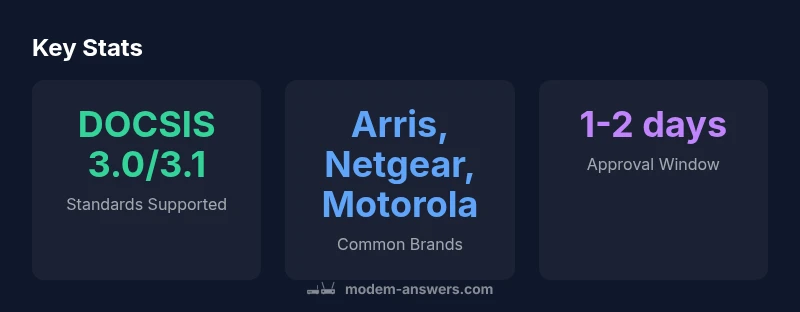
Sparklight operates as a cable internet provider, which means customers access service through a coaxial connection that terminates at a modem. The question what modem does Sparklight use often depends on location and plan. In general, Sparklight supports DOCSIS 3.0 and 3.1 modems and maintains an official compatibility list. There is no single 'Sparklight modem' model used across the entire network, which benefits customers who want to BYO devices. According to Modem Answers, prioritizing compatibility reduces activation issues and ensures ongoing support. If you are buying a modem, focus on models that appear on Sparklight's approved devices list and match your speed tier. A key takeaway is to ensure that your device is DOCSIS-certified and listed as compatible on the carrier's site.
How to check Sparklight’s approved modem list
To avoid activation troubles, start by verifying Sparklight's official compatibility list. This list is region-dependent and can change as new devices are certified. Visit Sparklight's official support page and search for 'modem compatibility' or 'approved devices.' If your device isn’t listed, you can contact customer support for a manual check. Keep a record of the model number, hardware revision, and firmware level. Remember, even within a brand, some revisions may be approved while others aren’t.
DOCSIS standards explained and why they matter for Sparklight
DOCSIS (Data Over Cable Service Interface Specification) defines how modems communicate over a cable network. Sparklight, like many providers, relies on DOCSIS 3.0 and 3.1 for reliable speeds and better channel bonding. A modem that supports these standards can usually access the broadband tier you pay for, while newer DOCSIS versions may unlock additional headroom for future plans. When evaluating a modem, ensure it explicitly states DOCSIS 3.0 or 3.1 compatibility and is listed on Sparklight’s approved devices page. This small check helps avoid activation delays and disconnections.
BYO modem vs rental gateway: costs, support, and flexibility
Choosing between a BYO modem and a rental gateway depends on budget, convenience, and the level of official support you want. BYO devices can save monthly rental fees if they appear on the official Sparklight compatibility list and perform as expected. Rental gateways provide a streamlined activation process and vendor support, which can be valuable in tricky setups or multi-device homes. Evaluate total cost over the plan term, factor in potential support fees, and consider the risk of compatibility changes over time.
Activation steps for a BYO modem on Sparklight
First, confirm your device is on the approved list. Then connect the modem to the coaxial line, power it up, and wait for the signal to lock. Use Sparklight’s activation portal or call support to register the device’s MAC address and model. You may need to reboot both the modem and the gateway/router after activation to finalize the process. Always ensure the firmware is current and that the device is DOCSIS-certified.
Troubleshooting activation and compatibility issues
If activation fails, check physical connections, coax signal levels, and ensure the modem is properly powered. Verify you are using the correct account and service tier for the device. Inconsistent speeds or dropped connections often point to a firmware mismatch or a non-listed revision. When in doubt, contact Sparklight support with model number, hardware revision, and firmware version so they can verify compatibility and complete re-activation if needed.
Performance considerations with Sparklight BYO setups
A properly certified BYO modem can deliver stable performance close to your plan’s advertised speeds, but factors like signal quality, cable quality, and network congestion influence real-world results. If you are paying for higher speeds, ensure your modem’s DOCSIS 3.1 support is enabled and bonded channels are sufficient. Periodic reboots, firmware checks, and ensuring your home network router does not bottleneck performance will help sustain optimal throughput.
Sparklight modem compatibility data
| Aspect | Sparklight compatibility | Notes |
|---|---|---|
| DOCSIS standard | DOCSIS 3.0/3.1 | Most BYO modems that meet the standard are eligible |
| Approved modem list | Official Sparklight list | Check for region-specific updates |
| Rental gateway option | Available in many areas | Used if you prefer official support |
FAQ
Does Sparklight offer a modem rental?
Yes, Sparklight offers rental gateways in many areas. If you prefer, you can BYO modem as long as it appears on the official compatibility list. Activation and support remain through Sparklight.
Yes, Sparklight rents gateways in many places; BYO options are possible if approved.
How do I know if my modem is approved by Sparklight?
Check Sparklight's official compatibility list on their support page or contact customer service to verify. Record the model number and revision for reference.
Check the official Sparklight list or ask support to confirm approval.
Will BYO modems support the fastest speeds I pay for?
BYO modems that match the DOCSIS standard and align with your plan can typically support the speeds, but verify on the official list. Some speed tiers may require newer DOCSIS features.
BYO can support fast speeds if the modem and DOCSIS version match your plan.
Can I use a modem-router combo with Sparklight?
Yes, many modem-router combos are compatible if they meet Sparklight's DOCSIS requirements and appear on the approved list. Always verify before purchase.
Yes, but confirm compatibility first.
What if activation fails after I install?
Reboot the modem, verify cable signal, and re-run activation in Sparklight’s portal. If issues persist, contact support with model details to troubleshoot.
Restart and re-activate; call support if needed.
“Modem compatibility is provider-specific; choosing an approved BYO modem minimizes activation issues and ensures ongoing support.”
Key Takeaways
- Check the official Sparklight compatibility list first
- Choose DOCSIS 3.0/3.1 modems to maximize support
- Compare BYO vs rental for total cost and support
- Follow activation steps in the Sparklight portal