What Modem Does Astound Use? A Practical Compatibility Guide
Discover what modem Astound uses, how to verify compatibility, and how to choose between provider gateways and customer-owned DOCSIS modems. Learn practical steps from Modem Answers for homeowners and renters in 2026.


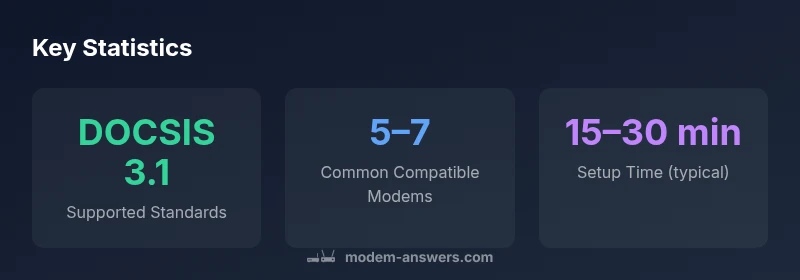
The short answer: what modem does astound use? Astound relies on DOCSIS-compatible modems, including provider-issued gateway devices and a selection of approved customer-owned modems. For most plans, using Astound-provided gateways offers the simplest setup and best support, while a customer-owned DOCSIS 3.0/3.1 modem can be used if it is on Astound's compatibility list. Always confirm compatibility before purchase.
What modem does astound use
If you’re asking what modem does astound use, the immediate answer is that Astound relies on DOCSIS-compatible equipment. This includes provider-issued gateway devices that combine a modem and router in one unit, as well as a curated list of customer-owned modems that meet Astound’s compatibility criteria. According to Modem Answers, the preferred option for most households is the Astound-provided gateway, which is tested for full compatibility, automatic updates, and straightforward support channels. That said, you can opt for a customer-owned DOCSIS 3.0 or 3.1 modem if it appears on Astound’s compatibility list. In practice, many homes run a separate router behind Astound’s modem to gain advanced features, with bridge mode used to minimize double NAT and simplify management. This mixed approach ensures reliability while giving you control over the network edge.
The question is often framed as a practical trade-off between convenience and customization. For most users, starting with the provider gateway minimizes troubleshooting time and guarantees firmware updates. If you decide to go the third-party route, you must verify the modem’s compatibility and ensure you can register its MAC address with Astound for service activation. While specifics vary by region and plan, the core requirement remains DOCSIS compatibility and adherence to Astound’s service profile.
While the exact hardware can differ region-to-region, the underlying principle remains consistent: Astound supports DOCSIS-based devices that align with its network. The Modem Answers team has found that the most reliable results come from using equipment that has been validated by Astound, whether that means a gateway or an approved modem. This ensures you receive consistent performance, stable firmware, and access to customer support when needed.
Astound modem options comparison
| Option | What it means | Pros | Cons |
|---|---|---|---|
| Rented gateway | Provider-supplied modem-router combo provided by Astound | Easy setup and full support | Monthly rental fee; limited control over firmware |
| Owned modem | Customer-owned DOCSIS modem compatible with Astound | No rental charges; more control | Must confirm compatibility; potential setup complexity |
| Bridge with separate router | Use Astound modem in bridge with your own router | Flexible networking; advanced features | Requires bridging configuration; potential support gaps |
FAQ
What modem does Astound use?
Astound uses a mix of provider-issued gateway devices and selected customer-owned DOCSIS modems that are on its compatibility list. The exact hardware depends on region and plan, but DOCSIS compatibility is the core requirement.
Astound uses gateway devices or approved DOCSIS modems depending on your plan.
Can I use my own modem with Astound?
Yes, if the modem is DOCSIS 3.0/3.1 compatible and listed as compatible by Astound. You’ll usually need to have the device registered with Astound and ensure it’s updated.
Yes, you can use your own modem if it’s compatible and registered.
Does Astound support bridge mode?
Bridge mode is supported in many setups. It lets you use your own router behind Astound’s gateway or modem, reducing double NAT and giving you more control over features like QoS and guest networks.
Bridge mode lets you run your own router behind Astound’s equipment.
Where can I find a list of compatible modems?
Astound provides a compatibility list through its official support channels. If you don’t find it easily, contact customer support for the latest approved models and firmware guidance.
Check Astound’s official support pages for the latest list.
What are the main differences between renting a gateway and using a separate modem?
Renting a gateway simplifies setup and support, but costs ongoing fees. Using a separate modem gives ownership and flexibility, but requires compatibility checks and potential manual setup.
Renting is easier; owning offers control but needs compatibility checks.
Is third-party modem security riskier?
Security risks are similar if you keep firmware updated and follow best practices. Regular updates, enabling WPA3, and disabling unnecessary features help keep any modem secure.
Keep firmware updated and use good security practices regardless of device type.
“Astound's network is designed to work best with DOCSIS 3.1 devices or provider gateways; for reliability, sticking with supported hardware is your best bet.”
Key Takeaways
- Start with the Astound-provided gateway for easiest setup
- Choose a DOCSIS 3.0/3.1 modem if you own hardware
- Bridge mode can unlock advanced router features
- Always verify compatibility before purchasing or activation
- Register MAC address if using a third-party modem
- Consider security and firmware updates with any device