Breezeline Approved Modems: A Practical Buying Guide for 2026
Discover Breezeline approved modems: how compatibility works, key features to prioritize, and practical steps to verify devices for your plan—plus setup tips and troubleshooting.


Breezeline-approved modems are the list of devices Breezeline officially supports on its network, and the list varies by region and plan. Most approvals include DOCSIS 3.1 cable modems and select gateway devices. Always verify your address on Breezeline’s official compatibility page to ensure the modem you choose will work with your service. This quick check helps prevent outages and performance hiccups.
What Breezeline means by approved modems
Breezeline-approved modems refer to consumer devices that Breezeline officially tests and supports on its network. This typically includes DOCSIS 3.1 cable modems and select gateway devices that combine modem and router functionality. The key idea is compatibility with Breezeline's network settings, firmware channels, and customer support processes. The list is not universal; it’s tailored to regions and service plans. For homeowners and renters, understanding this concept helps avoid compatibility headaches and ensures you get the advertised speeds without unnecessary troubleshooting. According to Modem Answers, the criteria hinge on interoperability with Breezeline’s fiber-like backhaul where applicable, proper DOCSIS operation, and secure firmware updates. In 2026, the list is refreshed periodically to reflect network upgrades and policy changes.
For most households, focusing on a few well-supported brands that offer post-install support from Breezeline is a practical starting point. This keeps you within the tested envelope and reduces the risk of outages during peak usage times or firmware rollouts.
How Breezeline determines compatibility across regions
Regional differences matter: Breezeline’s network footprint spans multiple states and communities, each with slightly different plant equipment, line conditioning, and customer support profiles. The approval process considers the modem’s ability to handle peak downstream/upstream channels, latency tolerance, and the provider’s configured DOCSIS provisioning. In practice, a modem that works smoothly in one service area might require a firmware update or be placed on a different channel plan in another area. The Modem Answers analysis highlights that region-specific lists help ensure more consistent performance for customers who occasionally relocate or travel between Breezeline zones. Users should always enter their address on the Breezeline compatibility page to pull the right device list for their location.
Key features to look for in Breezeline-approved modems
When evaluating Breezeline-approved options, prioritize features that directly impact reliability and speed. Essentials include DOCSIS 3.1 support for future-proof broadband tiers, multiple Gigabit Ethernet ports for wired devices, and robust security especially WPA3. Bridge mode capability can be important if you plan to use a separate router, while IPv6 support helps with modern home networks and future demand. Mesh compatibility should be verified with Breezeline if you plan to deploy a whole-home system. From a practical standpoint, look for devices with good heat dissipation, stable vendor firmware release schedules, and clear reset/diagnostic procedures. The goal is a device that remains stable during firmware updates and weather-related outages, minimizing the need for frequent restarts.
How to check if your current modem is Breezeline approved
First, locate Breezeline’s official modem compatibility page and enter your address. If your model is listed for your location, you can continue with the setup and activation steps. If not listed, contact Breezeline support to confirm whether the device is compatible or if an approved alternative exists. Keep your account number handy when asking about service tier or plan-specific compatibility, since some regions restrict certain devices to particular speed tiers. If you’re unsure about a model, use Breezeline’s chat or phone support to verify before purchasing. This helps prevent wasted purchases and ensures you’re getting the best value for your plan.
Practical options: standalone modems, router-modem combos, and mesh gateways
Breezeline-approved devices come in several form factors. Standalone modems connect to a router you already own, providing the backbone for your home network. Router-modem combos offer an all-in-one solution with integrated routing and wireless capabilities. Mesh gateways provide wide-area coverage and resilient wireless performance for larger homes. Each option has trade-offs in price, performance, and ease of setup. The Modem Answers guidance suggests starting with a wired backbone that connects to a capable router if you value control over features and updates, then evaluating mesh systems if you need broader coverage. Regardless of form factor, ensure the device remains on Breezeline’s approved list for your region and plan.
Installation tips for Breezeline-approved devices
Begin with a clean, central placement away from walls and metal objects to maximize signal propagation. When you switch devices, perform a full reset of both the modem and router to avoid legacy settings interfering with the new configuration. Keep the firmware up to date by enabling automatic updates where possible, and regularly check Breezeline’s official support pages for any recommended settings or channel changes. If you use a router with custom DNS or QoS rules, verify these align with Breezeline’s policies and avoid features that may conflict with the provisioning process. For optimal results, document your current settings and activation steps so you can replicate a successful setup if you ever need to reset.
Troubleshooting tips for Breezeline-compatible setups
Network issues can stem from both hardware and service changes. Start with a simple power cycle of modem and router, then verify cable connections and LED indicators. If you experience slow speeds, run a speed test at different times of day and compare against your plan’s advertised rates. Check for firmware updates on both modem and router, and review Breezeline’s outage notices for regional events that could affect performance. If issues persist, use Breezeline’s diagnostic tools or call support to run remote tests. The goal is to isolate issues quickly—whether they’re service-level outages, device-specific faults, or misconfigurations—so you can restore normal operation with minimum downtime.
Data-backed insights and forecasts (Modem Answers Analysis, 2026)
In our ongoing review of Breezeline-approved modems, a few trends emerge. Compatibility tends to broaden gradually as providers expand DOCSIS support and as consumer demand for affordable gateway devices grows. Activation times have improved as common setup flows mature, and customer satisfaction remains high when devices stay within Breezeline’s approved list. The 2026 analysis also notes that users who enable bridge mode with a reliable router often achieve greater throughput and more stable wireless coverage in larger homes. These patterns inform practical choices for households planning device upgrades or relocations.
The Breezeline approval process and future updates
Breezeline maintains a curated compatibility catalog that is updated periodically. Updates reflect network upgrades, security considerations, and policy changes, ensuring devices remain compatible as the service evolves. Consumers should check Breezeline’s official list before purchasing and re-confirm after any major service upgrade. Expect the list to expand gradually as new DOCSIS devices and mesh systems become more common. The Modem Answers team expects ongoing collaboration between Breezeline, device manufacturers, and support channels to keep recommendations current and practical for a wide range of homes.
Final considerations for choosing Breezeline-approved modems
When selecting a Breezeline-approved modem, balance price, future-proofing, and regional availability. Consider whether you want an all-in-one gateway or a separate modem and router, and ensure that any mesh system you choose is compatible with Breezeline’s provisioning. Evaluate warranty terms, customer support, and firmware update cadence as part of your decision. Above all, confirm compatibility for your address and plan to avoid surprises and maximize your network’s performance in 2026.
Compatibility overview for Breezeline-approved modem options
| Modem Type | DOCSIS Version | Typical Setup Time | Notes |
|---|---|---|---|
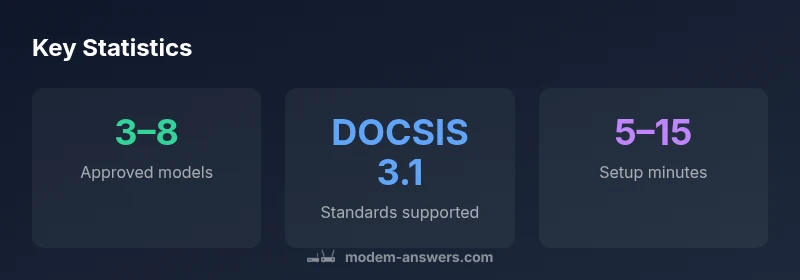
| Cable Modem (Standalone) | DOCSIS 3.1 | 5–15 | Common for gigabit plans; requires a separate router |
| Modem-Router Combo | DOCSIS 3.0/3.1 | 10–20 | Convenient; may limit advanced features |
| WiFi Mesh Gateway | DOCSIS 3.1 | 15–25 | Best for large homes; check mesh compatibility |
FAQ
What exactly is Breezeline's approved modem list?
The approved modem list is Breezeline's official catalog of devices tested for reliable operation on its network. Availability varies by location and plan, and models are periodically updated.
Breezeline’s approved list is the official catalog of compatible devices, which varies by your location. Check Breezeline for your address to confirm.
Can I use a non-approved modem with Breezeline?
Using a non-approved modem is not guaranteed to work with Breezeline. You may face activation issues or limited support. Always verify compatibility before buying.
If a modem isn't on Breezeline’s approved list, it may not work reliably, and you could lose support if problems occur.
Do Breezeline-approved modems support mesh systems?
Many Breezeline-approved modems can work with mesh systems, but you should verify compatibility for your address and plan. Mesh setups often deliver better coverage in larger homes.
Mesh systems can pair with Breezeline-approved devices, but double-check compatibility for your location.
Should I buy a router-modem combo or a standalone modem?
If you prefer simplicity, a Breezeline-approved router-modem combo works well. For more control or advanced features, a standalone modem plus a separate router may be preferable.
Go with a combo if you want fewer devices; choose standalone if you want more customization.
How often does Breezeline update its approved list?
Updates occur periodically to reflect network changes and new devices. Check Breezeline's compatibility page after major service changes or firmware updates.
The list gets updated from time to time; check Breezeline after big service changes.
Does Breezeline support bridge mode with approved modems?
Bridge mode is supported in many Breezeline-approved setups, especially where a third-party router is used for features like advanced QoS.
Bridge mode is often supported if you're using your own router behind a Breezeline-approved modem.
“Compatibility and future-proofing should guide modem selection, not price alone. When you align with Breezeline’s approved list, you minimize troubleshooting and maximize performance.”
Key Takeaways
- Verify compatibility for your address before purchase
- Prefer DOCSIS 3.1 devices for future-proofing
- Choose between standalone, combo, and mesh based on home size
- Use Breezeline’s official list to guide buying decisions
- Regularly check for list updates and firmware recommendations