What modem is needed for 1 gig internet
Learn exactly what modem and gateway you need to achieve true 1 Gbps speeds—covering cable DOCSIS 3.1, fiber gateways, provider compatibility, and practical buying tips for home users.


To reliably achieve 1 gigabit per second internet, choose a DOCSIS 3.1 cable modem paired with a gigabit-or-better router, or use a fiber gateway/ONT with a high‑performance router. Avoid older DOCSIS 3.0 modems; always verify provider-approved models. If you have fiber, your provider may supply a gateway; if not, purchase your own router to maximize wireless speed.
Understanding how 1 Gbps translates into home networks
When homeowners plan to upgrade to 1 gig internet, the central question is not only the speed on the bill but the hardware that can deliver that speed to your devices. The speed you see in the plan is the maximum gigabit capacity from the provider to your home; the actual experience depends on the hardware and internal network, particularly the modem, router, and the path from the network to your devices. According to Modem Answers, the key to turning a 1 Gbps service into real-world performance is to align the service type with the correct modem or gateway and a capable router.
In most homes, the bottleneck is not the internet pipe at the pole, but the device chain inside your home. Modems and routers have to handle high data throughput, maintain stable Wi‑Fi, and avoid congestion from multiple devices. The article will unpack cable vs fiber vs DSL, explain what makes a modem suitable for gigabit speeds, and give practical steps to buy and install equipment designed to maximize your 1 Gbps plan. It will also cover provider-locked hardware, rental vs ownership, and how to verify compatibility before you buy.
Cable internet and DOCSIS 3.1: the baseline for gigabit plans
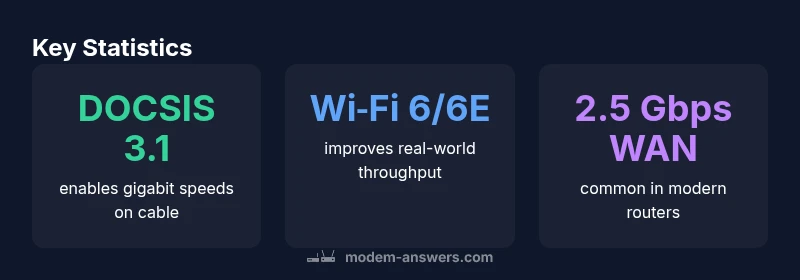
In cable networks, the shared fiber-coaxial plant delivers internet to your home. The critical hardware component for 1 Gbps cable service is a DOCSIS 3.1 modem, ideally paired with a router that supports modern Wi‑Fi standards. DOCSIS 3.1 allows higher downstream and upstream channels than older generations, but only if your modem and provider support the configured plan. If you use a DOCSIS 3.0 modem, you might not reach the full 1 Gbps speeds, even if the service provider advertises a gigabit tier. Always check your provider’s approved modem list; many providers require specific models to unlock the fastest speeds.
Practical steps: 1) look for a DOCSIS 3.1 modem with official compatibility for your ISP, 2) pair it with a router that has gigabit Ethernet ports and preferably Wi‑Fi 6 or 6E support, 3) consider a bonded channel count that matches the plan. If your home has heavy streaming, gaming, or multiple users, consider a mesh or multi‑router setup to extend coverage. From a reliability standpoint, a modern DOCSIS 3.1 modem is a solid baseline for gigabit plans, and you’ll likely get better performance with a high‑quality router behind it.
Fiber and the gateway reality: why a traditional modem isn't the whole story
Fiber connections differ from coax in that the “modem” is often replaced by an optical network terminal (ONT) or gateway device supplied by the provider. In most fiber deployments, the ONT converts light signals into an Ethernet feed, and the performance you see depends on the gateway or router you connect to that feed. Many households use the provider’s gateway, which includes Wi‑Fi and router functionality tuned for fiber speeds. If you opt to use your own router, ensure it can handle at least a gigabit WAN connection and has robust Wi‑Fi 6/6E capabilities. The important takeaway: for true 1 Gbps on fiber, the gating component is the gateway/ONT, not a stand‑alone modem.
Provider‑provided or approved third‑party gateways often include features like multiple Ethernet ports, parental controls, guest networks, and advanced QoS. If you rent, calculate the monthly cost over time and compare it to owning a compatible gateway. In short, fiber users should view the gateway as the primary speed gate, with your router providing the rest of the performance.
Fiber and the gateway reality: why a traditional modem isn't the whole story (continued)
For fiber subscribers, the distinction is often between “gateway” and “modem.” Many providers bundle a gateway that handles routing, Wi‑Fi, and security, making a separate modem unnecessary. If you insist on using your own equipment, you’ll typically connect your router to the gateway via Ethernet, or you’ll place your own router behind the ONT if the provider allows bridge mode. As with cable, verify compatibility and any rental costs before switching.
DSL and other technologies: why gigabit on DSL is unusual
DSL tech delivers speed over telephone lines and, in practice, 1 Gbps service on consumer-grade DSL is uncommon and typically reserved for premium or fiber‑backed services. When DSL is offered at such speeds, it is often via point‑to‑point or fiber‑in‑the‑neighborhood configurations that still rely on high‑end VDSL2 modems. Realistically, if your current DSL plan is advertised as 1 Gbps, you should verify whether the carrier intends to provide direct fiber or network‑to‑the‑home. In most cases, upgrading from DSL to fiber or cable will be necessary to reach true gigabit speeds. If you’re stuck with DSL, a cheaper plan with high‑quality Wi‑Fi router may still improve reliability, but the maximum speed will be limited by the copper path.
How to choose a modem and router for 1 Gbps: practical criteria
When selecting hardware, start with the speed tier you pay for. Your modem and router should be able to handle at least the subscribed gigabit plan. Look for the following features: DOCSIS 3.1 compatibility for cable, or fiber gateway support for fiber lines; ethernet WAN ports rated at 1 Gbps or faster (many devices include 2.5 Gbps or 10 Gbps options); Wi‑Fi standards such as Wi‑Fi 6/6E to maximize wireless throughput; and robust CPU and RAM to handle multiple devices. For cable, confirm the modem model is on the ISP’s approved list; for fiber, verify whether you must use the provider’s gateway or if you may connect your own router behind the ONT. If you want to minimize latency for gaming, consider enabling QoS and using wired connections for critical devices. Budget considerations include the ongoing rental fees versus upfront purchase; owning your own modem and router often pays off within a few years, assuming compatibility and warranty support.
Verifying compatibility and planning installation
Before purchasing, verify compatibility with your internet provider. Use the provider’s official compatibility list to confirm the exact modem model or gateway that will unlock your 1 Gbps speed. If you are moving from rental hardware, plan for a brief outage while you switch. On installation day, place your router in a central location, away from walls and metal objects, and avoid interference from cordless phones. Run a speed test with a wired connection to establish a baseline, then test multiple devices to understand the real‑world performance. For Wi‑Fi, optimize channel selection and consider a mesh system if coverage is inconsistent on upper floors. The goal is to optimize the entire chain from the provider’s connection to your devices, not to optimize only the router.
Common mistakes to avoid when aiming for 1 Gbps
- Assuming your plan guarantees full speeds on Wi‑Fi in every room; real speeds vary with distance, walls, and device capabilities.
- Skipping provider‑approved lists and buying a modem without confirmation; you may pay for hardware that cannot unlock your plan.
- Overlooking the importance of a capable router; even a DOCSIS 3.1 modem cannot maximize performance with an underpowered router.
- Ignoring firmware updates; outdated firmware can degrade performance or open security risks.
- Not testing with a wired connection; Wi‑Fi speeds can look good, but the actual wired throughput is the true baseline for gigabit plans.
Hardware requirements by connection type for 1 Gbps service
| Connection Type | Modem/Gateway Requirement | Notes |
|---|---|---|
| cable | DOCSIS 3.1 modem | Needs provider-approved model; pair with gigabit router |
| fiber | ONT/gateway or gateway-compatible router | Check with provider; many fiber homes use supplied gateway |
| dsl | VDSL2/ADSL modem (rare for 1 Gbps) | Typically insufficient for true gigabit plans; consider upgrading |
FAQ
Can I get 1 Gbps service with any modem?
No. 1 Gbps typically requires a DOCSIS 3.1 modem for cable or a fiber gateway/ONT for fiber. An older DOCSIS 3.0 modem is unlikely to unlock the full speed tier. Always use an ISP-approved model to ensure you receive the advertised speeds.
No—1 Gbps usually needs DOCSIS 3.1 on cable or a fiber gateway. Check the approved list first.
Do I need a separate router if I buy a modem?
Yes for most setups. A separate, modern router (Wi‑Fi 6/6E) helps maximize wireless speeds and coverage. Some providers offer gateways with built‑in routing, but a quality router often improves performance for multiple devices.
Usually yes; a good router boosts wireless performance.
Will my old modem work with 1 Gbps?
Most older modems (DOCSIS 3.0) won’t unlock 1 Gbps speeds. You’ll likely need a DOCSIS 3.1 modem for cable or use the provider’s gateway for fiber.
No—old modems generally won’t cut it for 1 Gbps.
Is Wi‑Fi 6 necessary for 1 Gbps?
Wi‑Fi 6/6E improves real-world throughput and range, especially in busy homes, but the core speed comes from the modem/gateway and wired connections. It’s recommended but not strictly mandatory for gigabit plans.
Wi‑Fi 6 helps with real-world speeds, but main speed comes from the wired link.
How do I verify compatibility before buying?
Check your ISP’s official approved devices list, confirm the exact modem model or gateway, and ensure the device supports your subscribed speed tier. If in doubt, contact customer support before purchasing.
Look up the approved list and confirm the exact model before buying.
“The path to true 1 Gbps begins with confirming what your provider supports and selecting hardware that can handle those speeds. A DOCSIS 3.1 modem paired with a modern router typically delivers reliable performance, while fiber users should start with the provider's gateway.”
Key Takeaways
- Start with the exact speed tier you pay for and ensure your hardware can handle it
- Cable users should prioritize DOCSIS 3.1 modems and a capable router
- Fiber users often rely on a gateway/ONT; your own router should connect behind it
- Always check your ISP’s approved equipment list before buying
- Upfront ownership can save money over rental fees when hardware is compatible